
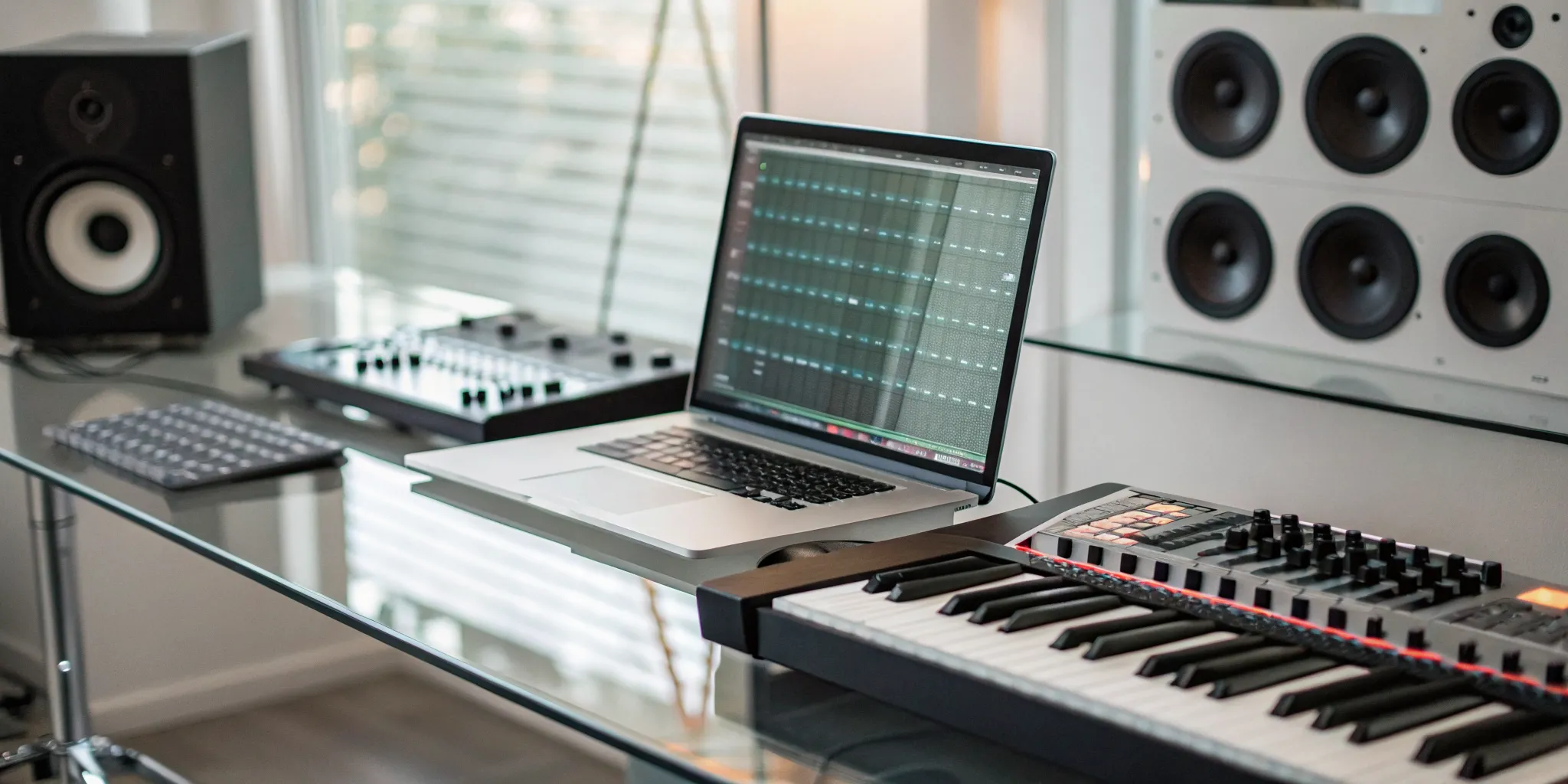
Inspiration doesn’t wait for you to be sitting in a perfectly equipped studio. It strikes on your lunch break, during your commute, or late at night when an idea suddenly clicks. In those moments, you need a tool that’s as fast and flexible as your creativity. A piano beat maker online free is that tool. It’s your instant musical sketchbook, allowing you to capture a melody or build a rhythm in seconds without the friction of traditional software. This article is for the spontaneous creator, highlighting the best browser-based platforms that let you play, experiment, and have fun with sound whenever inspiration hits.
Key Takeaways
- Start creating without the setup: Free online beat makers are your most direct path to making music. They are built for beginners and let you experiment with sounds and ideas right away, using just a computer and an internet connection.
- Know the tool and its limits: Select a platform that offers high-quality sounds and easy export options to match your creative needs. Be mindful that “free” often means trade-offs, like lower audio quality or restrictions on selling your music, so always check the terms.
- Build beats that sound professional: Make your tracks stand out by starting with high-quality sounds, layering instruments to create depth, and arranging your song with a clear structure. These fundamentals are key to creating a polished beat that’s ready to be shared with the world.
What Are Free Online Piano Beat Makers?
Think of free online piano beat makers as your personal music studio, right in your web browser. These are digital tools that let you create your own music tracks using virtual pianos, drum machines, and all sorts of other sounds, without needing to download any complicated software or pay for a subscription. They’re designed to be super user-friendly, so whether you’ve been producing for years or are just starting to explore your sound, you can jump right in.
These platforms give you the building blocks to experiment with different styles and genres. For instance, a tool like ButtonBass lets you start mixing loops and creating beats instantly, no sign-up required. It’s all about getting your ideas out quickly and having fun with the process. Others, like the incredibly creative Chrome Music Lab, offer interactive experiments that make learning about music composition feel more like a game than a lesson.
Many of these beat makers also come packed with different instruments, sound effects, and pre-made loops to get you started. Some even use artificial intelligence to help you generate piano melodies and chord progressions, which is a fantastic feature if you don’t have a background in music theory. The main goal of these platforms is to make music creation accessible to everyone. They give you a space to play, experiment, and turn that melody in your head into a track you can share with the world, and maybe even submit to us at rBeatz.
The Best Free Online Piano Beat Makers to Use Today
Finding the right tool to bring your musical ideas to life can feel like a huge hurdle, but it doesn’t have to be. There are some incredible free, browser-based platforms that give you the power to create professional-sounding piano beats without downloading bulky software or spending a dime. These tools are perfect for sketching out ideas, collaborating with other artists, or producing a finished track from start to finish. Whether you’re just starting out or you’re a seasoned producer looking for a quick and easy workflow, these online beat makers have something for you. Let’s look at some of the best options available right now.
Connecting Your Creations to rBeatz
Once you’ve crafted a beat you’re proud of, the next step is getting it heard. That’s where we come in. At rBeatz, we’re always looking for fresh, new music from independent artists just like you. These free tools are perfect for producing tracks that you can then share with a wider audience. After you export your finished beat, you can send it directly to our team through our music submission page. We feature artists from Charlotte and around the globe, giving your work a platform to connect with listeners who are eager to discover their next favorite sound. Don’t let your creations sit on your hard drive; share them with the world.
BandLab
BandLab is much more than a simple beat maker; it’s a complete music creation and collaboration platform that lives entirely in the cloud. You can start a project on your own, then invite other musicians to add their parts from anywhere in the world. It offers a massive library of royalty-free sounds, loops, and virtual instruments, including some great piano options. The interface is clean and feels a lot like a traditional desktop DAW, making it a great starting point for learning the fundamentals of music production. Because it’s all online, you can work on your tracks from any computer without worrying about losing your progress.
Soundtrap by Spotify
Backed by Spotify, Soundtrap is a powerful online studio designed for collaboration. It’s an excellent choice if you want to make music with friends or bandmates in real time. You can see who’s working on the track, chat, and record your ideas together in one shared space. Soundtrap includes a great selection of software instruments, including pianos and keyboards, plus a feature called Patterns Beatmaker that makes programming drums intuitive and fun. It also has built-in vocal tuning and a wide array of effects to help you polish your sound. When you’re done, you can easily save your work and get it ready for sharing.
Audiotool
If you love the look and feel of classic studio hardware, you’ll appreciate Audiotool. This browser-based platform uses a modular setup that lets you virtually connect different devices like synthesizers, drum machines, and effects pedals. It’s a creative and hands-on way to build your sound from the ground up. Audiotool has a passionate community of creators who publish their tracks directly on the platform, so there’s plenty of inspiration to find. While the modular interface might take a little getting used to, it offers a level of flexibility and sound design potential that is hard to find in other free online tools.
Soundverse AI
For a truly modern approach to beat making, check out Soundverse AI. This platform uses artificial intelligence to help you generate instrumental music from simple text prompts. If you have an idea for a mood or style, like “a melancholic lofi piano beat,” you can type it in and let the AI create a starting point for you. From there, you can edit and arrange the track to make it your own. It’s an amazing tool for overcoming creative blocks or for producers who want to experiment with new workflows. Soundverse AI is pushing the boundaries of what’s possible with music creation, making it easier than ever to produce unique sounds.
ButtonBass Piano
Sometimes you just want to make music without any fuss, and that’s exactly what ButtonBass offers. This website is all about instant accessibility. You don’t need to create an account or download anything; just open the page and start playing. It features a variety of simple, fun musical widgets, including an online piano, drum machines, and loop mixers. While it doesn’t have the advanced features of a full DAW, it’s perfect for quickly capturing a melody, experimenting with chord progressions, or just having some fun making noise. It’s a great bookmark for those moments when inspiration strikes unexpectedly.
MusicMaker JAM
If you prefer to create on the go, MusicMaker JAM is a fantastic mobile app that lets you build beats right from your phone or tablet. The app is built around a massive library of professionally produced loops and samples across tons of genres. You can easily mix and match different loops, adjust the tempo and key, and add effects to create a full track in minutes. It’s designed to be intuitive and fun, allowing you to arrange song parts and experiment with different structures effortlessly. It’s an ideal tool for sketching out ideas while you’re away from your computer or for anyone who enjoys a more loop-based production style.
Chrome Music Lab
Chrome Music Lab is a collection of browser-based experiments that make learning and exploring music visual and interactive. While it’s not a traditional beat maker, its Piano Roll tool is a simple and beautiful way to write melodies and harmonies. You can easily draw notes onto a grid and hear your creation played back instantly on a piano or other instruments. It’s an incredibly accessible tool for understanding the basics of melody and composition. It’s also a great resource for educators or anyone who wants to play with musical concepts in a fun, low-pressure environment. You can easily share your creations with a simple link.
What to Look For in a Piano Beat Maker
Not all free piano beat makers are built the same. Finding the right one for you depends on your goals, your experience level, and how you like to work. A platform that feels clunky or limited can stop a great idea in its tracks, which is the last thing you want when inspiration hits. To save yourself some frustration, it helps to know what features make a real difference when you’re trying to lay down a melody or build a rhythm. Some tools are designed for quick, simple loops, while others offer more complex sequencing and editing capabilities that can help you build a full track.
Think about these key areas as you explore different options. Do you need a massive library of sounds, or are you happy with a few solid piano samples? Is a super simple interface more important than having a ton of advanced features? A little research upfront will help you find a tool that supports your creative process instead of getting in the way of it. The goal is to find a beat maker that feels like an extension of your ideas, letting you focus on the music itself. Below, we’ll cover the essential features to look for, from sound libraries to export options, so you can choose the best platform for your needs and start creating beats you’re excited to share.
A Deep Library of Sounds and Samples
Your creativity needs fuel, and in beat making, that fuel is a great sound library. The more high-quality piano samples, drum kits, and other instruments you have access to, the more original your tracks will sound. A deep library of sounds and samples is essential for any beat maker, giving you the freedom to experiment without spending a dime. Look for a platform that offers a wide variety of tones, from classic grand pianos to electric keys and synth pads. This variety is what will help you define your unique sound and create music that stands out to listeners and curators on platforms like rBeatz Radio.
An Easy-to-Use Workspace
You want to spend your time making music, not figuring out how to use the software. A clean, intuitive interface is a must, especially when you’re just starting out. An easy-to-use workspace is crucial for beginners and experienced producers alike, allowing you to get your ideas down quickly before inspiration fades. The best platforms have a logical layout where the piano roll, sequencer, and sound library are easy to find and use. If you open a beat maker and feel instantly overwhelmed, it might not be the right fit for you. Your workspace should feel like a creative partner, not a puzzle.
The Ability to Play and Edit in Real Time
The best creative moments happen when you’re in the flow. A beat maker that lets you hear your changes instantly is key to staying in that zone. The ability to play and edit in real time allows for a more dynamic creative process, letting you audition different melodies, chords, and drum patterns on the fly. This immediate feedback loop is what helps you make better decisions and build momentum. Look for features like a virtual keyboard you can play with your computer keys or MIDI controller support. This hands-on approach makes composing feel more natural and helps you produce professional-quality piano beats.
Simple Ways to Export and Share
Once you’ve created a beat you’re proud of, you’ll want to share it with the world. A good beat maker makes this final step simple. Look for clear export options that let you download your work in common audio formats like MP3 or WAV. Every track made with a quality beat maker should be rendered in high definition for professional use. This is vital if you plan to import your beat into a full digital audio workstation (DAW) for further production or submit your music for airplay. The easier it is to get your music out, the faster you can move on to your next project.
Compatibility with Your Phone or Tablet
Inspiration doesn’t always strike when you’re sitting at your desk. Having a beat maker that works on your phone or tablet means you can capture ideas whenever and wherever they come to you. Compatibility with your phone or tablet enhances accessibility, turning your daily commute or lunch break into a potential production session. While you might do your final mixing on a computer, being able to sketch out a piano melody or a drum loop on the go is a huge advantage. This flexibility ensures you never lose a great idea just because you weren’t in your studio.
Are These Platforms Beginner-Friendly?
Jumping into music production can feel like a huge step, especially if you don’t have a formal music background. But you don’t need a degree or expensive studio gear to start making beats. The great news is that most online piano beat makers were built with beginners in mind. They are designed to be accessible and intuitive, removing the technical roadblocks so you can focus on what matters most: your creativity. Think of them less like complicated engineering software and more like a digital playground for sound.
Instead of getting lost in menus and manuals, you can start experimenting with sounds and building tracks within minutes. The entire experience is geared toward immediate results, which is incredibly motivating when you’re just starting out. These platforms help you bypass the steep learning curve often associated with traditional music production, proving that making music is for everyone. They give you a direct path from an idea in your head to a beat you can share, all from your web browser. It’s about lowering the barrier to entry so anyone with a passion for music can get their hands dirty and create something new.
Understanding the Learning Curve
One of the biggest hurdles for any new skill is the learning curve, but you’ll find it’s surprisingly gentle with these tools. Most online beat makers feature simple, visual interfaces, often with drag-and-drop functionality that feels natural from the start. The goal is to get you making music immediately, not to bury you in technical jargon. Many platforms are specifically made to be simple for anyone to use, even if you have very little music experience. This approach lets you learn by doing, building your confidence as you experiment with different piano sounds, drum patterns, and melodies without feeling overwhelmed.
Helpful Tutorials and Guides
You’re not just handed a complex tool and expected to figure it out on your own. The best platforms know that a little guidance goes a long way, so they offer a wealth of resources to help you grow. Look for built-in tutorials, step-by-step video guides, and active community forums where you can ask questions. These resources are perfect for learning the basics and discovering more advanced techniques as you go. By working on fundamentals like timing and creative performance, you’ll gain the precision and confidence to make your tracks sound tighter and more professional.
Templates to Get You Started
Staring at an empty project can be intimidating, which is where templates come in. Instead of starting from a blank canvas, you can use a pre-built track as your foundation. Templates give you a starting point with a solid drum pattern, a chord progression, or a bassline already laid out. This is an incredible way to learn how professional tracks are structured and arranged. From there, you can add your own piano melodies, swap out sounds, and customize everything to make it your own. Using templates helps you create professional tracks instantly, letting you skip the technical setup and jump right into the creative process.
The Common Downsides of Free Beat Makers
While free online beat makers are an amazing entry point into music production, it’s smart to go in with your eyes open. The word “free” often comes with a few strings attached. These platforms need to make money somehow, and that usually means placing certain limitations on their free plans. Understanding these trade-offs from the start can save you a lot of frustration down the road and help you choose the right tool for your long-term goals as an artist. Let’s walk through some of the most common limitations you might encounter.
Limits on Export Quality and Formats
One of the first hurdles you might hit is with export quality. Many free platforms only let you download your finished track as a low-quality MP3. While that’s fine for sharing a quick idea with a friend, it’s not ideal for professional use. Low-quality audio can sound fuzzy or flat, especially on good speakers. If you plan to submit your music for radio play or want to perform it live, you’ll need high-resolution files like WAV or FLAC. As one producer noted, “bad export quality” can really bring down the whole beat-making experience and make your hard work sound amateur.
Limited Features and Tools
Free beat makers are designed to be simple, but sometimes that simplicity comes at the cost of creative control. You might find that the free version of a tool has a smaller sound library, fewer effects, or less advanced editing features. While paid software might “require installation and certain skills to work,” those tools offer a much wider creative palette. A limited toolset can feel restrictive once you’ve mastered the basics and want to experiment with more complex arrangements and unique sounds. It’s something to keep in mind as you grow as a producer.
Caps on Storage and Projects
Imagine you’re in a creative flow, and you suddenly get a notification that you’ve run out of storage space. It’s a common issue with free online platforms. Many services limit the number of projects you can save or the amount of cloud storage you can use. This forces you to either delete old ideas to make room for new ones or upgrade to a paid plan. This can interrupt your workflow and make it difficult to build a large catalog of beats. It’s a classic freemium model designed to encourage you to pay for more resources.
Watermarks and Rules on Usage
This is a big one. Some free beat makers will add an audio watermark, like a voice saying the platform’s name, over your exported track. This immediately signals that the beat was made with a free tool and can detract from its professional feel. Even more important are the usage rights. Just because a beat is free to make doesn’t mean it’s free to use commercially. As a general rule, “you cannot use someone else’s content without permission.” Always read the terms of service to see if you can sell your beats or use them in monetized videos.
Needing a Constant Internet Connection
Most free online beat makers are browser-based, which means you need a stable internet connection to use them. They often work “by simply opening the website in a web browser,” which is convenient until your Wi-Fi cuts out. This reliance on being online means you can’t work on your music while traveling, on your commute, or in any location with spotty internet. For artists who get inspired on the go, this can be a major creative roadblock. It limits your flexibility and ties your production process to your internet access.
Can You Make Money From Your Beats?
Yes, absolutely. Turning your passion for making beats into a source of income is more achievable than ever. If you create instrumental tracks, cues, or genre-specific music, you’re sitting on a potential goldmine for one-off sales to content creators, video editors, rappers, and singers looking for their next track. The key is to treat your beats like a business asset. This means understanding the legal side of music creation, like licensing and commercial rights, and knowing which platforms give you the freedom to sell what you make.
Once you’ve created a track you’re proud of, you can sell it on beat marketplaces, license it for use in videos or podcasts, or collaborate with vocalists. The opportunities are out there, but they start with knowing your rights and the rules of the platforms you use. After you’ve sorted out the legal side and have a polished track, you can even submit your music to platforms like rBeatz to get it heard by a wider audience. Getting your beats out there is the first step to building a reputation and a customer base.
How to Understand Licensing and Commercial Rights
Before you sell a single beat, you need to get familiar with licensing. A license is basically a permission slip that says how someone can use your music. Think about it this way: if an artist like Kendrick Lamar wanted to use your beat for a song that becomes a massive hit, he’d need to know if you have an exclusive rights agreement. This agreement would determine who gets paid from streaming, sales, and performance royalties. Without clear permission, using someone else’s content is illegal. So, whether you’re selling a beat or using samples from another source, make sure you understand the terms of use to protect yourself and your work.
Finding Platforms That Allow Commercial Use
Not all free beat makers are created equal, especially when it comes to making money. Many free tools have restrictions on commercial use, meaning you can’t legally sell the music you create with them. Always read the terms and conditions before you invest your time. Look for platforms that explicitly state you can use your creations for professional projects. For example, some tools are designed to produce tracks in high definition specifically for professional use in any digital audio workstation. Others, like Soundverse, use AI to help you produce instrumental music from simple text prompts, giving you a powerful starting point for commercially viable tracks.
Royalty-Free vs. Licensed Sounds
You’ll see the term “royalty-free” a lot, and it’s important to know what it means. Royalty-free music allows you to use a track for both personal and business projects without paying ongoing fees, or royalties, to the creator. You typically pay a one-time fee or get it for free, and then you’re clear to use it in your commercial work. This is different from “licensed” music, which often comes with more restrictions and may require continuous payments depending on usage. For independent artists, using a piano beat maker that provides royalty-free music is a great way to create commercially without getting tangled in complicated legal agreements. Just be sure to double-check if attribution is required.
What Gear Do You Need to Start?
You might be picturing a studio filled with complex mixing boards and expensive equipment, but you can get started with a lot less. The beauty of online piano beat makers is their accessibility. You don’t need to invest a fortune to start creating music. Let’s walk through the essentials, the nice-to-haves, and one technical requirement you can’t overlook.
The Basic Hardware You’ll Need
At the heart of your setup is a computer. It doesn’t need to be a top-of-the-line machine, just something reliable that can handle a web browser with multiple tabs open. The online platform you choose will act as your digital audio workstation (DAW), which is the software where you’ll build, edit, and mix your tracks. The final essential piece is a good pair of headphones. Don’t rely on your laptop speakers. Quality headphones let you hear the subtle details in your mix, from the deep thump of a kick drum to the delicate notes of a piano melody, ensuring your beat sounds great everywhere.
Optional Gear for Better-Sounding Beats
Once you’ve spent some time making beats and feel ready to expand your setup, there are a couple of items that can make a big difference. A MIDI keyboard is a fantastic addition. It plugs into your computer and allows you to play melodies and chords more naturally than clicking with a mouse. If you plan on recording vocals or live instruments, an audio interface is a must. This little box connects your microphones or guitars to your computer, giving you much cleaner, higher-quality sound than your computer’s built-in microphone jack ever could. These tools aren’t necessary to start, but they can open up new creative possibilities.
Why a Good Internet Connection Matters
Since you’re working with online tools, a stable internet connection is non-negotiable. These platforms run in your browser and often stream sounds and samples from the cloud in real time. A slow or spotty connection can cause frustrating lag, glitches, or interruptions right when you’re in a creative groove. A solid connection also ensures you can save your projects smoothly, collaborate with other artists, and download your finished tracks without any issues. When your masterpiece is ready, a good connection makes it easy to submit your music and share it with the world.
Free Online Tools vs. Desktop Software
Deciding between a free online beat maker and traditional desktop software can feel like a big choice, but it really comes down to your goals. It’s less about which one is definitively “better” and more about which tool fits where you are in your music-making journey right now. Both have their strengths, and many producers actually use a mix of both for different tasks.
Think of online tools as your creative sketchbook. They’re perfect for jotting down ideas quickly, experimenting with new sounds, and collaborating with friends without any upfront cost or complicated setup. On the other hand, desktop software, often called a Digital Audio Workstation (DAW), is like a full-fledged professional studio. It’s where you go to build those initial sketches into polished, release-ready tracks with complete control over every detail. Let’s break down what each option offers so you can find the right fit.
The Case for Online Beat Makers
The biggest advantage of online piano beat makers is their sheer accessibility. You can start creating music in seconds with nothing more than a laptop and an internet connection. There’s no software to install and no hefty price tag to worry about. This makes them an incredible entry point for anyone curious about music production. Because they are cloud-based, you can work on your tracks from any computer and easily share projects with collaborators. Plus, many of these platforms are at the forefront of new tech, incorporating cool features like AI to help you generate royalty-free music and find inspiration when you’re feeling stuck.
When to Consider Desktop Software
As you grow as a producer, you might find yourself wanting more power and flexibility than online tools can offer. This is where desktop software like Ableton, FL Studio, or Logic Pro comes in. These professional-grade DAWs provide a much deeper level of control. You get unlimited tracks, advanced audio editing capabilities, and the ability to use thousands of third-party plugins (VSTs) to expand your sound library infinitely. Since the software lives on your computer, you aren’t dependent on an internet connection to work on your music. It’s a bigger investment in both time and money, but it’s the standard for a reason if you’re serious about producing.
Making the Right Choice for You
So, how do you choose? If you’re a beginner, want to make beats for fun, or need a tool for quick brainstorming sessions, a free online piano beat maker is the perfect place to start. It gives you a risk-free way to learn the fundamentals and see if music production is for you. Once you’ve created something you’re proud of, you can even share it with platforms like rBeatz through our music submission page. If you start feeling limited by the features or want to take your production quality to the next level, that’s your cue to explore desktop software. Don’t feel pressured to pick one and stick with it forever; your workflow can and should evolve with your skills.
How to Make Your Piano Beats Sound Professional
Making a beat is one thing, but making it sound polished and professional is another skill entirely. The good news is you don’t need a million-dollar studio to get there. The difference often comes down to a few key principles: choosing the right sounds, arranging them thoughtfully, and pushing your tools to their creative limits. By focusing on these areas, you can transform a simple loop into a track that feels dynamic, full, and ready for listeners. Once you’ve created something you’re proud of, you can even submit your music to platforms like rBeatz to get it heard. Let’s walk through how to get your piano beats sounding clean and crisp.
Start with High-Quality Sounds
The foundation of any professional-sounding track is the quality of its ingredients. If you start with muddy, low-resolution piano samples, your final beat will sound muffled no matter how well you mix it. Using high-quality sounds is essential for creating tracks that feel clear and impactful. Many online beat makers now offer impressive libraries filled with clean, rich samples, so you don’t have to compromise. Before you even lay down a note, take time to browse the sound library. Listen for piano sounds with depth and character. A great starting sound makes the rest of the process much easier and gives your music a polished feel from the very beginning.
Learn to Layer and Arrange Your Tracks
A professional beat is more than just a single piano loop. It’s about building a full sonic world through layering and arrangement. Layering involves adding other elements, like a simple bassline, subtle percussion, or a counter-melody, to support your main piano line. This adds depth and makes the track feel complete. Arrangement is how you structure these layers over time to tell a story. Think about creating an intro, a verse, and a chorus section to keep the listener engaged. To make your tracks sound tight, focus on timing and control. Practicing your rhythm can help you develop the precision needed to make every element sit perfectly in the mix.
Get Creative with the Platform’s Limits
You might think free tools are limiting, but constraints can actually spark incredible creativity. Instead of focusing on what a platform can’t do, explore everything it can do. Experiment with built-in effects like reverb, delay, and EQ to transform a simple piano sound into something unique. Some platforms even use AI to generate original piano beats from text descriptions, offering a new way to find inspiration. Don’t be afraid to push the boundaries. Try reversing a sample, pitching it up or down, or chopping it into a new rhythm. The most memorable beats often come from happy accidents and a willingness to experiment with the tools you have.
How to Share and Distribute Your Piano Beats
Once you’ve put the finishing touches on your piano beat, the next step is getting it heard. Creating the music is a huge accomplishment, but sharing it is how you connect with an audience, find collaborators, and build a name for yourself. The digital world offers so many avenues for distribution, from major streaming platforms to niche communities that are hungry for new sounds. The key is to be strategic and find the right homes for your music.
Think about who you want to reach. Are you making beats for rappers to freestyle over, for YouTubers to use in their vlogs, or for listeners who just want a great instrumental track? Your answer will guide where you focus your energy. You can upload your work to social media, submit it to music blogs, or even explore licensing it for commercial use. Getting your music out there is an exciting process, and it all starts with a few simple steps to prepare and upload your tracks.
Find the Right Platforms for Your Music
Your first instinct might be to upload your beats to SoundCloud or YouTube, and those are great places to start building a portfolio and getting initial feedback. But don’t stop there. Think about platforms that connect musicians with people who need music for their projects. Websites specifically for music licensing can be a goldmine for instrumental producers, connecting you with filmmakers, brands, and content creators who are looking for affordable tracks for their videos and ads. This can be a fantastic way to earn money from one-off sales while getting your music into different types of media.
Prepare Your Tracks for Professional Use
Before you upload anything, make sure your beats sound as clean and professional as possible. Quality is everything. A potential collaborator or client will move on quickly if your track is poorly mixed or exported in a low-resolution format. Every beat you create should be rendered in high definition, making it ready for use in any professional digital audio workstation. Always export a high-quality WAV file for submissions and a compressed MP3 file for easy sharing online. Having both versions ready makes you look prepared and makes it easier for others to work with your music.
Submit Your Music to Platforms Like rBeatz
Don’t overlook the power of curated platforms and online radio stations. Communities like ours at rBeatz are built to help emerging artists find an audience. We are always listening for fresh, exciting sounds from producers and musicians around the world. Submitting your work to platforms dedicated to music discovery puts your beats in front of listeners who are actively seeking out new artists. It’s a direct line to a potential fanbase. If you’ve created a piano beat you’re proud of, we’d love to hear it. You can send us your track through our music submission page.
Related Articles
- 20 Easy piano songs for beginners | rBeatz radio
- MEGA AI Blog – rBeatz
- Music Producers Presented by Internet Radio rBeatz
- What Are ASCAP, BMI, SoundExchange, SESAC, and PROs|rBeatz
Frequently Asked Questions
Do I need to know music theory to use these beat makers? Not at all. While knowing some music theory can be helpful, these platforms are designed for you to learn by doing. Many include features like pre-made loops, templates, and even AI melody generators that can give you a great starting point. The most important thing is to trust your ear and have fun experimenting with different sounds and arrangements.
Are these platforms really free, or is there a catch? They are free to use, but it’s good to be aware of the common limitations. Free plans often come with trade-offs, such as lower-quality audio exports, a limited number of projects you can save, or smaller sound libraries. These tools are an excellent way to start, but if you decide to get serious, you might eventually consider upgrading for more features and creative freedom.
Can I make a full song on these platforms, or just simple loops? You can absolutely build a complete song. Tools like BandLab and Soundtrap function like online recording studios, allowing you to arrange different sections like intros, verses, and choruses. While desktop software offers more advanced mixing capabilities, you can definitely produce a finished track from start to finish using just your web browser.
What’s the absolute minimum equipment I need to start making beats? You really only need three things: a computer that can run a web browser, a reliable internet connection, and a good pair of headphones. Your computer and the online tool are your studio. Using headphones is key because they let you hear the details in your music that you might miss with standard laptop speakers.
I created a beat I’m proud of. How do I share it with rBeatz? We would love to listen to your work. Once you’ve finished your track, export it as a high-quality audio file, like a WAV or a 320kbps MP3. Then, you can send it directly to our team through the music submission page on our website. That’s the best way to get your music in front of our curators for consideration.