
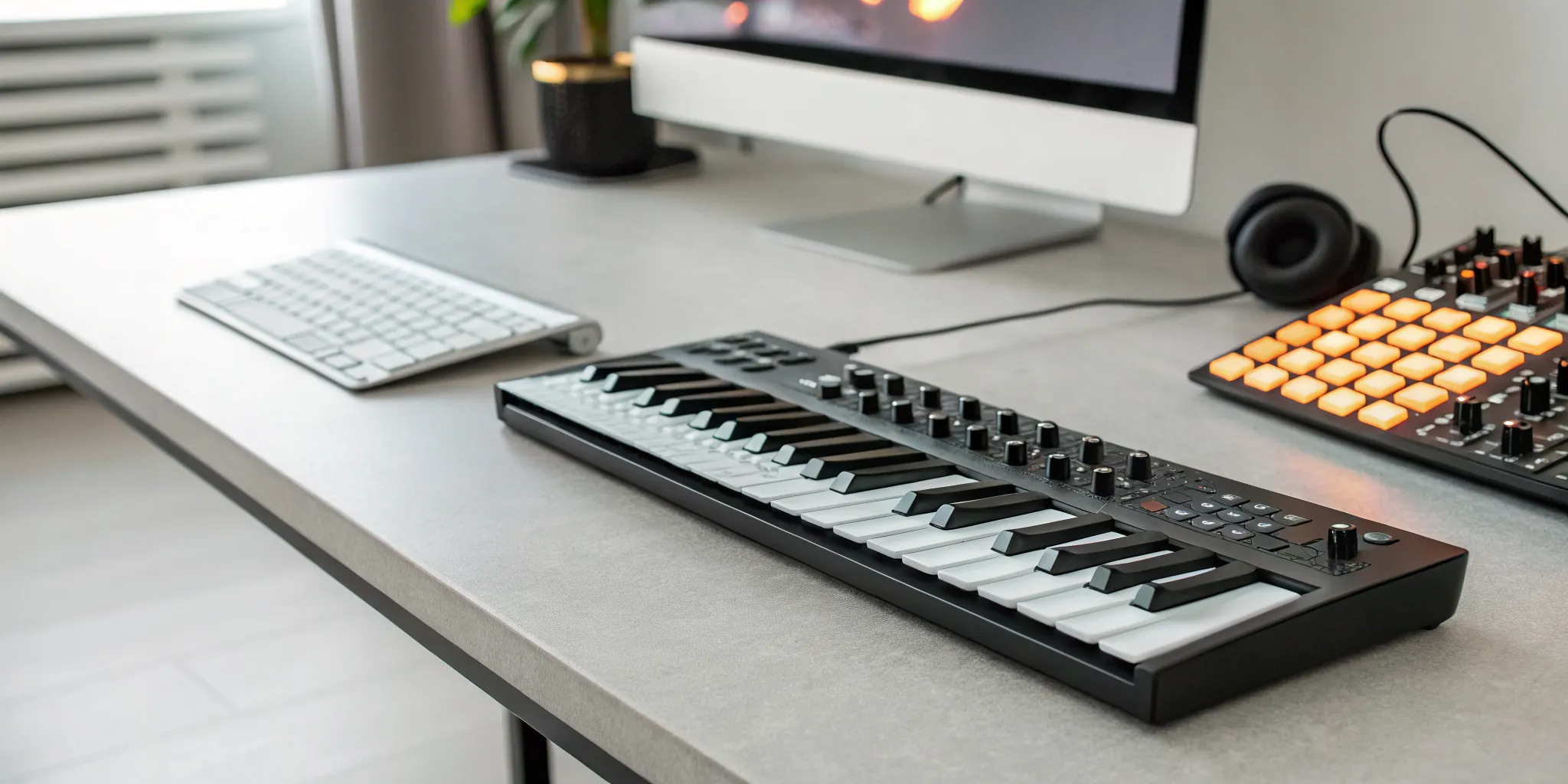
That moment of inspiration for a new beat or melody is powerful, but it can fade fast if you can’t capture it quickly. Fumbling with software and a computer keyboard often isn’t fast enough. A beat maker keyboard is designed to solve this exact problem, turning music creation into a fluid, hands-on experience. It puts everything you need right at your fingertips, allowing you to perform your ideas instead of just programming them. If you’re ready to make the production process feel more like playing and less like data entry, this is the tool for you. Let’s find the perfect one to help you bring your sound to life.
Key Takeaways
- Prioritize function over flash: A great beginner keyboard has responsive pads, a key count that fits your desk, and simple USB connectivity. Focus on these core features instead of a high price tag to find a tool that truly supports your creative process.
- Ensure seamless software integration: Your keyboard should work effortlessly with your Digital Audio Workstation (DAW). Check for compatibility and look for hands-on controls like knobs and faders to build a smooth workflow that keeps you out of the menus and in the music.
- You don’t need to be a pianist to produce: Think of a beat maker keyboard as a creative controller, not a traditional piano. You can learn the basics through online tutorials, and many keyboards have built-in guides like scale modes to help you create great-sounding tracks from day one.
What Is a Beat Maker Keyboard?
If you’re just starting to produce your own music, a beat maker keyboard is one of the most powerful tools you can have. In simple terms, it’s a piece of hardware that connects to your computer and lets you physically play and control the sounds in your music software. Instead of clicking notes in with a mouse, you can tap out drum patterns on pads, play melodies on keys, and twist knobs to change effects in real time.
This hands-on approach makes creating music feel much more natural and intuitive. These devices, also known as MIDI controllers, don’t make any sound on their own. Instead, they send signals to your computer, telling your software (called a Digital Audio Workstation, or DAW) what to do. They are the bridge between your musical ideas and the finished track, giving you a tactile way to bring your beats to life.
What It Does and How It Works
At its core, a beat maker keyboard is designed to simplify music creation. It allows you to trigger sounds instantly, whether you’re playing a virtual piano or programming a drum machine. Most models come with a combination of features: velocity-sensitive pads for tapping out drum beats, piano-style keys for melodies and chords, and knobs or faders for adjusting things like volume and sound effects. When you press a key or a pad, it sends a MIDI signal to your DAW, which then plays the corresponding sound. This process makes it easy to experiment and build layers for your tracks, helping you create music that feels dynamic and human.
Why It’s a Game-Changer for Your Music
Using a beat maker keyboard can completely change your workflow for the better. It makes it much faster and easier to create professional-sounding beats because you can perform your ideas directly instead of programming them. This tool gives you the freedom to create unique sounds and rhythms for your music. You can use the sounds that come with your software, add your own custom samples, or even use third-party plugins to expand your sonic palette. For aspiring producers and independent artists, it’s an essential piece of gear that puts creative control right at your fingertips, making the production process more fun and inspiring.
What to Look For in a Beat Maker Keyboard
Choosing your first beat maker keyboard can feel like a huge decision, but it doesn’t have to be complicated. The perfect keyboard for you is one that fits your space, budget, and creative flow. Instead of getting overwhelmed by all the options, let’s focus on the five key features that really matter. Thinking through each of these will help you find a controller that feels less like a piece of tech and more like an extension of your musical ideas. We’ll cover everything from the feel of the pads to the software that comes with it.
Responsive Pads for a Better Feel
The heart of any beat maker keyboard is its set of pads. These are what you’ll use to tap out drum patterns and trigger sounds and samples in real-time. Look for pads that are velocity-sensitive, meaning they respond to how hard or soft you hit them. This is essential for creating dynamic, human-sounding drum grooves instead of robotic, one-note patterns. A great set of pads will feel responsive and have a satisfying bounce, making finger drumming feel natural and fun. While you can always program drums with a mouse, having tactile pads makes the process much more intuitive and helps you stay in a creative headspace.
Finding the Right Key Count and Layout
While pads are for rhythm, the keys are for melody and harmony. A keyboard with at least 25 keys is a great starting point, giving you enough range to play basslines, chords, and simple melodies. If you have more space and want to play with two hands, a 49-key or 61-key controller might be a better fit. As a beginner, you don’t need to worry too much about weighted keys like a real piano. Most beat maker keyboards use synth-action keys, which are light and easy to press. The best layout combines keys, pads, and knobs, giving you all the essential tools for making beats in one place.
Connectivity: USB, MIDI, or Wireless?
Connecting your keyboard to your computer should be simple. The vast majority of modern controllers use a standard USB connection, which handles both power and data through a single cable. This is the most straightforward option and the one I’d recommend for anyone starting out. Some keyboards also include traditional 5-pin MIDI ports, which are useful if you ever want to connect to external hardware like synthesizers or drum machines. While wireless Bluetooth keyboards exist and offer a clean, cable-free setup, they can sometimes introduce a tiny delay, or latency, which can be frustrating when you’re trying to record a tight rhythm. For reliability, a simple USB connection is your best bet.
Software and DAW Compatibility
Your keyboard is the controller, but your Digital Audio Workstation (DAW) is the brain of your setup. This is the software on your computer where you’ll record, edit, and arrange your music. The good news is that most keyboards are designed to work with popular DAWs like Ableton Live, FL Studio, and Logic Pro. Many even come with a free introductory version, like Ableton Live Lite, which is more than enough to get you started. Before you buy, check the product page to see what software is included. These bundles often provide a huge value with free instruments and sounds, helping you build your toolkit without breaking the bank. Once you’ve made some tracks, you can even submit your music to platforms like ours.
Extra Controls: Knobs, Faders, and Buttons
Beyond keys and pads, look for a keyboard with extra hands-on controls like knobs, faders, and buttons. These physical controls allow you to tweak sounds and effects without constantly reaching for your mouse. You can use knobs to adjust a filter on a synth, use faders to mix the volume of your tracks, and use transport buttons to play, stop, and record your ideas. This tactile control makes the music-making process feel more immediate and interactive. Having dedicated controls for your music software helps you stay focused on the sound and keeps your creative momentum going. It’s a small feature that makes a big difference in your day-to-day workflow.
Popular Beat Maker Keyboard Brands to Know
When you’re just starting out, the world of music gear can feel overwhelming. Sticking with established, reputable brands is a smart move. These companies have earned their place in studios and on stages for a reason: they build reliable gear, offer solid customer support, and often include fantastic software bundles that give you a ton of value right out of the box. You’ll also find huge communities of users online, which means tutorials, tips, and troubleshooting guides are just a quick search away.
Choosing a keyboard from a well-known brand ensures you’re getting a tool that’s been tested and trusted by countless producers. These keyboards are designed to work smoothly with the most popular DAWs, so you can spend less time figuring out technical issues and more time actually making music. Whether you’re laying down your first drum loop or crafting a complex melody, starting with a solid foundation from a trusted name like Akai, Novation, Nektar, or Native Instruments will help you bring your creative ideas to life. It’s the first step to getting your tracks ready for platforms like rBeatz Radio.
Akai Professional
If you’ve seen a picture of a home studio, you’ve probably seen Akai gear. They are legendary in the beat-making world, famous for their iconic MPC drum machines. This legacy shines through in their beat maker keyboards, which are known for their durable build and fantastic-feeling pads. The Akai MPD218 is a perfect example of why they’re so popular. It’s an affordable controller that gives you 16 thick, velocity-sensitive pads that are incredibly responsive for programming drums. Akai keyboards are often praised for being budget-friendly beasts that deliver professional performance without the professional price tag, making them a go-to for beginners and seasoned producers alike.
Novation
Novation is all about smart, user-friendly design and seamless software integration. If you use Ableton Live, a Novation keyboard should be at the top of your list. Their Launchkey series is designed to work flawlessly with Ableton right out of the box, giving you hands-on control over your session without any complicated setup. These keyboards are packed with pads, knobs, and faders that let you launch clips, tweak effects, and mix your tracks on the fly. This tight integration creates a smooth workflow, making it easier to stay in your creative zone. Even if you don’t use Ableton, Novation’s controllers are versatile and well-regarded for their quality and functionality across different DAWs.
Nektar
Nektar has carved out a niche by offering powerful MIDI controllers that provide incredibly deep DAW integration at a price that’s hard to beat. Their philosophy is to make your hardware feel like an extension of your software. The Nektar Impact series, for example, comes with pre-mapped controls for nearly every major DAW, so you can immediately start controlling your transport, mixer, and virtual instruments. This makes them a fantastic choice for beginners who want a controller that just works, without needing to spend hours mapping controls. For anyone looking for maximum functionality on a budget, Nektar offers some of the best value on the market.
Native Instruments
Native Instruments is known for its incredible ecosystem of software instruments and hardware that are built to work together perfectly. Their Komplete Kontrol series is a favorite among producers who want a premium feel and deep integration with a massive sound library. These keyboards feature high-quality keybeds and a streamlined interface that makes it easy to browse and load sounds from Native Instruments’ extensive collection. While they can be a bit pricier, the investment pays off with a professional-grade feel and a workflow that inspires creativity. Their A-series keyboards in particular offer a more accessible entry point into their powerful ecosystem.
What’s the Best Beat Maker Keyboard for Your Budget?
Finding the right beat maker keyboard doesn’t mean you have to empty your wallet. Great music comes from talent and practice, not just expensive gear. Whether you have a little or a lot to spend, there’s a perfect keyboard out there waiting to help you bring your ideas to life. The goal is to find a tool that fits your current needs and inspires you to create. Once you’ve made some tracks, you can even submit your music to get it heard. Let’s look at what you can expect at different price points.
Great Finds Under $100
If you’re just starting, the sub-$100 range is the perfect place to begin. You don’t need a ton of bells and whistles to learn the fundamentals of beat making. For beginners, a simple MIDI controller is a fantastic tool. It connects to your computer and allows you to trigger sounds, play virtual instruments, and program drum patterns in real-time. Keyboards in this price range are typically compact, making them great for small desk setups. They give you the hands-on control you need to move beyond clicking with a mouse, helping you develop a more natural and intuitive workflow from day one.
The Sweet Spot: $100-$300
This price range is where things get exciting. You’ll find some of the most popular and versatile beat maker keyboards here, offering a great balance of features, build quality, and price. The Akai MPK Mini, for example, is a fan favorite for a reason. It’s portable, well-built, and packed with responsive pads, keys, and knobs that work seamlessly with most music software. While many keyboards in this range will work with a powerful digital audio workstation like Ableton Live, keep in mind that you might eventually want to upgrade as your skills grow. But for honing your craft, this is an excellent place to invest.
Pro-Level Keyboards: $300+
Once you move past the $300 mark, you’re looking at professional-grade equipment. These keyboards are built for producers who have a clear idea of what they need. You’ll find models with more keys, higher-quality components, and advanced features like deeper software integration and more extensive onboard controls. When you’re ready to invest at this level, think about your specific workflow. Do you need more knobs for sound design in a program like FL Studio? Or perhaps a keyboard with more keys for complex melodies? These tools are designed to be the centerpiece of a studio, offering the durability and precision needed for serious music production.
How Do Popular Beat Maker Keyboards Compare?
Once you start shopping around, you’ll notice that many beat maker keyboards seem similar at first glance. But the differences are in the details, from how the keys feel under your fingers to the software that comes in the box. Let’s break down how some of the most popular models stack up so you can find the right fit for your creative process.
Performance and Build
How a keyboard feels and how well it’s built can make a huge difference in your workflow. You want something that feels solid and responsive, not like a cheap toy. The Arturia Keystep Pro is a fantastic choice known for its excellent playing feel and features that work well with external hardware, making it perfect for both studio sessions and live sets. For something equally reliable, the Novation Launchkey 49 Mk2 has a robust build and keys that respond beautifully to your touch. A well-built keyboard is an investment that will support your music for years to come, helping you create tracks worthy of being featured alongside other talented artists.
Included Software and Sounds
Many beat maker keyboards come with a bundle of software, which is a huge perk, especially when you’re just starting out. This can save you hundreds of dollars on sounds and production tools. The Akai MPK Mini Mk2 is famous for this, shipping with a variety of software that gives you everything you need right out of the box. Similarly, keyboards compatible with Native Instruments Komplete give you access to a massive suite of virtual instruments and sample packs. Having a rich sound library at your fingertips means you can start creating unique beats right away and get them ready for music submission.
Ease of Use for Beginners
If you’re new to music production, you don’t want a keyboard that feels like you need an engineering degree to operate it. Simplicity is key. The Arturia MiniLab 3 is designed with a super intuitive layout that makes the learning process smooth and fun. It integrates easily with popular DAWs, so you can get straight to making music. The Akai MPK Mini Mk2 is another favorite among beginners because of its straightforward interface. You can plug it in and start creating beats almost immediately, without getting bogged down by a steep learning curve.
Portability and Design
For many creators, music doesn’t just happen in one place. If you’re an artist on the move or working with limited desk space, portability is a huge plus. The Akai MPK Mini Mk2 is incredibly compact and lightweight, making it easy to toss in a backpack for a session anywhere. The Arturia MiniLab 3 is also designed for portability, with a slim profile that fits into small studio setups. Having a portable keyboard means you can capture ideas wherever inspiration strikes, whether you’re at home or on the road listening to new tracks on the rBeatz app.
Common Beginner Mistakes to Avoid
Buying your first beat maker keyboard is a huge step, and it’s easy to get swept up in the excitement. But before you click “add to cart,” let’s walk through a few common mistakes many new producers make. A little planning now will save you a lot of frustration later, so you can spend more time making music and less time dealing with buyer’s remorse.
Don’t Prioritize Looks Over Function
It’s tempting to choose a keyboard that looks sleek and impressive on your desk. While aesthetics are nice, they won’t help you lay down a track. Many beginners get caught up in how a keyboard looks rather than how it actually performs. The most important thing is to find a MIDI controller that fits your creative process. Think about what you truly need. Do you want ultra-responsive drum pads for finger drumming? Do you need a certain number of knobs to tweak your synth sounds? Focus on the tools for beatmakers that will support your workflow, not just the ones that look cool in photos.
Pick the Right Size for Your Space
That 61-key keyboard might seem like a great idea until you get it home and realize it takes up your entire desk. Before you buy, take a moment to consider your workspace. A compact, 25-key controller can be perfect for a small home studio or for making music on the go. Larger models with more keys and controls are great if you have the dedicated space, but they aren’t always necessary. Measure the area where you plan to put your keyboard. Thinking about the physical layout of your home studio ahead of time will ensure your new gear fits perfectly into your creative environment.
Double-Check Software Compatibility
This is a big one. Nothing stops a creative session faster than discovering your new keyboard won’t talk to your software. Before you make a purchase, you have to confirm that the controller is compatible with your Digital Audio Workstation (DAW), which is the software you use to record and produce music. Most modern keyboards are designed to work with popular DAWs like Ableton Live, FL Studio, or Logic Pro, but it’s always best to check the product specifications. This simple step ensures you can plug in your keyboard and start creating right away, helping you get your tracks ready for music submission without any technical headaches.
You Don’t Need to Spend a Fortune
It’s a common myth that you need to spend a lot of money on gear to produce professional-sounding music. That’s just not true. There are so many fantastic, affordable beat maker keyboards on the market that provide all the functionality a beginner needs to get started. Your creativity and skill are far more important than the price tag of your equipment. Instead of stretching your budget for the most expensive model, focus on finding a reliable keyboard that covers the basics well. You can always upgrade later as your skills and needs grow. Remember, many incredible artists started with simple, budget-friendly setups.
Do You Need Piano Skills to Use a Beat Maker Keyboard?
Let’s clear this up right away: you absolutely do not need to be a piano virtuoso to start making incredible beats. This is one of the biggest myths that holds aspiring producers back. While a beat maker keyboard has keys like a piano, its purpose is completely different. Think of it less as a performance instrument and more as a creative tool to get the musical ideas out of your head and into your computer. It’s a controller that lets you interact with your music software in a hands-on way.
Sure, understanding some music theory can be helpful down the line, but it’s not a prerequisite for getting started. Many successful artists began with no formal training, just a good ear and a passion for creating. Your journey into beat making is about developing your unique sound and rhythm, not about mastering classical sonatas. The technology is designed to support your creativity, not test your technical skills. So, if the fear of not knowing your scales has been stopping you, it’s time to let that go and start creating.
Why You Don’t Need Piano Lessons
A beat maker keyboard is a multi-tool for modern music production. While it has keys, they are just one part of the equation. Most controllers also come with drum pads for tapping out rhythms and knobs or faders for tweaking sounds and effects. The keys are there to help you find notes and lay down a simple melody or bassline, but you don’t need the dexterity of a concert pianist to do it. You can build your tracks one note at a time, experimenting until you find something that sounds good to you. This approach is all about exploration, not formal technique. A beginner’s guide to making beats will often focus more on rhythm and sound selection than complex chord progressions.
How These Keyboards Make It Easy
Modern beat maker keyboards are built with beginners in mind. Their main job is to simplify the process of making music, allowing you to trigger sounds and play instruments in real time without getting bogged down in technical details. Many keyboards even include features designed to help you sound great right away, like scale and chord modes. These functions can lock the keys to a specific musical scale, so every note you play sounds good together. This lets you focus on the creative side of things, like crafting a compelling melody, instead of worrying about hitting a wrong note. The goal is to make it easier and faster to create professional-sounding beats, and once you have something you love, you can share it through a music submission platform.
Where to Learn the Basics
Instead of signing up for piano lessons, your time is better spent learning the fundamentals of your keyboard and your Digital Audio Workstation (DAW). The internet is your best friend here. You can find endless tutorials on YouTube that walk you through everything from setting up your gear to creating your first beat. Many producers also share their entire workflow, giving you a behind-the-scenes look at how tracks are made. Beyond videos, you can find helpful articles and guides on music production blogs. Don’t forget to check out the rBeatz Watch section for inspiration and tips from other creators in the community. The key is to stay curious and have fun experimenting.
Beat Maker Keyboard vs. Other Tools
A beat maker keyboard is a fantastic all-in-one tool, but it’s helpful to know what other options are out there. Understanding the landscape will help you feel confident in your choice and see how different pieces of gear can fit together as you grow. Your perfect setup depends on your workflow, your musical goals, and whether you prefer working with hardware or software. Let’s break down a few common alternatives so you can see how they stack up.
Standalone Drum Machines
Think of a standalone drum machine as a dedicated beat-making box. These hardware devices are designed for one primary purpose: creating rhythms. They come with built-in sounds and sequencers, so you can start making music without even turning on a computer. This is a huge plus if you love a hands-on, tactile experience and want to get away from screen-time distractions. For many producers, focusing solely on the rhythm without a full Digital Audio Workstation (DAW) in front of them can be a creative breakthrough. The main trade-off is that they can be less flexible and often come with a higher price tag.
Software-Only Setups
On the other end of the spectrum is a software-only setup. This involves using a DAW on your computer with virtual instruments and plugins to create your beats. You can do everything with just your mouse and computer keyboard, making it the most budget-friendly way to start. The challenge is that clicking in notes and drum hits can feel slow and uninspiring. This is exactly why beat maker keyboards are so popular; they act as a physical controller that makes your software-based production feel more like playing an actual instrument.
Full-Size MIDI Keyboards
You might see full-size MIDI keyboards with 49, 61, or even 88 keys and wonder if you need one of those instead. These larger keyboards are designed for players who want to incorporate more complex melodies, harmonies, and piano parts into their music. While many still include drum pads and control knobs, their main focus is the keybed. If you’re a pianist or your goal is to write intricate chord progressions, a full-size keyboard is a great choice. For a beginner focused purely on making beats, the extra keys can be unnecessary and take up valuable desk space.
How to Set Up Your New Keyboard
You’ve unboxed your new beat maker keyboard, and it’s looking great on your desk. Now what? Getting it up and running is easier than you might think. The setup process is all about creating a connection between your physical keyboard and your music software so you can start making beats right away. Think of it as introducing two new friends who are about to make amazing things together. Follow these simple steps, and you’ll be laying down your first track in no time.
Connect to Your Computer or Device
First things first, let’s get your keyboard plugged in. Most beginner-friendly keyboards connect directly to your computer with a standard USB cable, which usually comes right in the box. Just plug one end into the keyboard and the other into a USB port on your computer. This single cable typically handles both power and data, so you won’t have to worry about extra power adapters. Once connected, your computer should automatically recognize it as a new device. This connection is what allows you to trigger sounds, play virtual instruments, and tap out drum patterns in real-time.
Configure It With Your DAW
With your keyboard connected, the next step is to get it talking to your Digital Audio Workstation (DAW), which is the software you’ll use to record and produce your music. Open your DAW and find the settings or preferences menu, usually under “Audio” or “MIDI.” You should see a list of connected MIDI devices. Simply select your beat maker keyboard from the list to make it the active input device. This quick step ensures that when you press a key or tap a pad, your software knows exactly what to do. Configuring your controller this way lets you use all of its features to create and shape your sounds.
Helpful Tutorials for Getting Started
Now that you’re all set up, it’s time for the fun part: making music. If you’re feeling a bit lost, don’t worry, that’s completely normal. There is a massive library of online tutorials designed to help you get comfortable with your new gear. A quick search on YouTube for your keyboard model and DAW will bring up tons of walkthroughs and project ideas. These guides offer a fantastic way to learn the ropes, from basic functions to more advanced tricks. Exploring a beginner’s guide to making beats can give you the confidence to start experimenting and developing your own unique sound.
Where to Find the Best Deals on Beat Maker Keyboards
Once you have an idea of what you’re looking for, the fun part begins: shopping for your new keyboard. Finding a great deal doesn’t mean you have to settle for a lower-quality instrument. It’s all about knowing where to look. Whether you prefer browsing online from your couch or getting a hands-on feel in a local shop, there are plenty of ways to find the perfect beat maker keyboard without overspending. Let’s explore some of the best places to hunt for a bargain.
Online Stores and Sales
Shopping online is often the most convenient way to compare a wide variety of models and prices. Websites like Sweetwater, Guitar Center, and Amazon offer a massive selection, from beginner-friendly MIDI controllers to professional-grade keyboards. For new producers, a simple MIDI controller is a fantastic starting point because it makes triggering sounds and playing instruments incredibly straightforward. Keep an eye out for seasonal sales events like Black Friday or Cyber Monday, as these are prime times to snag a great discount. You can also sign up for newsletters from your favorite retailers to get alerts on special promotions and price drops.
Local Music Shops and Bundles
There’s something special about walking into a local music shop. You get to actually touch and try out different keyboards, which is a huge advantage. Feeling the responsiveness of the pads and the action of the keys can help you make a much more confident decision. The staff at these shops are usually musicians themselves and can offer expert advice tailored to your goals. Many local stores also offer beginner bundles that package a keyboard with essential accessories like software, cables, or even headphones. This can be a cost-effective way to get everything you need to start making music right away while supporting your local music community.
Buying Used or Refurbished
If you’re working with a tight budget, the second-hand market is your best friend. Buying a used or refurbished keyboard can help you get a higher-quality model with more features than you might be able to afford new. Many musicians take great care of their gear, so you can often find equipment in excellent condition. Websites like Reverb.com are dedicated marketplaces for new and used musical instruments, but you can also find hidden gems on eBay or Facebook Marketplace. Just be sure to check the seller’s ratings and ask plenty of questions about the keyboard’s condition before you buy.
Frequently Asked Questions
Can I just use my computer keyboard to make beats instead? You technically can, but it’s not an experience I’d recommend. Using a beat maker keyboard gives you velocity-sensitive pads and keys, which means the sound responds to how hard you press them. This is essential for creating rhythms and melodies that feel human and dynamic. A physical controller makes the process much more intuitive and fun, helping you stay in a creative flow instead of clicking notes one by one with a mouse.
What’s the difference between a beat maker keyboard and a MIDI controller? This is a great question because the terms are often used together. Think of “MIDI controller” as the general category for any hardware that sends musical data to your computer. A “beat maker keyboard” is a specific type of MIDI controller that is designed for producing beats. It typically combines piano-style keys for melodies with drum pads for rhythms, giving you the best of both worlds in one device.
How many keys are enough for making beats? For most beat-making, a 25-key controller is the perfect starting point. This gives you a two-octave range, which is more than enough to lay down basslines, play chords, and write simple melodies. If you have a background in piano or want to play more complex parts with two hands, you might prefer a 49 or 61-key model, but it’s definitely not a necessity when you’re just getting started.
Will any keyboard work with any music software? For the most part, yes. The vast majority of modern keyboards and music software (DAWs) use a universal standard called MIDI, so they can communicate with each other without any issues. However, some keyboards are designed for deeper integration with specific programs, like Novation with Ableton Live. It’s always a good idea to double-check the product page to see if a keyboard comes with special features or software that you’re interested in.
Do I need to buy extra sounds or does the keyboard come with them? The keyboard itself doesn’t create any sound; it simply controls the sounds in your computer’s software. The good news is that many beat maker keyboards come bundled with free software to get you started. These packages often include an introductory version of a DAW, along with a collection of virtual instruments and sound packs. This is a huge value and gives you a great sonic palette to begin creating with right out of the box.