
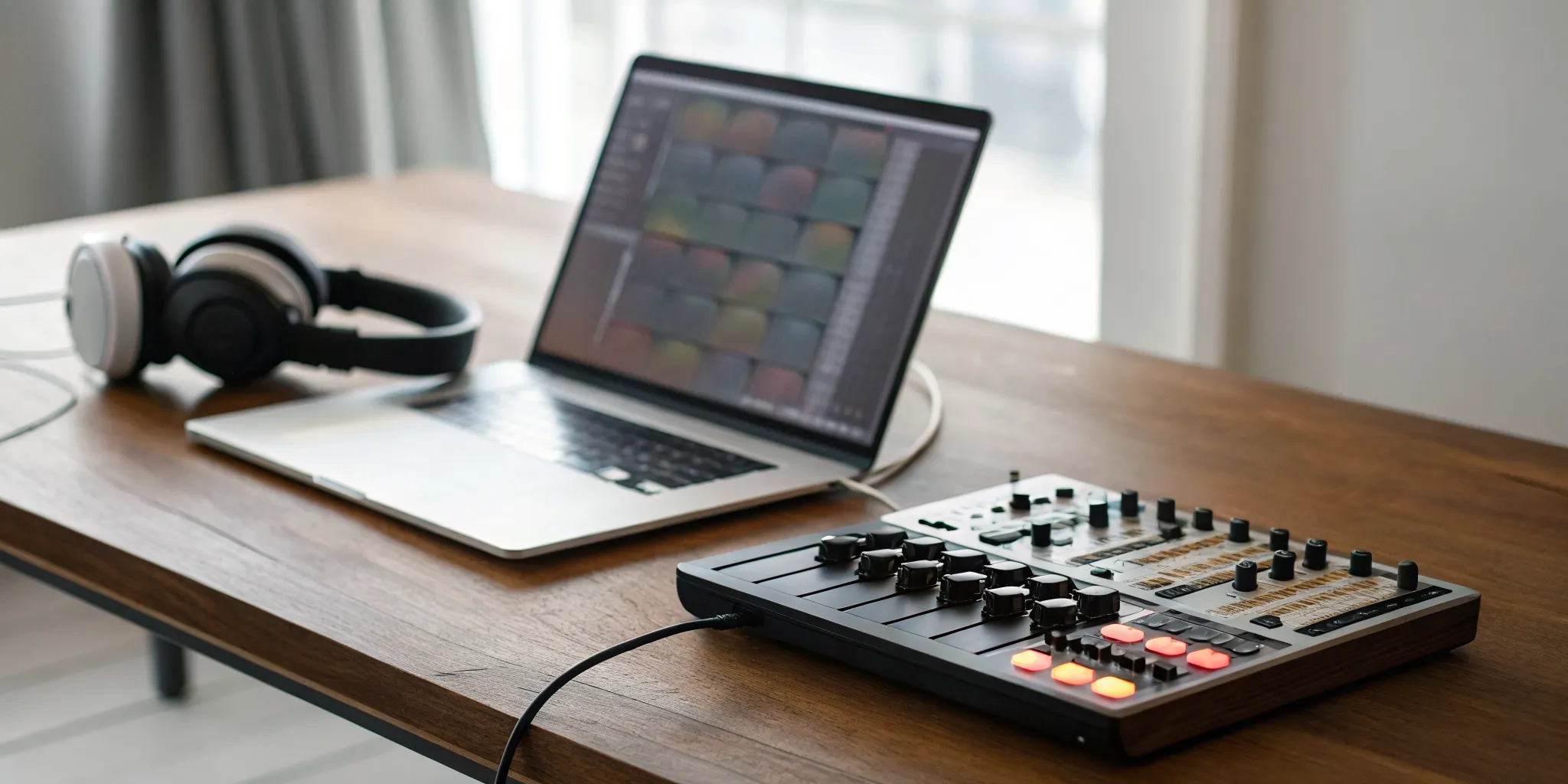
You no longer need a million-dollar studio to produce incredible music. The tools that were once reserved for top-tier producers are now accessible to anyone with a creative idea and a laptop or phone. At the center of this revolution is the beatmaker, a piece of software that acts as your personal digital music machine. It gives you everything you need to arrange drums, basslines, and melodies into a complete track. Whether you’re an aspiring artist looking for original beats or a hobbyist who just loves making music, a beatmaker is your starting point. This guide will explain what these tools are, how they work, and how you can use one to bring your musical ideas to life.
Key Takeaways
- Find a beatmaker that matches your creative process: The best software is personal, so look for a tool with an interface that feels intuitive to you. Consider your budget, workflow, and collaboration needs to find a platform that helps your ideas flow easily.
- Build your skills by starting with the basics: Avoid feeling overwhelmed by focusing on core functions first. Learn how to use the sound library, arrange simple drum patterns, and layer sounds before moving on to more advanced features.
- Prepare your music for its audience: Getting your track ready for listeners involves more than just finishing the beat. Learn your software’s export settings to create high-quality audio files and submit your work to discovery platforms like rBeatz to connect with a global community.
What is a Beatmaker and How Does It Work?
At its core, a beatmaker is a piece of software or hardware that lets you create musical rhythms and tracks. Think of it as your personal digital music machine. It gives you the tools to arrange different sounds, like drums, basslines, and melodies, into a cohesive beat. Whether you’re starting from scratch or looking for a creative spark, a beatmaker is your starting point for producing music. It’s the modern equivalent of a drum machine and a sampler rolled into one, accessible right from your computer or phone.
Many beatmakers are designed to be incredibly user-friendly, even if you have no formal music training. They often come loaded with ready-to-use music kits and loops crafted by professional producers, so you can start creating something that sounds good right away. From there, you can personalize everything. You can import your own sounds, adjust the pitch and tempo of different elements, and layer instruments to build a unique track. The goal is to provide a flexible environment where you can experiment with sounds and structure to bring your musical ideas to life without getting bogged down by technical hurdles.
Key Functions and Features
Most beatmakers come packed with a variety of tools to help you build your sound. You’ll typically find a library of virtual instruments, including synthesizers for melodies, powerful drum kits for rhythm, and a wide range of sound effects. Many platforms offer thousands of royalty-free loops and samples that you can mix and match to create your foundation. Some tools, like BeatMaker 3, even offer a full studio experience on your phone or tablet, combining the power of traditional software with the convenience of a mobile app. These features give you a rich palette of sounds to work with from the moment you open the software.
Who Uses Beatmaker Software?
Beatmaker software isn’t just for professional producers in fancy studios. It’s used by a huge range of creators, from aspiring artists and rappers looking for original beats to hobbyists who just love making music. YouTubers and podcasters also use them to create custom background music for their content. Once you’ve created your track, the next step is sharing it with the world. Understanding who your listeners are and where they discover music is key. After you’ve perfected your beat, you can get it heard by submitting your music to platforms like rBeatz, which helps connect independent artists with a global audience.
The Best Beatmaker Platforms for Creating Music
Once you understand the basics, it’s time to find the right platform for your creative process. The good news is there are tons of amazing tools out there, each with its own strengths. Whether you’re working on a tablet, your phone, or a desktop computer, there’s a beatmaker that fits your style. We’ll walk through some of the most popular options so you can see what resonates with your workflow and musical goals. Let’s find the software that will help you bring your ideas to life.
How rBeatz Fits Into Your Workflow
Think of your beatmaker as the place where you create, and rBeatz as the place where your music finds its home. After you’ve polished your track and exported the final version, what’s next? You need to get it heard. That’s where we come in. rBeatz is a global platform designed for music discovery, connecting independent artists like you with new listeners. You can submit your music directly to our curators for a chance to be featured on our radio stations or playlists. It’s the perfect final step in your workflow, taking your beat from your studio to a worldwide audience and helping you connect with a community of fellow artists.
BeatMaker 3
If you’re an iPad user, you need to check out BeatMaker 3. This app is a powerhouse, effectively turning your tablet into a full-fledged music production studio. It masterfully combines the hands-on feel of hardware with the flexibility of software. Its workflow is intuitive, making it approachable for newcomers, but it’s also packed with advanced features that seasoned producers will appreciate. You can chop samples, program drums, record live instruments, and arrange entire tracks all within one app. For creating music on the go without sacrificing professional capabilities, BeatMaker 3 is a top contender in the mobile space.
FL Studio Mobile
For producers who want a serious, feature-rich experience on their phone or tablet, FL Studio Mobile is a fantastic choice. As the mobile counterpart to the legendary desktop software, it brings a familiar workflow and powerful tools to your fingertips. You can create multi-track projects with high-quality synthesizers, drum kits, and effects. It’s perfect for sketching out ideas when inspiration strikes, whether you’re on the bus or in a coffee shop. Plus, you can take those mobile projects and open them in the desktop version of FL Studio to finish them off. It’s a seamless way to keep your creative momentum going, no matter where you are.
GarageBand
If you own an Apple device, you already have a surprisingly capable beatmaker installed: GarageBand. Don’t let the fact that it’s free fool you; this is a seriously powerful tool, especially for those just starting out. The interface is clean and incredibly user-friendly, making it easy to start creating right away. You can program drums with smart drummers that follow your lead, play with a huge library of virtual instruments, and record your own audio. It’s the perfect environment to learn the fundamentals of music production without any financial commitment. Many professional producers still use GarageBand to quickly capture ideas before moving to more advanced software.
Soundtrap
Collaboration is at the heart of Soundtrap. This online studio, owned by Spotify, lets you create music with anyone, anywhere in the world, right from your web browser. It’s like Google Docs for music production. You can invite friends or other artists to work on your project in real-time, with each person adding their own tracks and ideas. Soundtrap comes with a built-in library of loops, software instruments, and effects, making it easy to get a song started. It’s an amazing tool for bands, production teams, or anyone who wants to make music a more social and connected experience.
Soundation
Soundation is another excellent browser-based beatmaker that makes music creation accessible to everyone. You don’t need to download any software; just open the site and start building your track. It offers a user-friendly interface with a massive library of over 20,000 royalty-free loops and samples, which is perfect for finding inspiration or building the foundation of a beat. The platform includes virtual instruments, synthesizers, and audio effects to help you shape your sound. With its collaborative features and easy-to-use beatmaker tool, Soundation is a great choice for both beginners who want to experiment and experienced producers looking for a quick and easy way to sketch out ideas.
How to Compare Beatmaker Features
With so many beatmakers out there, it can be tough to figure out which one is right for you. They all promise to make your workflow easier, but the best tool really depends on your personal style and goals. To help you decide, let’s break down the key features you should compare. Looking at these five areas will give you a clear picture of what each platform offers and how it can support your creative process from the first spark of an idea to the final track.
User Interface and Ease of Use
The first thing you’ll notice about any beatmaker is its layout. A clean, intuitive interface lets you focus on your music instead of getting lost in menus. You want a tool that feels like an extension of your creativity, not a roadblock. The best software offers a seamless experience, making it easy to find sounds, arrange patterns, and build your track without friction. When you’re testing a new beatmaker, pay attention to how quickly you can start creating. If the workflow feels natural and you can get your ideas down fast, you’ve found a good match.
Sound Library Variety and Quality
A beatmaker is only as good as its sounds. A high-quality, diverse sound library is your starting point for inspiration. Look for software that comes packed with a wide range of drum kits, samples, loops, and virtual instruments that fit the genres you want to produce. Some platforms even offer expansion packs, so you can keep your sound fresh. While you can always import your own samples, having a strong built-in library saves time and helps you develop your signature sound. The quality of these sounds matters just as much as the quantity, so listen closely to the demos before you commit.
Collaboration and Sharing Tools
Music is often a team sport. If you plan on working with vocalists, instrumentalists, or other producers, you’ll want a beatmaker with solid collaboration features. Some modern platforms let you and your friends work on the same project at the same time, seeing each other’s changes in real-time. This is a huge advantage for remote collaboration. Even if you work solo, good sharing tools make it easy to send previews to get feedback. These features help you connect with other artists and build a creative community around your music.
Recording and Mixing Capabilities
Many beatmakers are now complete production studios in a box. Look for software that lets you do more than just program drums and melodies. The ability to record, edit, mix, and master your audio within the same program streamlines your entire process. This means you can lay down vocals or live instruments right alongside your programmed beats. Having a comprehensive suite of tools, like EQs, compressors, and reverbs, allows you to shape your sound and produce a polished, professional-sounding track without needing to switch between different applications.
Export Options and File Formats
Once your beat is finished, you need to get it out into the world. Check the beatmaker’s export options to make sure they fit your needs. You should be able to export your final song as a high-quality WAV file or a smaller MP3 for easy sharing. It’s also incredibly useful to have the option to export individual tracks, often called stems. This gives you the flexibility to send your project to a mixing engineer or share parts of your beat for a remix. When you’re ready to share your work, you can send it directly to platforms like the rBeatz music submission page.
Mobile vs. Desktop: Which Beatmaker Is Right for You?
Choosing between a mobile and desktop beatmaker really comes down to your personal workflow and where you feel most creative. Do you get ideas while you’re on the move, or do you prefer to sit down in a dedicated space to focus? There’s no single right answer, and many producers use a combination of both. Let’s look at what each platform offers so you can figure out the best setup for your music.
The Pros and Cons of Mobile Apps
Mobile beatmaking apps put a powerful studio right in your hands. An app like BeatMaker 3 turns your tablet into a production powerhouse, giving you the feel of real gear with the convenience of software. It’s perfect for capturing ideas the moment they strike, whether you’re on the bus or in a coffee shop. These apps often include creative controls for rolls and swings that make it easy to build a groove quickly. The biggest advantage is portability. You can work on a track anywhere without lugging around a laptop, making it a fantastic choice for artists who are always on the go.
The Power of Desktop Software
When you need more screen space and processing power, desktop software is the way to go. Platforms like Soundtrap offer a complete online studio experience right in your browser, so you don’t have to worry about installations. Desktop beatmakers typically come with huge libraries of virtual instruments, royalty-free loops, and high-quality samples. The larger interface makes it easier to arrange complex tracks, fine-tune your mix, and see the bigger picture of your project. If you’re planning on deep-diving into detailed production and mixing, a desktop setup provides the robust environment you need to get the job done right.
Using Your Tools Across Devices
The great thing is, you don’t have to choose just one. Many modern tools are designed for a fluid workflow between devices. You can start a beat on your phone and then polish it on your desktop later. Collaborative features are also becoming standard, allowing you to work on a project with other artists in real-time, no matter where you are. You can easily connect your own instruments, like a microphone or guitar, to either setup. This flexibility means your tools can adapt to your creative process, not the other way around. Once your track is ready, you can find your audience and connect with the music community on platforms like rBeatz.
Common Beatmaker Challenges (and How to Solve Them)
Every creative tool has its quirks, and beatmaker software is no exception. It’s completely normal to hit a few roadblocks when you’re starting out or even when you’re trying to level up your skills. The good news is that these challenges are common, and there are straightforward ways to work through them. Instead of letting frustration take over, think of these as opportunities to sharpen your production skills. From getting the hang of a new interface to organizing your growing library of projects, here are some of the most frequent hurdles beatmakers face and how you can clear them with confidence.
Getting Past the Learning Curve
Jumping into new beatmaking software can feel like learning a new language. With so many buttons, menus, and features, it’s easy to feel overwhelmed. The key is to give yourself time and focus on learning one thing at a time. Start by looking for tutorials or online courses that walk you through the basics. Many platforms have active community forums where experienced producers share their best tips. The most important thing is to simply spend time with the software. Regular practice builds muscle memory and familiarity, turning a confusing interface into your creative playground. Before you know it, you’ll be making music you’re proud to submit to platforms like ours.
Expanding Your Sound Library
The sounds that come with your software are a great starting point, but you’ll likely want more options to develop your unique style. A limited sound library can make your beats feel generic. To solve this, you can find countless sound packs and samples online, both free and paid. Many beatmaking apps even have their own marketplaces where you can browse for new sounds without leaving the program. Building a personal library of high-quality samples, loops, and virtual instruments is one of the best ways to define your sound. It gives you a broader palette to work with, helping you create truly original music that stands out from the crowd.
Managing Your Files and Exports
As you create more music, your project files can quickly become a disorganized mess. Juggling multiple versions, samples, and bounced tracks is a real headache. The solution is to establish a good file management system from the start. Create a main folder for your music, with subfolders for each project. Inside each project folder, keep separate folders for samples, project files, and final exports. It’s also smart to learn your software’s export options. Knowing how to export your tracks in different formats (like MP3 or WAV) will save you a ton of time when you’re ready to share your work or collaborate with other artists.
Mastering Timing and Plugins
Getting your timing just right and figuring out how to use plugins can be tricky. Features like quantizing, which snaps your notes to a grid, are powerful but can be confusing at first. Similarly, plugins can add incredible effects and sounds, but you need to understand what they do. The best approach is hands-on experimentation. Practice using your software’s timing correction tools on different drum patterns to see how they work. Load up different plugins and play with the settings to hear how they change your sound. Watching video tutorials that focus specifically on timing and plugin integration can also provide a huge breakthrough, improving your workflow and the quality of your final mix.
Beatmaker Pricing: Free vs. Paid Options
Deciding between a free or paid beatmaker often comes down to your goals and budget. Free tools are a fantastic starting point, but investing in paid software can give you the professional edge you need to produce high-quality tracks. Let’s break down what you can expect from each option so you can find the right fit for your creative process.
What You Get with Free Tools
Free beatmaking software is perfect for dipping your toes in the water without a financial commitment. You can learn the fundamentals of beat construction, sequencing, and arrangement. However, these tools usually come with trade-offs. You might find yourself working with a limited sound library, fewer effects, and basic export options. While you can certainly make great music, the path is often easier with the more robust features found in paid software. Think of free tools as your training ground before you decide to invest in your craft.
Understanding Subscription Models
Many top-tier beatmakers now use a subscription model, giving you access to the software for a monthly or annual fee. The biggest advantage here is that you get continuous updates, new features, and fresh sound packs as soon as they’re released. This model ensures you’re always working with the latest technology. For producers who want consistent access to a growing library of professional sounds and tools, a subscription can be a great way to stay inspired and keep your workflow current without a large upfront cost.
The Value of a One-Time Purchase
If recurring payments aren’t your thing, some excellent beatmakers are available as a one-time purchase. This is a straightforward investment: you pay once and own the software license forever. This approach can be more cost-effective in the long run and gives you a powerful, comprehensive toolset from day one. Owning your software can give you the confidence to create polished, professional tracks that are ready for music submission to platforms like ours. Just keep in mind that major version upgrades might require an additional purchase down the line.
Extra Costs: Sound Packs and Add-Ons
Whether you choose a free or paid tool, you might eventually want to expand your sonic palette with extra sound packs, plugins, or virtual instruments. These add-ons can be a game-changer, providing unique textures and high-quality samples that make your music stand out. When purchasing sounds, always check that they are royalty-free to avoid any legal headaches later. Investing in quality sounds is a key step in developing a signature style that helps you connect with listeners and other featured artists.
How to Choose the Right Beatmaker
Picking the right beatmaker feels a lot like finding the right instrument. The best one for you depends entirely on your personal style, your current skill level, and what you want to create. With so many options out there, it’s easy to get overwhelmed, but the goal is simple: find a tool that feels intuitive and lets your ideas flow without getting in the way. Whether you’re a complete beginner curious about making your first loop or a seasoned producer looking to refine your workflow, there’s a perfect platform waiting for you.
Think of this as a matchmaking process. You’re looking for a partner in creativity, something that complements your process. Some people thrive with a simple, streamlined interface that gets straight to the point, while others want every possible knob and dial at their fingertips for deep customization. And of course, budget plays a role. The good news is that you don’t need to spend a fortune to make incredible music. The most important thing is to find software that doesn’t create friction between your idea and the final product. Once you’ve crafted something you’re proud of, you can always submit your music to connect with a larger audience and share your sound with the world. Let’s find the right fit for you.
The Best Tools for Beginners
If you’re just starting, your main priority should be finding software that’s easy to learn and fun to use. You want to spend your time making music, not getting lost in complicated menus. Look for a beatmaker with a clean layout and a good library of pre-made sounds and loops. A great online tool to check out is Soundation’s Beatmaker, which is designed to help you start creating right away. It functions like an online music machine, packed with ready-to-use music kits from professional producers. This lets you get a feel for arranging sounds and building a track without the pressure of starting completely from scratch.
Pro-Level Tools for Experienced Producers
When you’ve moved past the basics and are ready for more control, it’s time to look at professional-grade software. These tools offer deeper customization, advanced mixing capabilities, and the features you need to shape a truly unique sound. For producers who work on the go, BeatMaker 3 is a powerful iPad app that lets you build full songs from the ground up. It gives you precise control over your workflow with creative tools like repeat, roll, and swing, helping you turn simple ideas into polished tracks. This is the kind of software that grows with you as your skills develop, offering new possibilities as you learn.
Finding the Right Fit for Your Budget
You don’t need to break the bank to produce quality music. Many excellent beatmakers operate on a “freemium” model, offering a fantastic set of features for free with the option to upgrade for more advanced tools. Soundtrap is a perfect example. It’s an online studio where you can sign up and start creating immediately without paying a dime. The free version is incredibly capable for sketching out ideas and learning the fundamentals. If you find you need more, paid plans offer features like vocal tuning and automation. Starting with a free tool is a smart way to learn the ropes before deciding if and when you want to invest in a paid platform.
Create Your First Beat
Jumping into a new piece of software can feel like a lot, but making your first beat is more straightforward than you think. Most modern beatmakers are designed to get you creating music right away, so you don’t have to get bogged down in technical details before you can even lay down a track. The key is to start simple, learn a few core functions, and build from there. Don’t worry about making a masterpiece on your first try. The goal is to get comfortable with the tools, experiment with sounds, and have fun with the process.
This section will walk you through setting up your creative space, a basic workflow to get you started, and the essential features you should focus on first. Think of it as your quick-start guide to turning the ideas in your head into actual tracks. Once you get the hang of it, you’ll be surprised at how quickly you can put together something that sounds great. And when you’re ready, you’ll have a community of fellow artists to share your work with and get feedback. It’s all about taking that first step and letting your creativity flow.
Set Up Your Workspace
Getting started with a digital beatmaker is incredibly simple because most of them run right in your web browser or as a standalone app. You don’t need a room full of expensive hardware; your workspace is your computer or mobile device. The first step is to just open the application and look around. You’ll typically see a timeline that runs from left to right, a library of sounds and instruments, and a control panel for playback. Many tools are essentially online music machines that help you create and arrange sounds without any complicated setup. Just focus on getting familiar with the main sections of the screen. Don’t click everything at once; just identify the sound library, the timeline, and the play button.
A Simple Beat-Making Workflow
The fastest way to create your first beat is to use the resources the platform gives you. Many beatmakers come loaded with ready-made music kits and beats created by professional producers. Start by choosing a drum kit that you like the sound of. From there, create a simple four-beat pattern. Next, find a bass sound and add a simple bassline that complements your drums. Finally, browse the loop library for a melody or chord progression that fits the vibe. This simple layering technique is the foundation of beat making. Some platforms even let you collaborate with friends on the same project in real-time, which can be a great way to learn and stay motivated.
Essential Features to Learn First
To avoid getting overwhelmed, focus on learning just a few key features. First, explore the virtual instruments. These are digital versions of synthesizers, drum kits, and classic 808s that you can play using your keyboard or by clicking on a digital interface. Next, get to know the sound library. This is where you’ll find thousands of royalty-free loops, samples, and sound effects to drag and drop into your project. Finally, look for basic controls that help you shape your ideas. Tools like repeat, roll, and swing can add life and rhythm to your patterns. Mastering these few features will give you everything you need to start producing your own unique beats and eventually submit your music for others to hear.
Share Your Music and Find Your Audience
Creating a beat you love is an amazing feeling, but the real magic happens when you share it with the world. Getting your music out there is how you find your listeners, connect with other artists, and build a community around your sound. It’s about more than just uploading a file; it’s about being strategic with how you present your work and where you share it. From picking the right file format to finding platforms that champion independent artists, every step matters. Let’s walk through how to get your music from your beatmaker into the ears of your future fans.
Choose the Right Export Settings
Before your beat leaves your software, you need to make sure it’s dressed for success. Export settings determine the final quality and file type of your track, which is crucial for how it’s received. For submitting to platforms like rBeatz or for professional use, a high-quality, uncompressed WAV file is usually best. For quick sharing on social media or in emails, a compressed MP3 file is smaller and easier to handle. Great software gives you options; for example, with BeatMaker 3, “you can save your finished songs and even separate parts of your music to share or use in other studios.” This flexibility to export stems (individual tracks) is perfect for collaborations.
Platforms for Distributing Your Beats
Once your track is ready, you need a place to host it. There are tons of platforms designed to help artists distribute their music. Some, like SoundCloud or Bandcamp, are great for building a profile and sharing directly with fans. Others are all-in-one creation and sharing tools. For instance, “Soundtrap is an online music studio that lets you make music. You can create, record, and mix music right in your web browser, without needing to download any software.” This kind of accessibility makes it simple to go from creation to distribution in one place. The key is to find a platform that aligns with your goals, whether that’s collaborating with others, selling your beats, or simply getting heard.
Connect with the Music Community on rBeatz
Sharing your music isn’t a one-time event; it’s about building connections. Platforms that foster a real community are invaluable for new artists. At rBeatz, we focus on music discovery and connecting listeners with emerging talent from around the world. When you submit your music to us, you’re not just uploading a track into the void. You’re tapping into a network of music lovers and fellow artists. Understanding your listeners is key, as “analyzing audience geography and demographics helps musicians understand where their music is most popular and tailor their promotional efforts.” We help you find that audience and give your music a home among other incredible artists.
Related Articles
- Music Producers Presented by Internet Radio rBeatz
- Discover New Music & Stream Global Artists|rBeatz
- Independent Music Artists and Shows Presented by rBeatz
- FAQ rBeatz | Ask us a question or send a suggestion
- What Are ASCAP, BMI, SoundExchange, SESAC, and PROs|rBeatz
Frequently Asked Questions
Do I need to know music theory to use a beatmaker? Not at all. While understanding music theory can certainly help, modern beatmakers are designed to be incredibly intuitive, even for complete beginners. Many come with pre-made loops, samples, and smart features that guide you in creating something that sounds good. Think of it as a creative playground where you can learn by doing. You can start by arranging sounds you like and, over time, you’ll naturally pick up on what works.
Can I really make professional-quality music on just my phone or tablet? Absolutely. The line between mobile and desktop production has become very blurry. Apps like BeatMaker 3 pack an incredible amount of power, giving you all the tools you need to create, mix, and finalize a track from start to finish. While a desktop setup offers more screen space, mobile apps provide the freedom to capture ideas anywhere. Many professional producers use mobile apps to start tracks and then polish them later, proving that great music comes from your ideas, not just your gear.
Are the built-in sounds and loops in these platforms royalty-free? For the most part, yes. Reputable beatmaking platforms like Soundation and Soundtrap provide vast libraries of sounds, loops, and samples that are cleared for you to use in your own music, even for commercial release. However, it’s always a smart habit to double-check the specific terms of service for any platform you use. This simple step ensures you can share and distribute your music without worrying about legal issues down the road.
I’m feeling stuck and uninspired. Any tips for getting past creative blocks with these tools? Creative blocks happen to everyone. When you feel stuck, try stepping away from your main project and just play. Explore a sound library for a genre you’ve never tried before, or give yourself a challenge, like making a beat using only five sounds. Collaboration is another great way to break through a rut; working with another artist in a tool like Soundtrap can bring fresh energy and ideas to your process.
After I make a beat, what’s the best way to prepare it for submission to a platform like rBeatz? Once your track is complete, the final step is exporting it correctly. For submissions, you should always export the highest quality file possible, which is typically an uncompressed WAV file. This ensures the curators hear your music exactly as you intended, with no loss in audio quality. Also, make sure your file is clearly labeled with your artist name and the track title. A clean, professional presentation makes a great first impression.