
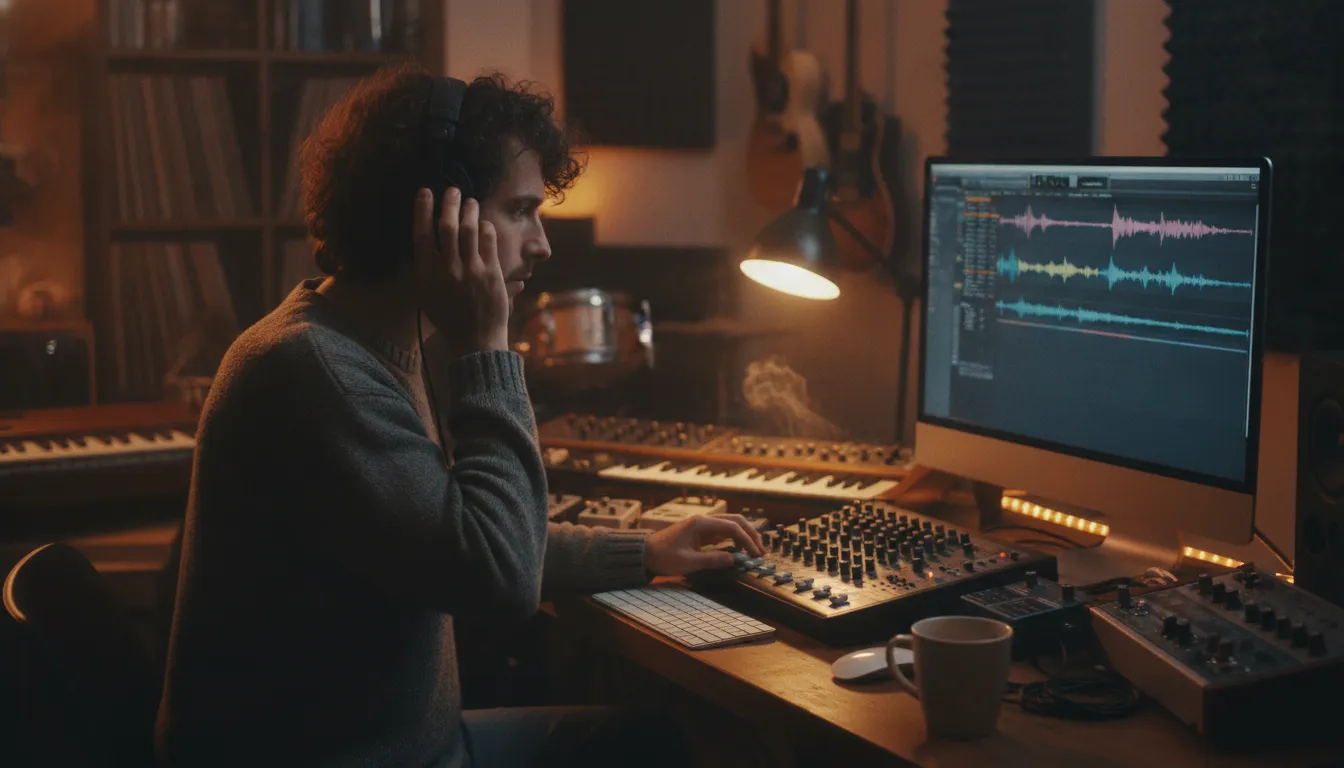
A strong song can lose attention before anyone reaches the chorus if the file is clipped, poorly labeled, or difficult to review. A few careful checks before sending can make your track easier for stations and curators to evaluate on its own merits.
To understand how to prepare music for submission, start with a clean, professionally balanced master, then confirm the file format, track metadata, artwork. And supporting artist information are complete and easy to access. rBeatz accepts submissions for free and reviews them for merit and format fit. Not paid placement, although submission never guarantees airplay or a feature.
Think of your pre-submit package as a clear introduction to both your music and your professionalism. Before you assemble the final details, listen closely to the version you plan to send and make sure its sound quality represents the work at its best.
Audio Quality: The First Thing Stations and Curators Hear
Before a station considers your genre, story, or artist bio, someone has to press play. The recording itself creates the first impression. A strong song can lose attention quickly if the file sounds distorted, muddy, excessively loud, or unfinished. When you are learning how to prepare music for submission, treat the master as the foundation of the entire package.
Start with a clean, technically sound file
Use the highest-quality export available from your final mix, and confirm that the bit rate and sampling frequency are appropriate for the intended recipient. These details do not replace good songwriting or production, but they help preserve the detail you worked to create. A low-quality or repeatedly converted file can introduce artifacts that distract from vocals, instruments, and transitions.
Listen through the complete track before sending it. Check the opening seconds, fades, pauses, and ending. Remove accidental clicks, rough cuts, clipped breaths, unwanted count-ins, and other sounds that belong in the studio session rather than the submission. If an edit ends abruptly, make sure the cut feels intentional. Likewise, leave proper reverb tails where the space and atmosphere of the mix depend on them. Cutting a vocal or instrument tail too sharply can make an otherwise polished recording feel unfinished.
Do not squeeze the master
Professional mastering can help a track translate across headphones, cars, speakers, and broadcast systems. However, louder is not automatically better. Avoid an overly compressed master that removes the song’s movement, flattens the dynamics, or makes the vocal and instruments feel strained. The goal is a balanced, professional sound with enough impact to hold attention and enough headroom to remain comfortable to hear. The technical guidance for music submissions similarly recommends high-quality bit rate and sampling frequency, clean edits with proper reverb tails, and avoiding a master that is squeezed too tightly.
Compare the final export with the approved mix and listen at more than one volume. Test a pair of headphones and a familiar speaker system, but do not try to fix every playback environment by overprocessing the file. If the balance changes dramatically between systems, return to the mix or ask a trusted engineer for a focused review.
Make the submission-ready version intentional
Keep one clearly labeled final master rather than sending several nearly identical files without explanation. If you have clean edits, radio edits, or alternate versions, check each one from beginning to end and identify it accurately. A careful audio review shows that you respect the listener’s time and gives stations and curators a recording they can evaluate with confidence.
For a broader pre-send review, use this radio-ready song pre-submission checklist after the audio pass is complete.
File Formats and Delivery: Send the Right File the Right Way
A strong track can lose attention before anyone presses play if the file package feels difficult to handle. Before sending, export the version requested by the station, label, curator, or platform, then check that the file opens, plays from beginning to end, and carries accurate metadata. Professional delivery is less about sending every file you have and more about making the right version easy to identify and review.
| Format | Lossless or lossy | Typical use | Pros and cons | Best for |
|---|---|---|---|---|
| WAV | Lossless | Master delivery, radio, labels, production | Full-resolution and widely accepted; larger file size | Label submission |
| AIFF | Lossless | Master delivery and studio workflows | Preserves detail and supports professional workflows; larger file size | Label submission |
| FLAC | Lossless | High-quality digital delivery and archives | Smaller than WAV or AIFF without losing audio quality; not accepted everywhere | Label or platform when requested |
| MP3 | Lossy | Quick listening, demos, previews | Small and convenient; compressed audio loses some detail | Demo or preview |
When no format is specified, a high-quality WAV is a dependable professional default for a master. While a properly encoded MP3 can work as a listening copy or demo. Do not assume that a cloud link is the preferred shortcut. Submission guidance from the University of St. Thomas specifically says not to send Google Drive links and asks applicants to use expected file formats instead. Follow the recipient’s instructions first, because a platform may have upload limits or a required format.
Prepare edit versions when the opportunity may involve radio, playlists, licensing, or broadcast use. Keep a clearly identified full-length version, a time-cut or shortened version, and a brief sting or link when relevant. The edit should sound intentional: avoid abrupt fades, clipped tails, or a reverb trail that disappears unnaturally. Save each version as its own file rather than replacing the master.
Use clean, consistent names such as ArtistName_SongTitle_Full.wav, ArtistName_SongTitle_Edit.mp3, and ArtistName_SongTitle_Sting.wav. Avoid vague names like final2_new.wav. Tag the files with the artist name, track title, version, genre, and contact details where the format supports it. Metadata-tagged files are a standard part of a professional submission package, and accurate tags help prevent your track from becoming anonymous after download.
Keep supporting documents separate from the audio and export them in stable, readable formats. Lyric sheets and similar materials should be attached as PDF files when requested, rather than pasted into a long email or hidden behind a link. A tidy folder with only the requested audio versions, PDFs. And concise notes signals that you know how to prepare music for submission without creating extra work for the reviewer.
Metadata and Copyright: The Details That Make Your Track Credible
A strong recording can lose momentum when its identifying details are incomplete or inconsistent. Before sending your music, open the file information and confirm that the track can be recognized without guesswork. Add the song title, primary artist name, composer or songwriter credits, genre, ISRC when available, and the correct explicit-content flag. If the file supports additional fields, include featured artists, album or project name, release date, and publisher information where relevant.
Use the same spelling and formatting everywhere. Your artist name should not appear as “The Example Band” in one version and “Example Band” in another unless that difference is intentional. Check the title, featured-artist notation, capitalization, version label, and composer credits across the audio file, cover letter, EPK, streaming profiles, and any alternate edits. Consistency makes it easier for a station, curator, or music supervisor to search for the track, identify the right version, and credit the people who made it.
Metadata-tagged audio files are part of a professional submission package, alongside a clear introduction and properly prepared supporting materials. A curator may review several files in one sitting, so useful tags reduce friction. They also help prevent a clean edit, radio edit, instrumental, or extended version from being mistaken for the main release. Name files plainly, such as ArtistName_SongTitle_RadioEdit.mp3, and avoid vague labels like final2new.mp3.
Copyright basics for independent artists
Keep ownership information accurate and make sure you understand who controls the composition and sound recording before you submit. Copyright registration is a legal formality intended to make the public record of a copyright claim, according to the U.S. Copyright Office’s Circular 50 guidance on copyright registration for musical compositions. Registration does not replace written agreements with collaborators, producers, or co-writers, but it can formalize the record of your claim.
Save your project files, split sheets, contributor agreements, and dated exports in one organized folder. If a track includes samples, interpolations, or guest performances, document the relevant permissions before submitting it. Do not claim sole authorship when credits are shared. Accurate copyright details protect relationships as well as your release’s credibility.
Finally, listen to every submitted version after tagging and exporting it. Confirm that the metadata displays correctly, the audio matches the stated version, and the credits remain intact. This small check can prevent avoidable confusion when your music reaches a human reviewer.
Build Your Artist Package: EPK, Bio, and Artwork
Your song should arrive with enough context for a station, curator, or music professional to understand who made it and where it fits. Keep the package focused. The goal is not to tell your entire story in one email, but to make the next step easy for someone who is evaluating your music.
Write a concise artist bio
Think of your bio as an elevator pitch, not a full autobiography. In one short paragraph, explain your artist name, home base or musical background, genre, and the sound or perspective that distinguishes you. Mention a meaningful release, performance, collaboration, or milestone only if it helps establish context. Lead with the most useful information and remove broad claims such as “the next big thing” unless they are supported by a specific achievement.
A strong bio gives the reader a quick sense of your identity and audience without making them search through several paragraphs. Write it in third person if it will be copied into a playlist description, station feature, or press page. Keep a longer version available separately, but use the concise version as the default in your EPK.
Choose artwork that represents the release
Include clean, high-resolution cover art that matches the tone of the track. The artwork should be legible when viewed as a small thumbnail, while still looking polished at full size. Avoid blurry images, crowded layouts, unauthorized photography, and text that becomes difficult to read. Confirm that you own or have permission to use every visual element, including photographs, illustrations, fonts, and logos.
Name the image clearly and keep the final file easy to identify alongside the audio. If a station or platform provides specific artwork dimensions or file requirements, follow those instructions rather than guessing. A consistent visual identity across your cover art, website, and social profiles makes the release feel intentional.
Organize links and supporting materials
Your electronic press kit should put the essentials in one organized place: the concise bio, release details. Approved artwork, a professional photo, and direct links to the song and your main social or streaming profiles. Use links that open reliably and label each one plainly. A reviewer should not have to hunt through a generic homepage or decode a folder of unnamed files.
Include lyric sheets or other relevant support materials as PDF files when they add value. Standard PDF attachments are easier to open and preserve than editable documents. For a deeper walkthrough, see our guide to preparing a professional electronic press kit.
Before sending, open the EPK on both a phone and a computer. Check every link, proofread the bio, and make sure the artwork, audio, and documents use matching artist and song titles. A professional EPK helps establish your artist brand, but it should support the music rather than overwhelm it.
Research Before You Send: Match Your Sound to the Right Station
Preparation starts with choosing a realistic destination for the track. Before you package files or write a message, listen to the station, browse its recent programming, and identify the formats it serves. A polished submission still needs a genuine editorial fit. A loud club track may be strong, but it is unlikely to connect with a station built around acoustic songwriting. Likewise, a carefully produced rock single may not belong in a format focused on electronic dance music.
Use the same discipline when researching labels, curators, or A&R contacts. Industry guidance recommends researching labels, identifying the appropriate A&R representative, and checking that your genre aligns with the label’s roster. That principle applies to radio and independent platforms too. Review the artists already featured, note the station’s tempo and mood, and ask whether your song would sound natural beside the current rotation. The goal is not to reshape your identity for every outlet. It is to send each track where its sound, audience, and story make sense. Researching labels and matching genre to a roster can help you build that habit.
Check format fit before polishing the package
Make a short list of stations or platforms that genuinely support your style. Look for clear genre categories, recently played artists, show descriptions, and submission requirements. If an outlet welcomes several genres, identify the specific program or stream that best matches your song rather than sending a generic pitch. This research also helps you describe the track accurately. Use useful terms such as indie rock, alternative R&B, or melodic hip-hop only when they reflect what listeners will actually hear.
For rBeatz, selection is based on artistic merit and format fit, not paid placement. The review is therefore about whether the music works for an applicable format, not whether an artist can purchase attention. That makes honest preparation important: send the strongest version of the right song to the right audience, without promising yourself airplay or changing the facts about your release. You can learn more about how to submit music to internet radio once the preparation is complete.
Keep this stage separate from the actual submission process. First confirm the match, then use the radio-ready song pre-submission checklist to review your audio, metadata, and supporting materials. That simple order prevents wasted outreach and gives every recipient a package prepared for its audience.
A Simple Pre-Submit Checklist: How to Prepare Music for Submission
Before you send a track, make it easy for a station or curator to hear its strengths and understand who made it. A careful final review also prevents avoidable delays, missing information, and files that do not match the requested format. Use this checklist as a last pass before submission.
- Start with a clean, professional master. Listen from beginning to end on more than one system, including headphones and regular speakers. Check for clipping, unwanted noise, abrupt edits, distracting volume changes, and reverb tails that cut off too early. The finished track should sound balanced and intentional, not simply loud. If the mix still has obvious technical problems, return it to your engineer before preparing the rest of the package.
- Prepare the requested file format and a clear filename. Keep a high-quality master ready, then create any additional format the destination requests. Use a straightforward filename such as
ArtistName-TrackTitle-Version, rather than a string of dates, symbols, or confusing abbreviations. Do not rely on an unrequested Google Drive link or a temporary transfer. Follow the submission channel’s file instructions so the recipient can open and identify the track immediately. - Tag the metadata and confirm your rights. Add the artist name, track title, album or project, genre, release date, track number, and copyright information to the audio file where supported. Metadata-tagged files look more professional and reduce the chance that your track becomes separated from its details. Confirm that you control the recording and have cleared any samples, features, or other permissions. Copyright registration can help protect an original composition, but it does not replace permission checks or accurate credits.
- Assemble your EPK, bio, artwork, and supporting PDF. Keep the package concise and current. Include a short artist bio, a professional press photo or approved artwork. Streaming or social links when useful, credits, lyrics if requested, and a one-page PDF with relevant background. Your EPK should give the reviewer enough context to understand the artist without burying the track under unnecessary material.
- Research the right station or platform fit. Listen to the outlet and review its genres, programs, audience, and submission preferences. Choose the track that genuinely fits its format instead of sending every release everywhere. Fit matters because rBeatz reviews submissions on merit and format alignment, not paid placement, and no submission guarantees airplay or a feature.
- Submit through the correct channel. Recheck every attachment, link, credit, and contact detail, then send the completed package through the destination’s official form or stated submission address. For rBeatz, artists can submit music for free. Keep a copy of what you sent and the version of the master attached so any follow-up is clear.
A polished submission shows respect for the reviewer and gives a strong song the clearest chance to be considered on its own merits.
Submit your music and get discovered
Frequently Asked Questions
What technical standards should I check before submitting music?
Listen through the final master on more than one system, confirm the bit rate and sampling frequency are appropriate, and check that edits sound clean. Pay attention to fades and reverb tails so the track does not end abruptly. A balanced master is preferable to one pushed into heavy compression, which can make the music sound unnatural. These technical standards are also recommended in industry submission guidance.
What should a professional music submission package include?
Include the finished audio file, accurate metadata, a concise cover note, and the artist details a reviewer needs to understand the release. Add supporting materials such as lyric sheets in a PDF when relevant. A short bio, approved artwork, and links to an electronic press kit can make the package easier to review without burying the music in unnecessary detail.
How should I format and deliver my music files?
Use the file format requested by the station, platform, label, or curator, and name each file clearly with the artist and track title. Upload the actual file rather than sending an unrequested cloud-storage link. Keep lyric sheets and other supporting documents in standard formats, such as PDF. And open every file before sending to confirm it works and matches the information in your message. File and supporting-material guidance from the University of St. Thomas illustrates this preparation standard.
Does my music need an EPK or professional bio before submission?
Not every submission requires a full EPK, but a clear bio and organized artist links are useful when a reviewer wants context. Keep the bio brief and factual, and make sure it matches your current release. For rBeatz, submissions are free and reviewed based on artistic merit and format fit. So supporting materials should clarify your work rather than suggest that placement can be purchased. See rBeatz’s submission guidance.
Ready to Share Your Track with rBeatz?
Once your audio, metadata, artwork, and artist details are ready. The next step is simple. rBeatz gives independent artists a free opportunity to submit music for review based on merit and format fit. Airplay or an artist feature is not guaranteed, but a complete, professional submission helps your track receive the consideration it deserves. Submit your music to rBeatz for free when your package is ready.