
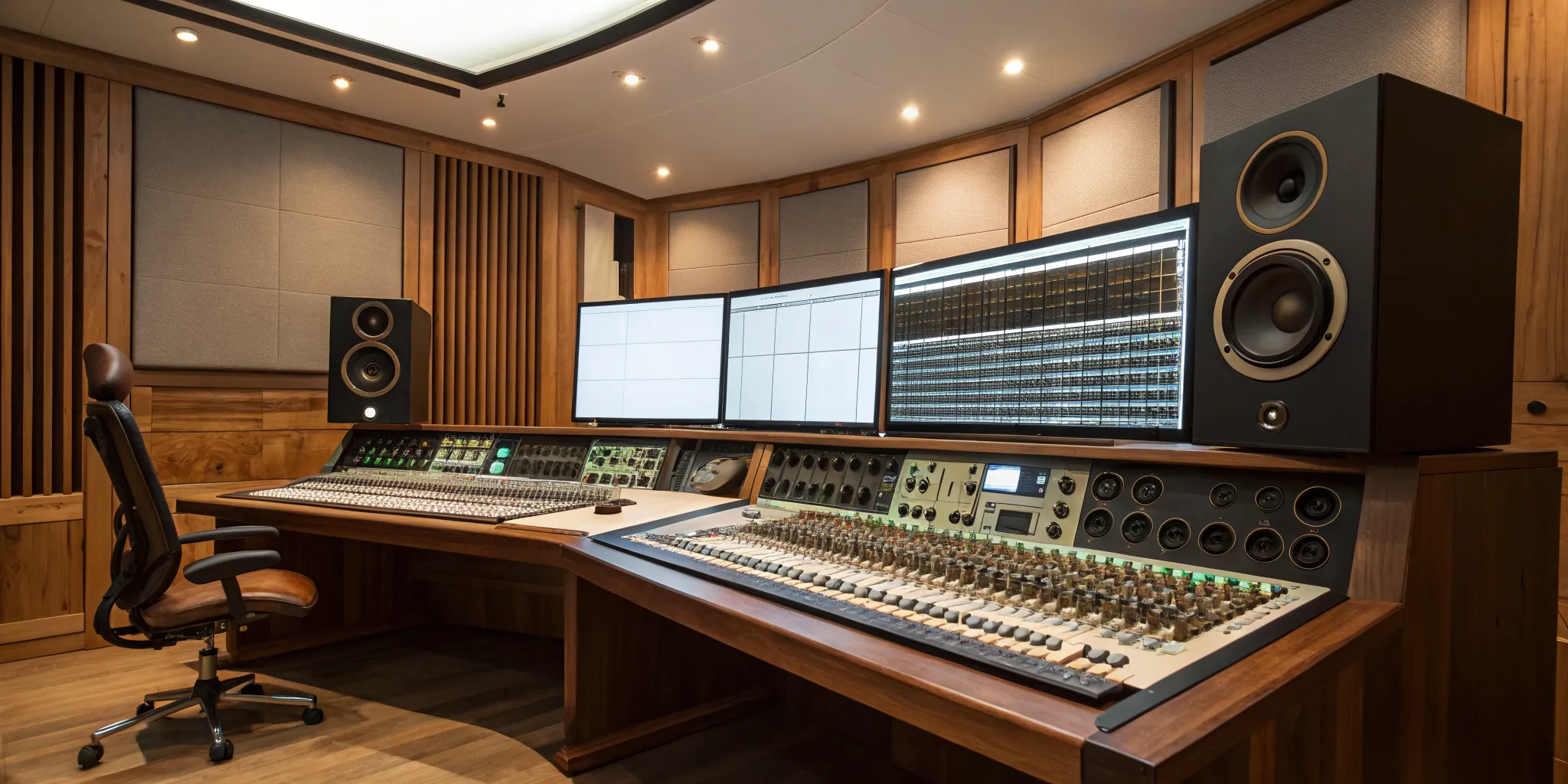
Not too long ago, getting a radio-ready master meant booking time at a specialized studio with a seasoned engineer, a process that was often out of reach for independent artists. Today, the game has completely changed. Powerful software has leveled the playing field, giving you the ability to achieve commercial-quality sound right from your own computer. This is your chance to make sure your music has the impact it deserves. This guide is your map to the world of professional audio mastering software, covering the tools that will help you finalize your tracks with confidence and ensure they’re ready to compete on a global stage like our own rBeatz Radio.
Key Takeaways
- Prioritize clarity over maximum volume: Mastering is the final polish, not a loudness competition. Focus on creating a balanced, dynamic track that sounds clear and impactful on all playback systems, which is more important than simply making it loud.
- Build your toolkit around essential features: Your software must include a high-quality equalizer for tonal adjustments, a transparent compressor for managing dynamics, and professional loudness metering (LUFS) to meet streaming platform standards. These are the non-negotiables for a polished master.
- Choose software that matches your personal workflow: The best tool for you depends on your experience and goals. Whether you opt for an AI-powered suite for guidance or a dedicated DAW for deep control, select software that fits your skill level and helps you achieve your creative vision efficiently.
What is Audio Mastering (and Why Should You Care)?
Think of audio mastering as the final quality check before your music meets the world. It’s the last step in the production process, where a finished mix is polished and prepared for distribution. The goal is to make your track sound clear, cohesive, and professional across all kinds of playback systems, from tiny earbuds and car stereos to massive club speakers. This is what gives your music that final sheen and ensures it can stand up next to other commercial releases.
So, why should you care? Because mastering can be the difference between a track that sounds like a demo and one that sounds like a legitimate record. A great master ensures your song has a balanced frequency response, controlled dynamics, and the right loudness for streaming platforms. When you submit your music for airplay or features, a professional master signals that you take your craft seriously. It helps your art make the best possible first impression on listeners, curators, and industry professionals.
One of the biggest misconceptions about mastering is that it’s just about making a song louder. While achieving competitive volume is part of the process, it’s far from the only goal. True mastering is a subtle art. It involves careful equalization, compression, and stereo enhancement to improve the overall sound. A good mastering engineer provides a fresh, objective perspective, catching issues you might have missed and making the small adjustments that bring your track to life. It’s not about fixing a bad mix, but about enhancing a good one.
What to Look For in Mastering Software
Choosing the right mastering software can feel overwhelming, but it really comes down to a few key features. Think of it as building your toolkit. You need reliable, professional-grade tools that give you precise control over the final sound of your track. Whether you’re using an all-in-one suite or a standard Digital Audio Workstation (DAW), the fundamentals are the same. Let’s walk through the non-negotiable features your software should have to help you produce polished, release-ready masters that stand up against your favorite artists’ tracks.
High-Res Audio and Format Support
Your mastering software is the final step in the production chain, so it absolutely must handle high-resolution audio without breaking a sweat. You’ve likely been working with 24-bit or even 32-bit float files, and your software needs to preserve that quality. It should also give you flexible export options. You’ll need to create different versions of your master for various platforms, like high-quality WAV files for Bandcamp, AACs for Apple Music, and compressed MP3s for previews. A solid mastering platform makes it easy to manage different audio file formats and ensures your music sounds its best, no matter where it’s heard.
Precise EQ and Frequency Analyzers
Mastering EQ is all about making small, surgical adjustments that have a big impact. Unlike mixing, you’re not fixing individual instruments; you’re shaping the overall tonal balance of the entire song. Your software needs a high-quality equalizer, preferably a linear phase EQ, that can make clean, transparent adjustments. Just as important is a detailed frequency analyzer. This visual tool helps you see potential problems, like a buildup of low-end mud or harsh high frequencies, that your room or headphones might not reveal. It’s your secret weapon for achieving a balanced and professional-sounding master.
Powerful Dynamics and Compression
Dynamics processing is where a master gets its punch and polish. Your software should include a top-notch compressor and limiter to control the dynamic range and increase the overall loudness. The key is transparency. A great mastering compressor can “glue” the track together, making it feel more cohesive without squashing the life out of it. Being too aggressive here can lead to a flat, lifeless master. The goal is to manage the peaks and bring up the quiet parts in a way that enhances the song’s energy, not destroys it. Learning to use compression effectively is a critical skill for any artist or engineer.
Pro-Level Metering for Loudness
In the age of streaming, loudness is more complex than just “make it loud.” Your mastering software must have professional-level metering tools, specifically for measuring LUFS (Loudness Units Full Scale). This is the standard that platforms like Spotify, Apple Music, and YouTube use to normalize audio levels. If your track is too loud, they’ll just turn it down, which can sometimes affect the dynamics. Accurate metering helps you hit the sweet spot, ensuring your master is competitively loud without being crushed. It allows you to create a master that translates perfectly across all platforms, which is essential for any artist on rBeatz Radio.
Works with Your Favorite Plugins
While many mastering suites come with a fantastic set of built-in tools, you might already have a favorite EQ or compressor plugin you can’t live without. The best mastering software gives you the flexibility to use third-party plugins. It should act as a stable host for VST, AU, or AAX plugins, allowing you to build a custom mastering chain that suits your workflow and sonic signature. This freedom is huge. It means you’re not locked into one company’s ecosystem and can mix and match the best tools for the job. This approach lets you build a personalized toolkit that grows with you as you refine your sound.
Our Top Picks for Mastering Software
Ready to find the right tools for the job? We’ve put together a list of our favorite mastering software to help you get that final polish. This list covers everything from all-in-one suites with AI assistants to specialized plugins that give you surgical control over your sound. Whether you’re an indie artist working in a home studio or a seasoned engineer, there’s something here for you. Think about your workflow, your budget, and the sound you’re aiming for as you read through our top picks. The goal is to find software that not only sounds great but also feels intuitive to you, helping you bring your creative vision to life and prepare your tracks for platforms like our own rBeatz Radio.
rBeatz-Recommended: iZotope Ozone 11
If you’re looking for a powerhouse in the mastering world, iZotope Ozone 11 is it. It’s a market leader for a reason, offering an incredible blend of intelligent processing and manual control. Its AI-powered Master Assistant is a game-changer, especially if you’re new to mastering. It analyzes your track and suggests a starting point, giving you a professional-sounding master in minutes. But don’t let the AI fool you; it’s also packed with deep, professional modules for EQ, dynamics, and stereo imaging, so you can tweak every detail to perfection. It’s a fantastic tool for getting radio-ready results quickly without sacrificing quality.
Steinberg WaveLab Pro
Think of Steinberg WaveLab Pro as the Swiss army knife of mastering. It’s more than just a plugin; it’s a complete, dedicated workstation built specifically for the final stages of audio production. WaveLab Pro excels at detailed audio editing, restoration, and analysis, making it a favorite among professional mastering engineers. One of its standout features is its ability to assemble your tracks and produce masters ready for distribution, including creating DDP images for CD replication. If you need a single environment to handle everything from final tweaks to preparing your album for release, this is a top-tier choice.
MAGIX Sequoia
MAGIX Sequoia is a high-end digital audio workstation that has earned a stellar reputation in the world of broadcast and classical music production, and for good reason. Its unique object-oriented editing allows you to apply effects and edits to individual clips on a track without destructive changes, offering incredible flexibility. Sequoia comes with a comprehensive suite of mastering tools, including high-quality EQs, dynamics processors, and loudness metering. While it has a steeper learning curve and a professional price tag, its powerful features and pristine audio engine make it a go-to for engineers who demand the absolute best in audio editing precision.
FabFilter Pro Bundle
When you need precision and transparency, many producers turn to the FabFilter Pro Bundle. These plugins are famous for their “surgical” capabilities and clean sound, allowing you to make precise adjustments without coloring the audio. The bundle includes modern classics like the Pro-Q 3 equalizer, known for its incredible interface and dynamic EQ features, and the Pro-L 2 limiter, a staple for achieving competitive loudness transparently. While not an all-in-one suite, these tools are so good that they’ve become essential components in countless professional mastering chains. If you prefer to build your own toolkit with best-in-class plugins, FabFilter is a must-have.
IK Multimedia T-RackS
If you love the warm, rich sound of classic analog gear, you’ll feel right at home with IK Multimedia T-RackS 6. This comprehensive suite is packed with high-quality emulations of legendary studio hardware, from vintage compressors to iconic equalizers. T-RackS gives you the character and vibe of an analog studio right inside your computer. You can use the plugins individually or chain them together in its standalone mastering application. It’s a fantastic way to add color and personality to your tracks, making it a popular choice for artists and engineers who want to move beyond a purely digital sound and inject some analog warmth into their masters.
Adobe Audition
For creators already working within the Adobe Creative Cloud, Adobe Audition is a powerful and convenient choice. While it’s known as a versatile audio editor for podcasters and video producers, it also contains a robust set of tools for mastering music. Audition offers excellent multitrack editing, a spectral frequency display for detailed audio repair, and a wide variety of built-in effects, including compressors, EQs, and limiters. Its seamless integration with Adobe Premiere Pro makes it especially useful for artists who also create video content for platforms like RBTZTV Live. It’s a solid, all-around tool for audio cleanup and final polishing.
Logic Pro X
For Mac-based producers, Logic Pro X is an incredible value. It’s a full-featured DAW that comes with everything you need to write, record, mix, and master your music, all for a one-time purchase. Logic includes a surprisingly powerful collection of stock plugins that are more than capable of producing a professional-quality master. Its Linear Phase EQ, Compressor with various circuit types, and Adaptive Limiter provide the essential tools for finalizing your track. Because it’s an all-in-one solution, it’s a popular choice for independent artists and producers who want to keep their entire workflow within a single application without spending extra on third-party plugins.
What Are the Benefits of AI Mastering?
AI mastering has become a game-changer, especially for independent artists. Instead of spending years learning the complex art of mastering or paying a professional for every single track, you can now use intelligent software to get the job done. These tools use artificial intelligence to analyze your music and apply the right processing to make it sound polished, loud, and ready for streaming platforms. It’s not about replacing human engineers entirely, but about providing an accessible, high-quality option that helps you get your music out there. Think of it as having a virtual assistant engineer who can give your tracks that final, professional sheen.
Smart, Automated Processing
So, how does it work? AI mastering tools use sophisticated algorithms to listen to your track. They analyze its frequency balance, dynamic range, and overall loudness to understand what it needs. Based on this analysis, the AI makes precise adjustments to the EQ, compression, and limiting to ensure your music meets industry loudness standards for platforms like Spotify and Apple Music. This automated approach takes a lot of the guesswork out of the process, giving you a balanced and clear master without requiring you to manually tweak dozens of settings.
Get Fast, Consistent Results
One of the biggest wins with AI mastering is speed. You can upload your track and get a professional-sounding master back in minutes, not days. This is huge if you’re working on a deadline or just want to release your music while the creative momentum is still high. Plus, AI delivers consistent results. If you’re mastering an entire album or EP, it can help you achieve a cohesive sound across all the tracks, ensuring one song doesn’t sound drastically different from the next. This consistency is key to creating a professional and enjoyable listening experience for your audience.
A Great Way to Learn the Ropes
Using AI mastering tools can also be a fantastic learning experience. Many platforms show you exactly what changes they made to your track, offering a peek behind the curtain of the mastering process. You can see how the AI adjusted the EQ or how much compression it applied. By comparing your original mix to the AI-mastered version, you can start to develop an ear for what a finished track should sound like. It’s a low-cost way to understand the fundamentals of mastering, which can help you improve your own mixing skills over time.
Comparing the Top Mastering Tools
Choosing the right mastering software isn’t just about finding the one with the most features. It’s about finding the tool that fits your skills, your sound, and your budget. Let’s break down the key things to consider so you can make a choice that feels right for your music.
Ease of Use and Learning Curve
Mastering used to feel like a mysterious art form, but modern software has made it incredibly accessible. Some tools, like iZotope Ozone, come with AI-powered assistants that give you a fantastic starting point, which is perfect if you’re still learning the ropes. Others, like Steinberg WaveLab, have a steeper learning curve but offer deeper control for experienced engineers. Think about how you like to work. Do you want a tool that guides you, or do you prefer to have complete manual control over every detail? Your answer will help you find software that matches your current skill level and helps you grow without feeling overwhelmed.
Sound Quality and Performance
At the end of the day, it’s all about how your music sounds. Professional mastering DAWs are built with incredibly high-quality audio engines designed to handle high-resolution files without degrading the sound. Tools like MAGIX Sequoia are industry standards for a reason; their processing algorithms and specialized features, like spectral editing, allow for surgical precision that you just can’t get from basic EQs and compressors. When you invest in dedicated mastering software, you’re paying for that pristine audio path, ensuring your final track sounds clean, polished, and ready for distribution on platforms that support high-resolution audio.
Workflow and File Management
A great mastering workflow is about more than just making a track louder. It’s about preparing your music for the world. Dedicated mastering software includes essential tools for finalizing your project that most recording DAWs lack. This includes features for sequencing an album, embedding metadata like ISRC codes and artwork, and exporting multiple file formats at once. This is crucial for creating a professional product, whether you’re pressing a CD or preparing your tracks for streaming. Having a streamlined process ensures that when it’s time for your music submission, your files are organized, correctly labeled, and ready to go.
Price vs. Value
Mastering software comes at a huge range of price points, from completely free tools included in your DAW to professional suites that cost thousands of dollars. Don’t assume that more expensive always means better for you. An indie artist working out of a home studio has different needs than a full-time mastering engineer. Bundles like the FabFilter Pro Bundle or IK Multimedia T-RackS let you buy the specific processors you need, offering great value. Before you spend anything, think about your goals. You can produce incredible-sounding masters with a few carefully chosen, affordable plugins. It’s all about finding the right balance of power and price for your personal projects.
Common Mastering Mistakes to Avoid
Mastering is the final polish on your track, but it’s also the last chance to make a mistake that can undo all your hard work. It’s a subtle art, and it’s easy to get carried away. Knowing what not to do is just as important as knowing which plugins to use. By sidestepping a few common pitfalls, you can ensure your music sounds professional, dynamic, and ready for listeners everywhere, from our own rBeatz Radio to major streaming platforms. Let’s walk through some of the most frequent mastering errors and how you can steer clear of them.
Pushing It Too Loud (The “Loudness War”)
There’s a huge temptation to make your track as loud as possible to compete with other commercial releases. This is the core of the “loudness war,” but it’s a battle you don’t want to win. When you push limiters and compressors too hard, you sacrifice dynamic range, which is the difference between the quietest and loudest parts of your song. This can result in what engineers call squashed, lifeless masters that feel fatiguing to listen to. Instead of aiming for maximum volume, focus on perceived loudness and clarity. A track with healthy dynamics will often sound bigger and more impactful than one that’s been compressed into a flat line.
Forgetting About Your Room and Speakers
Your listening environment is one of your most important mastering tools. If your room has untreated acoustic issues or your monitors aren’t giving you a flat, accurate frequency response, you’re essentially mastering blind. For example, if your room naturally absorbs bass, you might overcompensate by adding too much low-end to your track, which will sound boomy everywhere else. Calibrating your workstation is a critical first step. Even if you don’t have a professional studio, you can improve your situation by listening on multiple systems, like your studio monitors, different headphones, and even your car stereo, to make sure your master translates well.
Not Using Reference Tracks
Mastering without a reference track is like trying to find a destination without a map. A reference track is a professionally mixed and mastered song in a similar genre that you can use as a benchmark. It helps you answer key questions: How loud should my track be? How wide is the stereo image? What does the low-end feel like? Using a reference helps you think in goals rather than plugins. Instead of just adding an EQ because you think you should, you can compare your track to the reference and make targeted adjustments to get closer to that professional sound.
Messy Files and Missing Info
Great mastering starts with a great mix. Before you even begin the mastering process, make sure your final mixdown file is clean and has plenty of headroom (usually around -6dB). This means no clipping, no harsh frequencies from improper EQ, and balanced levels across all instruments and vocals. A messy mix file forces you to fix problems in the mastering stage instead of enhancing what’s already there. It’s also good practice to properly label your files and fill out all the metadata. When you’re ready to submit your music for distribution or airplay, having this information ready makes you look professional and saves everyone time.
How to Choose the Right Mastering Software for You
Picking the right mastering software really comes down to your experience, your setup, and what you want to achieve. A professional engineer running a commercial studio has different needs than an indie artist mastering a demo in their bedroom. The key is to find a tool that fits your workflow and helps you get the sound you’re looking for without being overly complicated or too simplistic for your needs.
Think about where you are on your music journey. Are you just learning the ropes, or are you delivering final masters to clients? Do you need an all-in-one suite, or are you looking for specific plugins to add to your existing digital audio workstation (DAW)? Answering these questions will point you toward the right solution. Let’s break down the best options based on who you are and what you’re working on.
If You’re a Beginner or Have a Home Studio
When you’re starting out, the world of mastering can feel a little intimidating. It’s a different skill set than mixing, and it’s easy to get overwhelmed by all the plugins and technical jargon. A common mistake for beginners is not properly setting up your workstation for mastering. Your focus should be on finding software that is intuitive and provides clear visual feedback. Instead of getting lost in countless plugins, it’s better to think in goals. Ask yourself what the track actually needs before you start adding effects. Look for software with helpful presets, built-in metering that’s easy to read, and maybe even an AI-powered assistant to guide your first few masters.
If You’re a Pro Engineer
As a professional engineer, you need power, precision, and a seamless workflow. You’re looking for a comprehensive, all-in-one solution that can handle any project you throw at it. Mastering DAWs like Wavelab, Sequoia, and Pyramix are built for this, providing a complete environment with advanced editing, restoration, and delivery tools. You understand that you can’t magically fix a poorly recorded song, so you need software that gives you the surgical precision to enhance a great mix. This means high-resolution audio processing, detailed spectral editors, and pro-level metering for loudness standards. Your choice will likely come down to which interface best suits your mastering process and integrates smoothly with your analog gear.
If You’re an Indie Artist on a Budget
If you’re an independent artist, your budget is probably tight, but you still want your music to sound polished and professional. The good news is, you have some fantastic, affordable options. AI mastering tools are a game-changer here, as they can analyze your track’s frequencies and dynamics to give you a solid master in minutes. They are incredibly useful for quick demos and getting a feel for how your track will sound out in the world. Just remember, mastering can’t fix a bad mix. It’s a common myth that mastering is a magic wand, so always start with the best possible mix. Once your track is ready, you can submit your music with confidence.
Where Mastering Fits in Your Process
Mastering isn’t just a technical task you check off a list; it’s the final creative step that prepares your music for the world. It’s the bridge between your final mix and your listeners’ ears. Understanding where this stage fits into your overall production workflow will help you get better results and avoid frustrating revisions. Think of it as the final quality control check, ensuring your track sounds its best everywhere, from a club system to a pair of earbuds.
Whether you’re mastering your own music or handing it off to an engineer, a little preparation goes a long way. It involves more than just loading a file and applying a preset. You need to consider how your tools interact, how you organize your files, and how you communicate your vision. Getting these pieces right ensures a smooth process and a final product you can be proud of. Let’s break down how to integrate mastering into your workflow, from your initial session setup to delivering the final files.
Working with Your DAW
Your Digital Audio Workstation (DAW) is the heart of your studio, and it plays a central role in the mastering process. Some producers prefer to use dedicated mastering DAWs like Wavelab, Sequoia, and Pyramix. These are comprehensive, all-in-one solutions that provide a complete mastering environment. They are specifically designed to handle the final touches of your audio projects, ensuring your tracks are polished and ready for distribution.
However, you don’t necessarily need separate software. Many producers achieve professional results by mastering directly within the same DAW they used for mixing, using a combination of high-quality plugins. The key is to work from a stereo bounce of your final mix, not the multi-track session. This allows you to focus solely on the overall sound of the track before you submit your music for the world to hear.
Managing Files and Versions
Clear organization is your best friend during the mastering stage. Before you even begin, establish a simple and consistent file naming system. Something like “Artist_SongTitle_Mix_v1” for your mixdown and “Artist_SongTitle_Master_v1” for your master helps everyone stay on the same page and prevents accidental mix-ups. This is especially important when you have multiple revisions.
When you export your final mix for mastering, make sure the digital audio files are delivered at the same resolution as the recording. This ensures that the integrity of the audio is maintained throughout the process. Export a high-quality WAV or AIFF file, and leave a few decibels of headroom to give the mastering process room to work. Avoid clipping or using any limiting on your master bus before exporting.
Collaborating and Delivering to Clients
Mastering is the final step that makes your music sound clear, loud, and ready to release. Whether you’re the artist or the engineer, clear communication is essential to getting the sound right. Before starting, discuss the artist’s vision for the track. What are some reference tracks they like? What platforms are they releasing on? Answering these questions upfront helps set clear goals.
During the process, provide feedback that is specific and constructive. Instead of saying “it needs more punch,” try “can we bring out the kick drum a bit more around 60 Hz?” This helps translate creative ideas into technical adjustments. When you’re done, you’ll have a polished track ready to be shared alongside other talented global artists. Effective collaboration ensures the final product truly reflects the artist’s original intent.
Related Articles
- Live Music Producer Tips | rBeatz music streaming
- MEGA AI Blog – rBeatz
- Andrew Kay: Emmy Award-Winner and CEO of SBP | rBeatz
- Podcasts by rBeatz Guest Artists
Frequently Asked Questions
What’s the real difference between mixing and mastering? Think of it this way: mixing is about balancing the individual ingredients of your song. It’s where you adjust the volume, panning, and effects for each instrument and vocal to make sure they all work together. Mastering is the final step, where you take that finished mix (the “cake”) and prepare it for presentation. It’s about polishing the entire song to ensure it sounds cohesive, professional, and translates well on every sound system.
Can I just use the stock plugins in my DAW for mastering? Absolutely. Modern DAWs like Logic Pro X come with powerful and transparent tools that are more than capable of producing a great master. The quality of your final track has much more to do with your skills, your listening environment, and the quality of your mix than it does with having expensive, third-party plugins. Learning to use your stock EQ, compressor, and limiter effectively is a fantastic way to get professional results without breaking the bank.
Will AI mastering make my music sound generic? That’s a common concern, but it really depends on how you use it. AI mastering is best thought of as an incredibly smart assistant, not a final decision-maker. It can give you an excellent technical starting point by balancing the frequencies and setting a competitive loudness. However, you should always listen critically to the result and make your own creative tweaks to ensure the final master truly serves the song and reflects your unique artistic vision.
How do I know if my master is loud enough for streaming platforms? Instead of just trying to make your track as loud as possible, focus on the LUFS (Loudness Units Full Scale) measurement. Most major streaming services normalize audio to around -14 LUFS, so that’s a great target to aim for. If your track is much louder, the platform will simply turn it down, which can sometimes negatively affect the dynamics you worked so hard to create. Using a professional metering plugin to monitor your LUFS level is the best way to ensure your music sounds great everywhere.
Why can’t I just master my track right after I finish mixing it in the same session? It’s tempting to do everything at once, but separating the two processes is crucial for getting the best results. Finishing your mix and exporting it as a stereo file forces you to commit to your mixing decisions. It also gives you a chance to take a break and come back to the track with fresh ears. This fresh perspective is essential for the mastering stage, as it allows you to focus on the overall picture instead of getting tempted to go back and tweak individual instruments.