
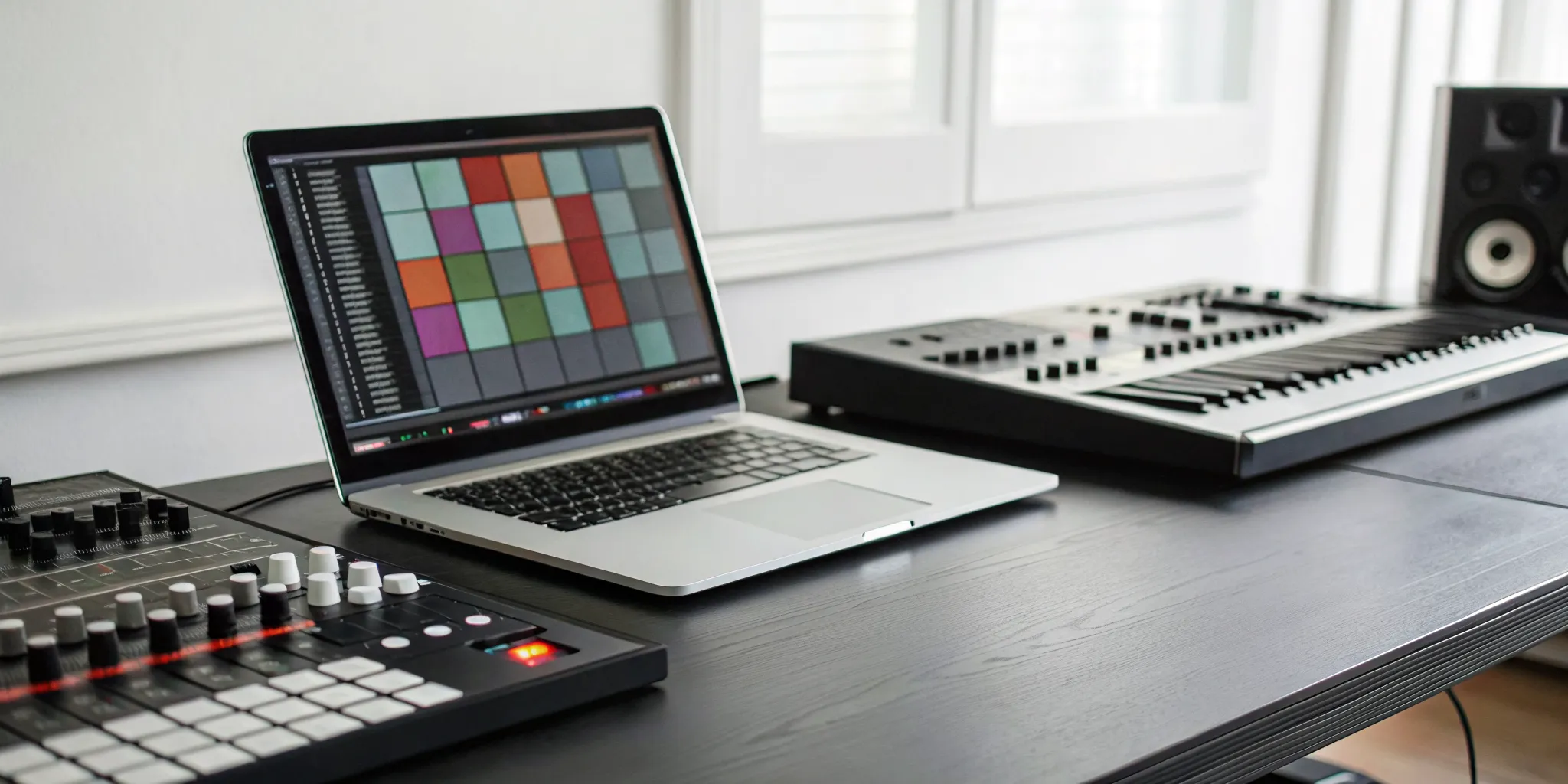
The conversation around AI in music can be complicated, often filled with fears about technology replacing human creativity. But what if we looked at it differently? Instead of a replacement, think of these tools as a new kind of collaborator in your studio. An ai beat maker free to use can be an incredible source of inspiration, pushing you into genres and styles you might not have explored on your own. It can handle the foundational work, giving you a unique starting point that you can then chop, change, and build upon with your own artistic vision. It’s about using technology to augment your creativity, not overwrite it.
Key Takeaways
- Treat AI as a creative collaborator: Use these tools to get past writer’s block or quickly sketch out a foundation for a new song. They are excellent for sparking inspiration, but the best results come from adding your own unique artistry to the generated beat.
- Understand the licensing terms: Royalty-free means you can use the music in your projects without paying ongoing fees, but it doesn’t mean you own the copyright. Always read each platform’s fine print to know exactly what you can and cannot do with the music you create.
- Focus on control and export quality: The most useful beat makers allow you to customize elements like tempo and instruments and download high-quality audio files (like WAVs or stems). Keep in mind that free plans often have limits, so find a tool whose features match your project’s needs.
What Are Free AI Beat Makers (And Why Should You Care?)
If you’ve ever spent hours searching for the perfect backing track or felt stuck with a creative block, AI beat makers might be the tool you need. In simple terms, they are online tools that use artificial intelligence to generate original, custom music tracks in seconds. You give the AI a prompt, and it creates a beat for you from scratch. It’s a powerful way to get music for your videos, podcasts, or even as a starting point for a new song without needing a big budget or deep knowledge of music production.
Platforms like Soundraw, Beatoven.ai, and BandLab Songstarter are leading the way, offering intuitive interfaces that let you create music based on genre, mood, or even a simple text description. The best part for independent creators is that the music is typically royalty-free. This means you can use the tracks in your projects without worrying about complicated licensing fees or copyright strikes down the line. Think of these tools less as a replacement for human creativity and more as a collaborator that’s ready to help you bring your ideas to life, 24/7.
How Do They Actually Work?
You don’t need any special software or music experience to get started. Most AI beat makers work right in your web browser. The process is surprisingly simple: you tell the AI what you’re looking for. This can be done by typing a description, like “upbeat synth-pop for a workout video,” or by selecting options from menus, like choosing a genre, mood, and tempo.
Once you provide the input, the AI generates a unique track for you. From there, you can often fine-tune the results. Many tools let you adjust individual parts like the drum patterns, basslines, and melodies until the beat sounds just right. It’s a fast and flexible way to create music without ever opening a complex digital audio workstation (DAW).
How They Help Indie Artists and Creators
For indie artists and creators, these tools can be a total game-changer. The biggest advantage is access to royalty-free music. This means you can use the beats you generate as background scores for your YouTube videos, intros for your podcast, or backing tracks for your next rap verse without paying recurring fees. It removes a major barrier for anyone creating content on a budget.
Beyond that, AI beat makers are incredible for sparking inspiration. If you’re feeling stuck, generating a few random beats can be the perfect way to break through writer’s block and get new ideas flowing. Once you’ve laid down your vocals or added your own instrumental flair, you can submit your new music to platforms and share your creation with the world.
The Best Free AI Beat Makers to Try
Finding the right beat can be the most challenging, and sometimes frustrating, part of making a new track. You have the lyrics, you have the melody, but the instrumental foundation just isn’t there. Whether you’re fighting a serious case of writer’s block or just want to experiment with sounds outside your usual style, AI beat makers can be an incredible creative partner. Think of them less as a replacement for your own skills and more as a collaborator that never runs out of ideas.
These tools can give you a simple starting point, a solid foundation to build on, or even a fully finished instrumental that’s ready for your vocals. They open up a world of possibilities, allowing you to test out different genres, tempos, and moods in minutes. We’ve spent time testing some of the most popular free options out there to see which ones are actually worth your time and can deliver quality results. From highly customizable platforms to simple, genre-specific generators, there’s a tool here for every type of creator. Here are the AI beat makers that stood out to us.
Using AI Beats on the rBeatz Platform
Once you’ve created a track using an AI-generated beat, the next step is getting it heard. That’s where we come in. At rBeatz, we’re all about music discovery and supporting independent artists just like you. You can take your finished song, built on a foundation from one of these tools, and share it with a global audience. We feature artists from Charlotte and around the world on our curated radio stations and playlists. When your track is polished and ready for the spotlight, you can head over to our music submission page to get it in front of our team. It’s a great way to connect your creativity with real listeners.
Soundraw
If you’re a producer who loves having creative control, Soundraw is a fantastic option. It lets you generate music and then fine-tune almost every aspect to fit your exact vision. You can adjust instruments, change their intensity, set the track length, and even blend different genres together, like hip-hop and orchestral. This level of customization is perfect for crafting a truly unique sound. When you’re done, you can download high-quality MP3s, WAV files, or even individual stems. Getting the stems (separate audio tracks for drums, bass, etc.) means you can import the beat into your own software for even deeper editing and mixing.
Beatoven.ai
Beatoven.ai specializes in creating royalty-free background music and sound effects, which is ideal for podcasters, filmmakers, and content creators. Its standout feature is the ability to generate music based on a simple text description. You just describe the mood, scene, or style you need, and the AI gets to work creating an original piece. Every track you download comes with a license that allows you to monetize your content on platforms like YouTube without worrying about copyright claims. You can download your final tracks in either MP3 or WAV format, giving you a clean, custom score for any project.
BandLab Songstarter
For those moments when you’re staring at a blank project file, BandLab’s Songstarter is designed to get your ideas flowing. It’s a free AI beat generator that helps you create unique musical concepts to break through creative blocks. The beats are royalty-free, and you can generate as many as you want until you find one that clicks. The best part is that the beats are generated in MIDI format. This means you aren’t stuck with a flat audio file; you can open the beat in the BandLab studio and completely change the notes, timing, and instruments to make it entirely your own.
Loudly
Loudly offers a straightforward and powerful AI generator for creating high-quality, royalty-free songs in a snap. The platform is built around a simple workflow: generate, customize, and download. You can start with a genre or mood and let the AI build a track, then go in and adjust the energy, instruments, and structure to fit your needs. It’s a great tool for quickly producing music for social media content, video intros, or as a backing track for your vocals. The interface is clean and easy to use, making it accessible even if you’re new to music production.
Media.io AI Beat Generator
If you produce music in specific modern genres, the Media.io AI Beat Generator is definitely worth checking out. This online tool is excellent at generating custom instrumental beats for trap, lofi, and hip-hop. Because it’s a simple, web-based tool, you don’t have to download any software to get started. You can input text prompts to guide the AI toward the sound you’re looking for, making it a quick way to get a vibe going for a new track. For producers who need a steady supply of genre-specific beats to write over, Media.io is a fast and effective solution.
What to Look For in a Free AI Beat Maker
Not all free AI beat makers are created equal. When you’re sifting through the options, it can feel a little overwhelming. What really matters? Think of it like this: you’re looking for a creative partner, not just a robot that spits out random loops. The right tool should give you enough control to bring your vision to life without a steep learning curve.
A great free AI beat maker strikes a balance between simplicity and flexibility. It should let you guide the AI to create something that sounds like you, not just a generic track. Pay attention to the details, from the variety of sounds available to the quality of the final audio file. These factors will determine whether the tool is a fun toy or a serious asset for your music projects. Here’s a breakdown of the key features to keep an eye on.
Genre and Style Options
The best tools offer a wide palette of genres to start with. Whether you’re making Lofi, Trap, Hip Hop, or Drill, having a solid starting point is key. Look for a generator that lets you pick a genre and mood to guide the AI. The real magic, however, is in the ability to customize. Many platforms allow you to modify the tempo, intensity, and instrumentation after the initial beat is generated. This flexibility ensures you can create a unique sound that fits your artistic style, which is essential for any artist looking to get their tracks featured on platforms like rBeatz Radio.
Tempo and Instrument Controls
A good AI beat maker gives you hands-on control over the final product. You should be able to do more than just press “generate.” Look for features that let you easily adjust the tempo (BPM), change out instruments, and tweak the intensity of different parts of the track. Some tools even let you mix and match elements from different music styles. This level of control is what allows you to transform a simple AI-generated loop into the backbone of your next song. It’s the difference between a generic beat and one that truly supports your creative vision.
Export Quality and Formats
Once you’ve created a beat you love, you need to be able to use it. Check the export options before you commit to a tool. The ability to download your music as high-quality MP3s or, even better, lossless WAV files is a must for any serious project. Some of the top-tier generators even let you download “stems,” which are the individual tracks for the drums, bass, and melodies. Having access to stems gives you maximum flexibility to mix and master your track in a digital audio workstation later on.
Ease of Use and Interface
Let’s be honest, you want to spend your time making music, not fighting with confusing software. The best AI beat makers are designed to be simple and fast. You shouldn’t need a degree in music theory or extensive experience with a DAW to get started. A clean, intuitive interface is a huge plus. The goal is to remove creative blocks, not create new ones. A tool that lets you go from an idea to a usable beat in just a few minutes is incredibly powerful, freeing you up to focus on what matters most: your artistry.
Are AI-Generated Beats Really Royalty-Free?
This is the million-dollar question, isn’t it? The short answer is yes, most AI-generated beats are royalty-free, but that term comes with some important strings attached. “Royalty-free” simply means you don’t have to pay ongoing fees, or royalties, each time you use the music. You typically pay once, either through a subscription or a one-time download fee, and then you’re granted a license to use that beat in your projects. It’s a model designed to be simple and affordable for creators.
However, this doesn’t mean you have complete, unrestricted ownership. The real key is understanding the difference between owning the copyright to a piece of music and having the right to use it. Each AI platform has its own specific rules about what you can and can’t do with the beats you create. Before you build your next masterpiece on an AI-generated track, it’s essential to get clear on the terms. This will save you from potential headaches and copyright claims later on, especially if your track starts gaining traction. Think of it less as buying a beat and more as leasing it under a very specific agreement that protects both you and the platform that generated the music.
Ownership vs. Usage Rights: What You Need to Know
When you create a beat with an AI tool, you aren’t typically granted the copyright to the underlying musical composition. Instead, you get a license, which is basically a permission slip that outlines how you can use the music. As the platform Beatoven.ai puts it, the music is “‘royalty-free,’ meaning you don’t have to pay extra fees each time you use it.” This license is what protects you. It’s the legal agreement that lets you incorporate the beat into your own work without owing the AI company a cut of every stream or sale. You don’t own the beat, but you own the right to use it according to the platform’s rules.
Can You Use These Beats Commercially?
For most independent artists, this is the most important question. The good news is that the majority of AI beat makers are designed for commercial use. They want you to create content and make money from it. For example, SOUNDRAW is very clear that you can “release it on platforms like Spotify, Apple Music, and TikTok” and keep 100% of your earnings. This is a huge advantage for creators who need quality backing tracks for their songs, podcasts, or video content without breaking the bank. Once you’ve created a track you’re proud of, you can confidently submit your music to platforms like ours, knowing you have the proper license to share and monetize it.
Checking Each Platform’s Fine Print
This is where you need to do a little homework. While most platforms allow commercial use, the specifics can vary wildly. You can’t assume the rules for one tool apply to another. For instance, SOUNDRAW guarantees its music is safe for commercial release on streaming services. In contrast, Beatoven.ai’s terms state you can’t directly upload their music to Spotify or Apple Music, though you can use parts of it for remixes. Reading the terms of service or licensing agreement is a non-negotiable step. It might feel like a chore, but taking ten minutes to read the fine print can save you from major copyright issues down the road.
The Real-World Limits of Free AI Beat Makers
As exciting as free AI beat makers are, it’s smart to go in with a clear understanding of their limitations. “Free” rarely means a total free-for-all, and these platforms have business models that depend on users eventually upgrading to a paid plan. This isn’t a bad thing, but it means the free experience comes with some guardrails.
Think of these tools less as a replacement for a human producer and more as a creative partner. They are fantastic for breaking through writer’s block, sketching out an idea, or creating a quick backing track for a social media video. But when it comes to producing a track for your official album or a major project, you’ll likely run into a few walls. Let’s get into the specifics of what to expect so you can choose the right tool and know when it’s time to invest in a paid plan or collaborate with one of the talented artists in our community.
Limits on Quality and Features
While AI can generate some impressive sounds, it often lacks the nuance and emotional depth a human producer brings to a track. The free versions of these tools are designed to give you a taste of what’s possible, not the whole studio. You might find that your creative control is limited. For example, you may not be able to tweak individual instrument tracks, apply complex effects, or access the highest-quality sound packs. According to the team at SOUNDRAW, AI tools are best used to “provide instant backing tracks, or just make the process of learning music more enjoyable,” not necessarily to produce a final, polished hit.
Dealing with Download Caps and Watermarks
Here’s where the “free” part often gets tricky. Most platforms operate on a freemium model. You can generate as many beats as you want, but when it’s time to download your creation, you’ll face some restrictions. Many services cap the number of free downloads you get per month. The files you can download are also typically lower-quality MP3s, not the lossless WAV files you’d want for serious production. Some platforms even place an audio watermark over free downloads, making them unusable for anything professional. To get high-quality, watermark-free files, you’ll usually need to subscribe or pay per track, as seen with services like Beatoven.ai.
Do You Have to Give Credit?
This is a big one for any artist looking to use AI beats in their work. Are they truly royalty-free? The answer is usually yes, but with a major catch: you get usage rights, not ownership. This means you can use the beat in your YouTube video or even in a song you upload to streaming services and monetize it. However, the AI company still owns the copyright to the original composition. You can’t sell the beat itself or claim you created it from scratch. Before you submit your music to any platform, always read the fine print on the AI tool’s website to understand exactly what you can and can’t do with their creations.
What Are Real Artists Saying?
So, we’ve covered the technical side, but what’s the real-world verdict? I spent some time digging through forums, reviews, and videos to see what artists like you are actually saying about these free AI beat makers. It’s a mixed bag, as you might expect, but hearing from people who are using these tools every day gives us the best picture of what to expect. The consensus seems to be that these tools are powerful but come with their own set of quirks. Let’s break down what creators are loving and what they’re finding frustrating.
The Pros: What Artists Love
On the positive side, a lot of creators are genuinely excited. Many artists love how these tools can act as a creative partner, helping them smash through writer’s block or quickly lay down a backing track for a new idea. Customers often point to a great user experience, with intuitive visuals and simple controls that make the creative process feel smoother. Instead of replacing human artists, these apps are seen as collaborators that can make learning and producing music more fun and accessible for everyone, from beginners to seasoned producers looking for a spark of inspiration.
The Cons: Common Complaints
Of course, it’s not all perfect. A common frustration is the inconsistency of the output. Some artists have shared their experiences of paying for a service only to get dozens of unusable results that don’t match their prompts at all. This highlights why hands-on testing is so important before you commit to a paid plan or even invest too much time in a free one. The technology is still evolving, and what works brilliantly for one person might be a total miss for another. It’s a reminder to keep your expectations realistic and be prepared for a little trial and error.
How to Pick the Right Tool for Your Music
So, how do you find the right fit for your sound? Start by reading what other people are saying. Detailed generative AI reviews from other musicians can give you a solid idea of a platform’s strengths and weaknesses. Look for feedback that speaks to the quality, emotional feel, and overall credibility of the music generated. The goal is to find a tool that genuinely helps your workflow, allowing you to create custom, royalty-free music for your projects. Ultimately, the best AI beat maker is the one that feels like an extension of your own creativity and helps you bring your musical ideas to life without adding extra friction.
Related Articles
- MEGA AI Blog – rBeatz
- Music Producers Presented by Internet Radio rBeatz
- What Are ASCAP, BMI, SoundExchange, SESAC, and PROs | rBeatz
- Podcasts by rBeatz Guest Artists
- Eddie Mata: Global Indie Sound & Charlotte’s Next Creative Force
Frequently Asked Questions
Do I need any music production experience to use these tools? Not at all. These platforms are specifically designed to be user-friendly, even for complete beginners. Most work right in your web browser, so you don’t need to install any complex software. The process usually involves typing a simple description or selecting options like genre and mood from a menu, making it easy to get a usable beat in minutes without any technical knowledge.
What’s the real difference between a free plan and a paid one? Think of the free versions as a great way to experiment and get ideas. While you can generate plenty of music, the free plans almost always come with limitations. You might face a cap on how many high-quality tracks you can download, or the files might have an audio watermark. Upgrading to a paid plan typically removes these restrictions, giving you access to better audio files (like WAVs), more customization features, and a clear commercial license.
Can I put a song I make with an AI beat on Spotify or Apple Music? In most cases, yes. The majority of these platforms grant you a license for commercial use, which includes releasing your music on streaming services. However, this is the most important area to check the fine print. Each service has its own specific terms, so you must read their licensing agreement to confirm you have the right to monetize your song on major platforms before you upload it.
Will my AI-generated beat sound generic or unique? The final sound really depends on how you use the tool. If you just press “generate” and use the first thing that comes out, it might sound a bit generic. The real power of these platforms lies in their customization features. The best tools let you adjust the tempo, swap out instruments, and change the structure of the track. By using the AI-generated beat as a starting point and adding your own creative touch, you can create something that feels entirely your own.
If the music is royalty-free, does that mean I own the copyright? This is a key distinction: no, you do not own the copyright. “Royalty-free” means you get a license to use the music in your projects without paying ongoing fees for every play or view. The AI company still owns the copyright to the musical composition itself. This means you can use the beat for your song, but you can’t turn around and sell the instrumental track to someone else or claim you created it from scratch.