
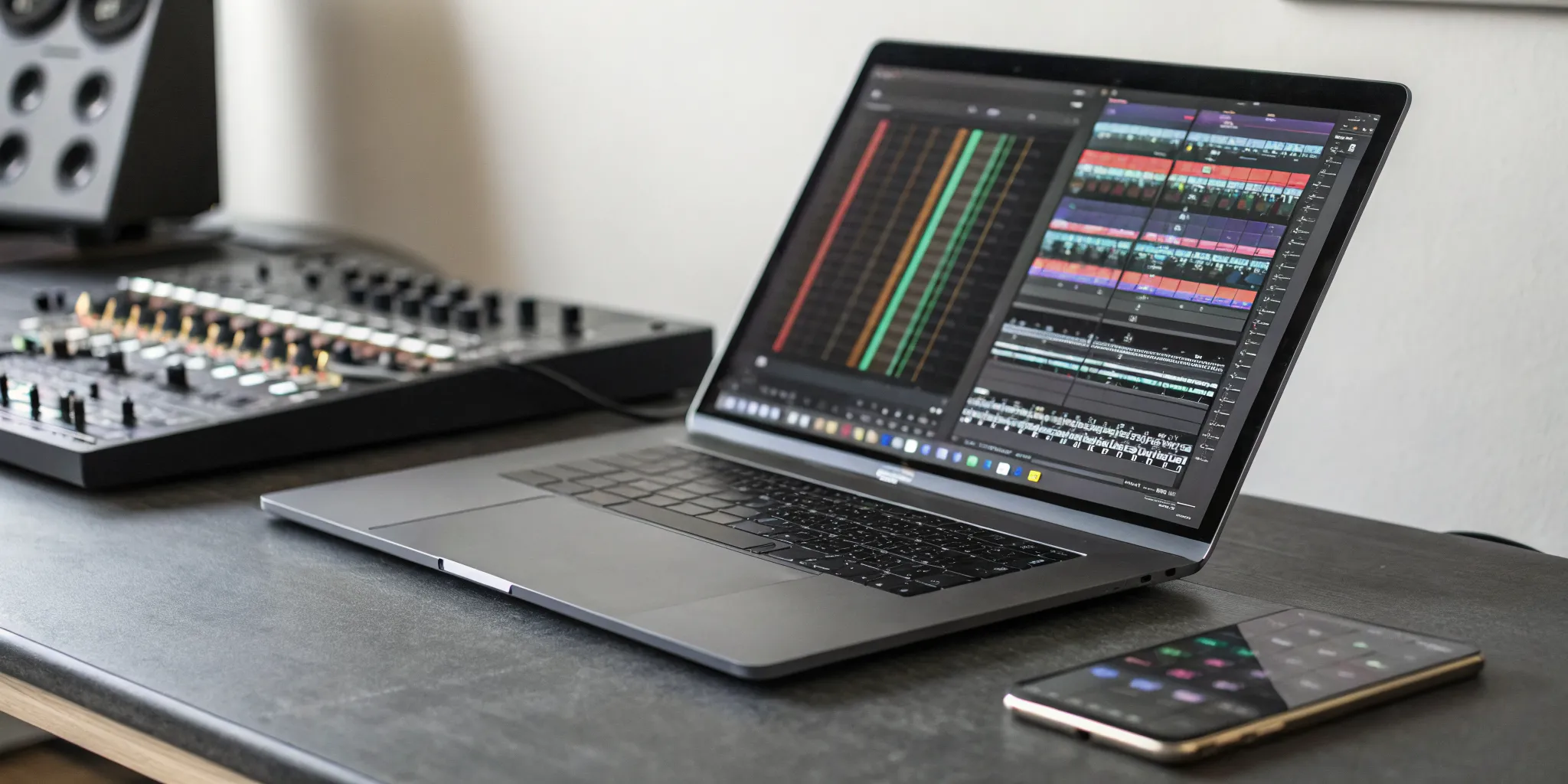
The journey from music lover to music creator is a natural one. You hear a track on a station like rBeatz Radio and you don’t just want to listen to it; you want to do something with it. Maybe you want to blend it with another song, isolate the vocals for a remix, or use its vibe as inspiration for your own beat. That creative spark is the first step. The next is finding the right tool to make it happen. This guide is for anyone ready to make that leap. We’ll show you which mixing music app can help you transform your inspiration into your own unique sound.
Key Takeaways
- Choose Your Path: DJ or Producer: Your first step is to decide what you want to create. Live DJing apps are for mixing existing songs together, while music production apps are for building original tracks from scratch; knowing your goal makes finding the right tool much easier.
- Start Smart with Free Apps: You can learn the fundamentals of mixing without spending any money. Get comfortable with a free app on your phone or computer to figure out your workflow, and only consider paying for premium features when you need more advanced tools.
- Master the Essential Features: A few key functions make the biggest difference in your sound. Focus on apps with reliable BPM sync for beat matching, a smooth crossfader and EQs for clean transitions, and the ability to record your mixes in a high-quality format.
What Makes a Music Mixing App Great?
With so many music mixing apps available, finding the right one can feel like searching for a specific beat in a massive record store. The truth is, the “best” app is the one that fits what you want to create. Are you planning to mix tracks live for a party, or are you hoping to produce the next global hit from your bedroom studio? Your goal is the most important factor in choosing the right tool. A great app should feel intuitive to you while offering the features you need to bring your musical ideas to life.
The most capable apps share a few key features. Look for tools that let you automatically match the tempo of two songs (BPM Sync) and isolate vocals or instruments from a track (Stem Separation). Essentials like a crossfader and EQ controls are also non-negotiable for creating smooth transitions between songs. Many modern apps also offer streaming integration, allowing you to pull music directly from services like TIDAL or SoundCloud. Before you download the first app you see, take a moment to think about your creative workflow. Understanding what you need will help you find the perfect digital partner for your sound.
Live DJing vs. Music Production: What’s the Difference?
First, let’s clear up a common point of confusion: live DJing and music production are two different crafts that require different tools. Live DJing apps are your digital turntables. They are built for mixing existing songs together in real time. Their features focus on blending, beatmatching, and adding live effects to create a seamless set. An app like djay is a perfect example; it’s designed to be easy for beginners but has the depth that professional DJs need.
Music production apps, on the other hand, are portable recording studios. They are for creating music from the ground up. You can record vocals, arrange instrument tracks, program drum beats, and apply complex effects to build a complete song. Think of it as the difference between being the curator of the party and being the artist who created the tracks.
iOS, Android, or Desktop: Which Platform Is for You?
Your choice of device plays a big role in your mixing experience. iOS is often celebrated for its stability, low audio latency, and a polished ecosystem of high-quality apps. If you primarily use an iPhone or iPad, you’ll find plenty of powerful and well-integrated options. Android offers more flexibility with a wide range of devices at different price points, giving you more hardware choices.
For the most power and control, however, nothing beats a desktop computer. A Mac or PC gives you a larger screen, more processing power for complex projects, and easier integration with external hardware like MIDI controllers and audio interfaces. Plus, you can find incredible free software like Mixxx, a cross-platform DJ app that runs on Windows, macOS, and Linux and is packed with professional features.
Free vs. Premium: Should You Pay for an App?
This is the big question, and the answer is: it depends on your commitment. Free apps are an excellent way to start. They let you learn the fundamentals of mixing or production without any financial risk. Many free tools are surprisingly powerful, but they often come with limitations, advertisements, or a constant push to upgrade.
Many apps, like Edjing Mix, operate on a freemium model. You can download and use the basic version for free, but you’ll need to make in-app purchases to unlock the best features. Paying for a premium app or subscription is worth it when you’re serious about your craft. It removes limitations, gives you access to advanced tools, and provides a cleaner, more professional workflow. My advice? Start free, and when you feel you’ve outgrown its capabilities, invest in a tool that will grow with you.
Our Top Picks for Live DJing
Whether you’re spinning tracks for friends or streaming a set for a global audience, the right app can make all the difference. Live DJing is all about reading the room, building energy, and creating a seamless flow of music. The apps we’ve picked here are perfect for that real-time performance vibe. They give you the tools to mix on the fly, blend tracks together smoothly, and add your own creative flair with effects and loops.
Think of these apps as your digital turntables. They’re designed to help you take the amazing music you discover on platforms like rBeatz Radio and weave it into a unique set that’s all your own. Each one offers a different experience, so your choice will come down to your gear, your budget, and how deep you want to go. From powerful, feature-packed suites to simple, intuitive interfaces, there’s something here for every aspiring DJ. We’ll walk you through our favorites so you can find the one that fits your style and helps you get the party started.
djay by Algoriddim: The Real-Time Mixing Champion
If you’re in the Apple ecosystem, djay by Algoriddim is a game-changer. This app transforms your iPhone, iPad, or Mac into a complete DJ system that feels incredibly powerful yet intuitive. Its standout feature is Neural Mix™, which lets you isolate vocals, drums, and instrumentals from any song in real time. Imagine pulling the acapella from one track and layering it over the beat of another on the fly. It connects directly with streaming services like TIDAL, SoundCloud, and Apple Music, giving you millions of songs to mix. While the app is free to try, the PRO subscription unlocks its full potential across all your devices. You can learn more about its features on the official Algoriddim website.
Edjing Mix: A Great Starting Point for Beginners
Feeling the itch to DJ but don’t know where to begin? Edjing Mix is one of the most approachable apps out there. It turns your phone or tablet into a simple DJ setup that’s perfect for learning the basics. You can mix tracks from your own library or stream from SoundCloud and TIDAL. With over 20 DJ effects and tools available, it makes it fun to experiment and find your sound without feeling overwhelmed. The app is free to download, making it a no-risk way to see if DJing is for you. As you grow, you can unlock more advanced features through in-app purchases. It’s a fantastic starting point for anyone curious about the craft.
Cross DJ: Pro Features Without the Steep Learning Curve
Cross DJ strikes the perfect balance between user-friendly design and professional capability. It’s a great next step when you’ve mastered the basics and are ready for more control. The interface is clean and straightforward, giving you access to essential tools like precise beat matching, a smooth crossfader, and a variety of audio effects. It supports a wide range of audio formats, so you can easily import and mix your own tracks. This app is ideal for DJs who want a reliable and powerful tool that won’t require hours of tutorials to understand. It’s robust enough for a live gig but simple enough for practicing at home.
Mixxx: The Power of Open-Source on Your Desktop
For those who prefer mixing on a computer, Mixxx is an incredible open-source option that is completely free. Available for Windows, macOS, and Linux, it’s a community-driven project packed with professional features. One of its most helpful tools is Smart Song Matching, which analyzes a track’s BPM and key to suggest what to play next, helping you create a harmonically perfect mix. Mixxx also offers comprehensive support for hundreds of physical DJ controllers, so you can get hands-on with your mixing instead of just using a mouse and keyboard. It’s a fantastic choice for anyone who wants a powerful, customizable, and budget-friendly desktop solution.
Our Top Picks for Music Production
If your goal is less about live mixing and more about building a track from the ground up, you need a digital audio workstation (DAW). These apps are your creative sandbox, giving you the tools to record, arrange, and produce your own music. While desktop DAWs offer the most power, mobile apps have become incredibly capable, letting you capture ideas or even produce a full song from anywhere. Here are a few of our favorites that work for different needs and workflows.
GarageBand: Your Go-To for Multi-Track Recording
If you own a Mac or an iPhone, you already have a powerful music studio right in your pocket. GarageBand is the perfect entry point into music production because it’s intuitive, free, and surprisingly deep. It makes multi-track recording a breeze, whether you’re plugging in a guitar or using its impressive library of virtual instruments and loops. The user-friendly interface is welcoming for beginners, but it has enough professional features to satisfy seasoned producers looking to sketch out ideas quickly. It’s a fantastic, no-risk way to start learning the fundamentals of arranging and producing your own music.
FL Studio Mobile: Create Complex Tracks on the Go
For musicians who want to produce music wherever inspiration strikes, FL Studio Mobile is a game-changer. This app lets you create and save complete, multi-track projects directly on your phone or tablet. Don’t let the “mobile” name fool you; it’s packed with professional tools, including high-quality synthesizers, drum kits, samplers, and a suite of effects. You can arrange complex sequences, mix your levels, and export your work in high-quality formats. It’s the ideal solution for producers who need a robust set of production tools that can keep up with their creativity, no matter where they are.
BandLab: Collaborate on Music in the Cloud
Music is often a team sport, and BandLab is built for that. It’s a free, cloud-based platform that lets you create music and collaborate in real-time with other artists, no matter where they are in the world. You can start a project, invite a friend to lay down a vocal track, and get feedback instantly. BandLab includes a built-in mix editor, a huge library of loops and samples, and mastering tools to give your track a professional polish. It’s more than just a DAW; it’s a social network for musicians, making it an excellent choice for anyone looking to connect and create with a global community.
rBeatz App: Discover and Stream Global Sounds
A huge part of the production process is inspiration. Listening to new music, discovering different genres, and hearing what other independent artists are creating can spark your next big idea. The rBeatz app is your direct line to a world of fresh sounds. You can stream our global radio stations to find unique rhythms and melodies you won’t hear anywhere else. For producers, it’s a tool for discovery and a platform for your own work. Once your track is finished, you can connect with a worldwide audience by sending us your music submission. It’s the perfect way to close the creative loop, from inspiration to distribution.
What Features Actually Matter in a Mixing App?
When you’re scrolling through the app store, the feature lists for mixing apps can look like a foreign language. They’re packed with technical terms and flashy promises, but which tools will you actually use? The truth is, a handful of core features make the biggest difference, whether you’re a beginner learning to blend tracks or a seasoned pro crafting a complex set.
Think of it like this: you don’t need every kitchen gadget ever invented to cook a great meal. You just need a few high-quality, reliable tools. The same goes for mixing music. Focusing on the essentials helps you find an app that supports your creative flow instead of getting in the way. We’ll break down the must-have features that separate the truly great mixing apps from the rest, so you can spend less time reading descriptions and more time making music. From beat-matching to exporting your final masterpiece, these are the functions that truly count.
Sync Beats and Isolate Tracks Instantly
One of the most fundamental skills in DJing is making two songs play at the same tempo. A great app makes this effortless with a feature often called BPM Sync. This tool automatically matches the beats per minute (BPM) of your tracks, creating a smooth foundation for your transitions. It’s a game-changer that lets you focus on the creative side of mixing rather than manually adjusting speeds. Some advanced apps take this even further with tools like Neural Mix™, which lets you isolate vocals, drums, or instruments from a song in real time. This opens up a whole new world of possibilities for creating unique mashups and remixes on the fly.
Master Transitions with Crossfaders and EQs
A seamless transition is what separates a good mix from a great one. The two most important tools for this are the crossfader and the equalizer (EQ). The crossfader lets you smoothly fade between two tracks, while the EQ gives you control over the bass, mids, and treble frequencies. By cutting the bass on one track while introducing it on another, you can blend songs together so perfectly that your listeners might not even notice the change. Many apps also include samplers for triggering sound effects and loops, and some even let you connect to DJ hardware for a more hands-on, tactile experience.
Connect Your Streaming Services and MIDI Gear
Your music library is the heart of your mix, and modern apps make it nearly infinite. Look for apps that integrate with major streaming services, allowing you to pull tracks directly from their massive catalogs. This means you can experiment with millions of songs without having to own every single one. For those who prefer a more physical approach to mixing, support for DJ controllers is a must. Connecting a controller gives you hands-on control over faders, knobs, and platters, making the experience feel more like using a traditional DJ setup. Mixxx is a fantastic free option for this, offering extensive MIDI support for a wide range of hardware.
Record and Export High-Quality Mixes
Once you’ve created a mix you’re proud of, you’ll want to share it with the world. A crucial feature is the ability to record your sessions and export them in a high-quality audio format like .aiff or .wav. This ensures your mix sounds crisp and professional, whether you’re uploading it to a streaming platform or sending it to a friend. The quality of your recording depends on the app’s audio engine. A powerful engine with high-quality filters, EQs, and effects will make a noticeable difference in the final product, ensuring your creative vision is translated into a polished, professional-sounding mix that you can share with your audience.
How Much Do Good Mixing Apps Cost?
The price of a good mixing app can range from completely free to a recurring subscription. The right choice for you really depends on your goals and how deep you want to go with your music. You don’t need to spend a lot of money to get started, but investing in a premium app can give you access to more powerful tools as your skills grow. Let’s break down what you can expect at each price point so you can find the perfect fit for your budget and your creative vision.
The Best Free Apps That Get the Job Done
You can absolutely start mixing without spending a dime. Several fantastic free apps give you all the core tools you need to learn the ropes and create great-sounding mixes. For total beginners, YouDJ Mixer is a great choice because it offers virtual decks, a mixer, and effects in a super simple, built-in interface. If you’re looking for something more robust, Mixxx is a free, open-source software that’s powerful enough for both amateurs and pros. It’s a community-driven project, which means it’s constantly being updated. And for ultimate convenience, Transitions DJ is a web-based mixer that runs right in your browser and integrates with SoundCloud, giving you a massive music library at your fingertips.
When Is It Worth Paying for Premium?
Many of the most popular apps follow a “freemium” model. You can download them for free, but the really powerful features are unlocked through in-app purchases or a subscription. This is where you’ll find tools like advanced audio effects, expanded loop and sample packs, and the ability to sync your account across multiple devices. Apps like Edjing Mix and djay offer optional PRO subscriptions that turn the app into a full-featured performance tool. If you find yourself hitting a wall with the free version and want more creative control, paying for premium is often a worthwhile investment for serious hobbyists or aspiring professional DJs.
How to Find Discounts and Free Trials
Before you commit to a paid plan, always look for a free trial. Most developers want you to try out the premium features before you buy, so you can see if they’re a good fit for your workflow. For example, many apps offer a trial for their PRO subscription, giving you a week or more to explore all the advanced tools. This is the perfect way to test-drive an app’s full potential without any financial risk. My advice is to always start with the free version of an app. Get comfortable with the basics, and once you know what you need, you can confidently decide if a paid upgrade is right for you.
Which Platform Fits Your Mixing Style?
Choosing between a phone, tablet, or computer isn’t just about convenience; it’s about finding the workflow that feels most natural to you. Your current gear, your budget, and whether you’re DJing live or producing in a studio will all point you toward the right platform. There’s no single best answer, but understanding the strengths of each will help you find the perfect fit for your creative process. Let’s look at what iOS, Android, and desktop setups have to offer.
iOS: For Seamless Integration and Touch Control
If you’re already part of the Apple ecosystem, using an iPhone or iPad for mixing feels like a natural extension of your setup. The biggest advantage here is the seamless integration. Apps like Algoriddim’s djay connect directly with your music libraries, making it incredibly easy to pull tracks and start mixing. The touch controls are responsive and intuitive, turning your device into a hands-on DJ system that’s perfect for practicing on the go or even playing a live set. It’s a streamlined, powerful option for creators who value a smooth, all-in-one experience.
Android: For Flexibility and Hardware Choice
Android is all about options. This platform gives you the freedom to choose from a huge range of phones and tablets at various price points, so you can find hardware that fits your budget and preferences. While you can still use versatile apps like djay, you also have access to powerful, community-driven alternatives. For example, Mixxx is a fantastic open-source DJ software that gives you professional features for free. If you love customizing your setup and want the flexibility to build your rig your way, Android offers a versatile and accessible starting point.
Desktop: For Maximum Power and Professional Control
When you’re ready for maximum control and processing power, nothing beats a desktop or laptop. A computer gives you a larger screen to work with, more precise controls with a mouse and keyboard, and the muscle to handle complex, multi-layered projects without a hitch. This is the go-to platform for serious music production. Advanced digital audio workstations (DAWs) like Logic Pro offer everything you need for creating, mixing, and mastering your tracks to a professional standard. If your goal is to produce polished music ready for music submission, a desktop setup is your best bet.
Let’s Compare the Pros and Cons
Choosing a music mixing app isn’t just about features; it’s about finding the right fit for your gear, budget, and learning style. Every app has its strengths and weaknesses, but knowing what to expect can help you make a smarter decision. Instead of getting frustrated by a feature you thought was included or a bug on your specific device, you can go in with a clear picture. Let’s break down some of the common trade-offs you’ll encounter, from how apps work on different devices to where you can find help when you get stuck. This way, you can spend less time troubleshooting and more time creating the mixes you hear in your head.
How Apps Perform on Different Devices
An app’s performance can change a lot depending on whether you’re using a phone, tablet, or computer. Some apps are built to work everywhere. For example, djay by Algoriddim is incredibly versatile, running smoothly on iPhones, Android devices, Macs, and Windows computers. This flexibility is perfect if you switch between devices. On the other hand, some of the most powerful tools are platform-specific. Mixxx is a fantastic free and open-source software, but it’s designed exclusively for desktop use on Windows, macOS, and Linux. Before you commit to an app, make sure it’s optimized for the hardware you already own and love to use.
Smart Workarounds for Feature Gaps
You might find the perfect app, only to realize a key feature is missing or locked behind a paywall. Don’t let that stop you. Many apps, like Edjing Mix, use a freemium model. You can master all the basic functions for free and then decide if paying for advanced packs is worth it for your workflow. For other apps, a missing feature might be its biggest strength. Djay’s Neural Mix™ technology, which isolates vocals and instrumentals in real-time, is a unique tool that you won’t find everywhere else. The trick is to identify what you absolutely need versus what’s nice to have, and then see if a paid upgrade or a different app fills that gap.
Where to Find Community Support and Tutorials
When you’re learning a new piece of software, having a good support system is a game-changer. Some apps have built-in communities that are incredibly helpful. Because Mixxx is open-source, it’s supported by a passionate group of DJs and developers who actively share tips, troubleshoot bugs, and contribute to its improvement. For more mainstream apps, your best resources are often outside the app itself. YouTube is filled with tutorials for almost every DJ app imaginable. You can also check out curated lists on the App Store or Google Play, which often feature guides and tips for popular music apps. Don’t be afraid to look for help; chances are someone else has already solved the problem you’re facing.
Find the Right App for Your Skill Level
Choosing a music mixing app is a lot like picking up an instrument. The best one for you depends entirely on your experience and what you want to achieve. A beginner doesn’t need a concert grand piano to learn the basics, and a professional producer needs more than a simple keyboard. The key is finding a tool that feels right in your hands and supports your creative goals, whether you’re just starting to explore beat matching or you’re preparing a set for a packed venue.
Think about where you are right now and where you want to be in a year. Some apps are designed to be simple and intuitive, perfect for getting your feet wet without feeling overwhelmed. Others are packed with complex features that give seasoned pros the granular control they need to craft a signature sound. The good news is that there are fantastic options at every level, and many apps can even grow with you as your skills develop. Let’s break down some of the best choices based on your current skill set.
For Beginners: Apps That Grow With You
If you’re just starting, the goal is to experiment and have fun without a steep learning curve. You need an app that lets you jump right in. GarageBand, which comes free on Apple devices, is a perfect entry point for making beats and recording ideas. For a more traditional DJ setup, YouDJ Mixer offers free virtual decks to practice the fundamentals. Another standout is djay, which is designed for everyone from total beginners to pros. Its intuitive interface makes it easy to start, but it has powerful features waiting for you as you get more comfortable and confident in your mixing.
For Pros: Tools That Match Your Expertise
When you’re a professional, your tools need to be reliable, powerful, and efficient. For DJs who perform live, Rekordbox is an industry-standard for managing massive music libraries and preparing sets, especially if you use Pioneer DJ hardware. For producers, a full-featured digital audio workstation (DAW) is essential. Logic Pro is a powerhouse on Mac and iOS for creating, mixing, and mastering complex tracks from start to finish. The pro version of djay also holds its own here, offering a comprehensive suite of features that many experienced DJs rely on for its robust performance and versatility across devices.
How Your Musical Genre Influences Your Choice
The style of music you mix or produce should absolutely influence your app choice. If you’re into electronic music, you’ll want an app with strong beat-syncing capabilities and a wide range of effects. If you’re producing hip-hop, you might prioritize a sampler and a top-notch beat maker. Research shows that listeners crave personalization, and that starts with you. Understanding your audience’s preferences is key to building a following. Spend time exploring platforms like rBeatz to discover new sounds on stations like 25/8/366 Global Radio and find inspiration. The right app will make it easier to work within your genre and deliver the sound your listeners love.
Related Articles
- Music Producers Presented by Internet Radio rBeatz
- Öwnboss – DJ, producer | Artist and music review – rBeatz
- The 50 Best Dance Tracks of 2024|rBeatz Music Streaming
- EDM | TRIXXIE ‘Best For You’ – rBeatz
- Music Discovery and Archives – DJ World Beatz | rBeatz
Frequently Asked Questions
Can I use a live DJing app to produce my own original songs? Not quite. Think of live DJing apps as your digital turntables for mixing songs that already exist. Music production apps, like GarageBand or FL Studio Mobile, are the tools you need to build a track from scratch. They are like a recording studio on your device, letting you record vocals, create beats, and arrange instruments into a complete song.
Do I need to buy expensive DJ controllers or hardware to get started? Absolutely not. You can start mixing today with just your phone, tablet, or computer. These apps are designed to work perfectly with touchscreens or a mouse and keyboard. While physical DJ controllers can give you a more hands-on and tactile experience later on, they are an optional upgrade, not a requirement for learning the fundamentals.
Can I mix songs directly from my Spotify or Apple Music playlists? This is a common question, and the answer is a little complex. Due to licensing restrictions, most DJ apps cannot integrate with Spotify. However, some apps, like djay by Algoriddim, do connect with other streaming services like TIDAL, SoundCloud, and even Apple Music. This still gives you access to millions of tracks to practice with and include in your sets.
Is it better to pay for a subscription or find an app with a one-time purchase? This really comes down to your personal preference and commitment. A subscription often ensures you get the latest updates, new features, and support across all your devices, which is great if you’re serious about your craft. A one-time purchase can feel more manageable financially. My advice is to always start with a free version or trial to see if you use the premium features enough to justify the cost.
I just downloaded my first mixing app. What’s the very first skill I should practice? Focus on mastering the transition. Pick two songs with similar tempos and practice using the crossfader to blend from one to the other. As you do that, play with the EQ knobs. Try slowly turning down the bass on the outgoing song while you bring up the bass on the incoming one. Nailing this simple technique is the foundation for creating a seamless and professional-sounding mix.