
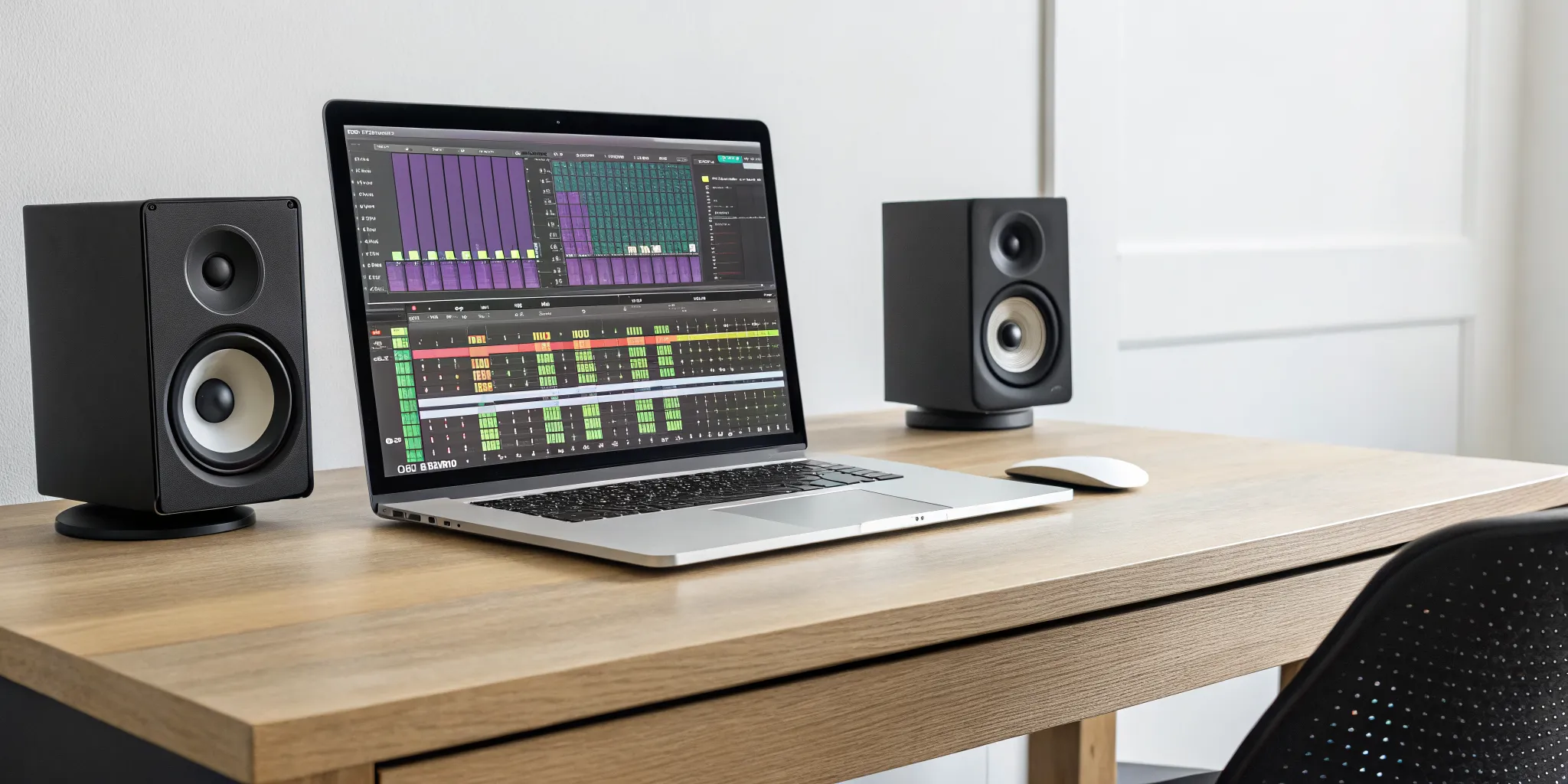
You’ve poured your heart into writing lyrics, crafting melodies, and recording every track. But when you listen back, something is missing. The vocals get lost, the drums feel weak, and the whole thing doesn’t have the punch of the songs you love. This is where mixing comes in, the crucial step that transforms a collection of raw recordings into a polished, cohesive track. In the past, this meant booking expensive studio time. Today, you can take full control of your sound right from your computer. This guide is your map to the world of song mixing free software, helping you find the perfect tools to shape your music and bring your artistic vision to life.
Key Takeaways
- Match your software to your sound: Your creative needs should guide your choice. Use Audacity for simple recording and editing, Mixxx for DJ sets, and a tool like LMMS or Reaper’s trial when you’re ready to produce full tracks.
- Master the fundamentals first: You can achieve professional results with free tools by focusing on core skills. Learn how to use EQ and compression effectively, and always use a professional reference track to guide your mixing decisions.
- Work with, not against, limitations: Free software has its trade-offs, like fewer advanced features or potential quality issues. Understanding these limitations helps you find creative workarounds and recognize when it’s genuinely time to invest in a paid tool.
What Is Song Mixing Software (and Why You Need It)?
Think of song mixing software as your personal recording studio, all packed into your computer. It’s a digital tool that lets you take all the separate audio tracks you’ve recorded, like vocals, guitar, drums, and bass, and blend them into a single, polished song. With this software, you can adjust volume levels so nothing gets drowned out, pan sounds from left to right, and add effects like reverb or delay to create space and texture. For an indie artist, it’s one of the most powerful tools in your arsenal.
So, why is it a must-have? First and foremost, it’s about quality control. Your music deserves to sound its best, and mixing software gives you the tools to achieve high-quality results without booking expensive studio time. You can make sure every instrument is clear, every vocal is crisp, and the entire track feels balanced and professional. This is your chance to compete on a level playing field.
Beyond the technical side, this software is a playground for creative freedom. You can experiment with different sounds and effects to truly define your unique style. Powerful and free programs like Audacity let you explore new techniques and push your creative boundaries. Finally, using this software is a huge learning experience. As you mix your own tracks, you’ll develop a better ear for production and learn to overcome common challenges in sound editing, making you a stronger, more self-sufficient artist.
Our Top Picks for Free Song Mixing Software
Finding the right tools to polish your sound can feel overwhelming, especially when you’re on a budget. The good news is you don’t need to spend a fortune to get professional-sounding results. Plenty of free song mixing software packs a serious punch, giving you the power to edit, mix, and master your tracks without costing a dime. Whether you’re recording your first demo, producing complex electronic beats, or putting together a DJ set, there’s a free tool out there for you. We’ve sorted through the options to bring you the best of the best, so you can spend less time searching and more time creating the music you want to submit to platforms like ours.
rBeatz Recommends: Audacity for Independent Artists
If you’re looking for a straightforward, no-frills audio editor and recorder, Audacity is your answer. It’s been a go-to for podcasters, musicians, and sound designers for years, and for good reason. It’s completely free, open-source, and works on Windows, Mac, and Linux. While it might not have the flashy interface of a high-end Digital Audio Workstation (DAW), it has all the essential tools you need for recording, editing, and mixing audio. You can easily cut, copy, and paste audio clips, apply effects, and clean up your recordings. For independent artists who need a reliable tool for basic mixing and mastering, Audacity is an excellent starting point.
LMMS: A Complete Music Production Suite
For artists who want to do more than just mix existing audio, LMMS (Linux MultiMedia Studio) is a fantastic choice. Think of it as a full-fledged music production suite that lets you create melodies and beats from scratch. It comes with a variety of built-in instruments and effects, a user-friendly piano roll for composing, and support for MIDI keyboards. It’s designed to be an alternative to popular DAWs like FL Studio, making it perfect for electronic music producers. LMMS is a powerful tool for anyone who wants to compose, sequence, and mix their music all in one place, without spending any money.
Mixxx: Your Go-To for DJ Mixing
If you’re a DJ, Mixxx is the free software you’ve been looking for. It’s a powerful, open-source tool designed specifically for live mixing. It offers everything you need to perform, including dual decks, BPM and key detection, and sync features. It also integrates with your existing music library and supports a wide range of DJ controllers. Whether you’re a bedroom DJ just starting out or a seasoned pro playing live sets, Mixxx provides the professional features you need to create seamless transitions and electrifying mixes. It’s a great way to prepare a set for one of our rBeatz Radio shows.
Cakewalk by BandLab: Studio-Quality Features for Free
Cakewalk by BandLab offers a complete music production package with unlimited tracks, studio-quality effects, and advanced mixing tools, all for free. It was once a premium DAW, but BandLab made it available to everyone. However, a word of caution: some users find it has a steep learning curve and can feel a bit clunky. While the feature set is impressive, the user experience isn’t for everyone. If you have the patience to learn a complex system, it could be a powerful asset. But if you’re looking for something intuitive, you might want to explore other options first.
GarageBand: Apple’s Easy-to-Use Powerhouse
For Mac users, GarageBand is an absolute gem. It comes pre-installed on most Apple devices and is incredibly easy to use, making it the perfect entry point into music production and mixing. Don’t let its simplicity fool you, though. GarageBand is packed with a huge library of loops, software instruments, and effects. You can record vocals and live instruments, create beats with virtual drummers, and mix your tracks with a clean, visual interface. It’s a fantastic tool for sketching out ideas and producing finished songs. Many artists get their start on GarageBand before moving on to more advanced software like Logic Pro X.
Reaper: A Full-Featured Extended Trial
While not technically free forever, Reaper deserves a spot on this list for its incredibly generous 60-day, full-featured trial. After the trial, a personal license is just $60, which is a steal for what you get. Reaper is a lightweight yet powerful DAW that is highly customizable and known for its stability. It offers deep editing and mixing capabilities that rival the most expensive software on the market. There is a bit of a learning curve, but the supportive community and wealth of online tutorials make it manageable. If you’re serious about music production and want a professional-grade tool, the Reaper trial is the perfect way to test the waters.
How the Top Free Mixers Stack Up
When you’re comparing free software, you’re really looking at trade-offs. One tool might have a super simple layout but lack advanced features, while another might be packed with effects but run slowly on older computers. Let’s break down how the top free mixers compare across the most important categories for an independent artist. This will help you figure out which one aligns best with your workflow and creative goals.
Interface and Ease of Use
A clunky interface can kill your creative flow. You want software that feels intuitive, so you can focus on the music, not on finding the right button. For many artists, Audacity is a winner here because it’s straightforward and “does exactly what you want” without a steep learning curve. If you’re a DJ, Mixxx is designed to be approachable for beginners while still offering “many powerful features” for experienced pros. The key is finding a layout that makes sense to you, allowing you to mix and edit without getting bogged down in complicated menus. A clean workspace lets your ideas take center stage.
Audio Editing Power
At the end of the day, your software needs to have enough muscle to get the job done. A good free mixer should let you edit, mix, and genuinely make your audio sound better. Audacity is a popular choice because it’s a powerful program for editing and recording audio. However, it’s important to be realistic. The biggest risk with free tools can be “inconsistent or poor quality results,” especially when it comes to the final master. While these programs give you incredible control for a free price tag, achieving a professional polish often requires a skilled ear and a deep understanding of the software’s limitations.
Built-in Effects and Instruments
This is where you can really start to shape your signature sound. The right effects can turn a simple track into something special. Many free tools come with a solid set of built-in effects, and some, like Audacity, also support third-party plugins to add more features. This means you can expand your toolkit over time without switching software. For DJs, Mixxx stands out by letting you add “sound effects to make your mixes unique.” Whether it’s reverb, compression, or a cool delay, having these tools at your fingertips is essential for creating dynamic music that could get featured on our artist discovery platform.
Compatibility and System Specs
Nothing is more frustrating than downloading new software only to find it won’t run on your computer. Luckily, most of the best free options are built to be accessible. Both Audacity and Mixxx are great examples, as they work across Windows, macOS, and Linux. This cross-platform support is a huge advantage for indie artists, who often work with a variety of setups and can’t afford to be locked into one ecosystem. Before you download, always check the system requirements, but you’ll find that many free tools are designed to run smoothly without needing a high-end, expensive machine.
Export Quality and Formats
Once your track is perfectly mixed, you need to get it out into the world. Your software must be able to export your music in high-quality formats that work for streaming services, social media, and radio submission. A versatile tool like Audacity lets you easily “change audio files from one type to another, like WAV to MP3.” While some simpler online tools might limit you to a single format like MP3, the best desktop software gives you options. This flexibility is crucial for preparing your final tracks for different platforms, whether you’re uploading to Spotify or sending your music to us for a spot on rBeatz Radio.
The Pros and Cons of Each Free Mixer
Choosing the right software is all about matching its strengths to your creative goals. No single free mixer is perfect for every artist, so it’s important to understand where each one shines and where it falls short. Some are built for straightforward audio editing, while others are designed for complex music production or live DJ sets. Let’s break down the good, the bad, and the noteworthy for our top picks so you can find the tool that fits your workflow. This will help you spend less time fighting with your software and more time creating the music you love.
Audacity: The Good and The Bad
Audacity has been a go-to for podcasters, musicians, and audio editors for years, and for good reason. Its biggest pro is that it’s a powerful, straightforward audio editor that’s completely free and works on Windows, Mac, and Linux. If you need to record a vocal track, clean up some noise, or do some basic mixing, Audacity gets the job done without any fuss. The Audacity Team is committed to keeping it free forever.
The downside? It’s not a full-fledged Digital Audio Workstation (DAW). Its interface can feel a bit dated, and it lacks the built-in virtual instruments and advanced MIDI capabilities you’d find in other production software. It’s an excellent tool for recording and editing audio, but if you’re looking to build a track from scratch with loops and virtual synths, you might find it limiting.
LMMS: What Works and What Doesn’t
LMMS (Linux MultiMedia Studio) is a fantastic free option for artists focused on electronic music production. Think of it as a complete music creation suite rather than just a mixer. It comes packed with built-in synths, a beat and bassline editor, and MIDI sequencing capabilities, giving you everything you need to compose and arrange tracks without any external hardware. It’s a powerful tool for making beats and producing electronic genres.
However, its strengths are also its limitations. LMMS is heavily focused on MIDI and virtual instruments, making it less ideal for recording and editing live audio like vocals or guitar. While it’s possible, it’s not as intuitive as it is in a dedicated audio editor like Audacity. Newcomers to music production might also find the interface a bit complex at first.
Mixxx: Performance Highs and Lows
If you’re a DJ, Mixxx is the clear winner. This free software gives you a professional DJ experience without the hefty price tag. It’s packed with features you’d expect from paid software, including BPM and key detection, looping, hotcues, and support for a wide range of DJ controllers. It’s a robust platform for both aspiring and experienced DJs who want to mix tracks, perform live sets, or broadcast their own radio shows.
The main drawback is that Mixxx is highly specialized. It’s designed exclusively for DJing, so it’s not suitable for music production, recording, or multi-track audio editing. If your goal is to create original music from the ground up, you’ll need a different tool. But for mixing and performing, Mixxx delivers incredible performance and value.
Cakewalk: Power vs. Learning Curve
Cakewalk by BandLab offers an impressive suite of studio-quality features for free, which is its biggest advantage. It provides unlimited audio and MIDI tracks, advanced mixing tools, and a solid collection of built-in effects. For producers who want the power of a professional-grade DAW without the cost, Cakewalk seems like a dream come true. It’s a complete package for recording, composing, mixing, and mastering.
However, all that power comes with a steep learning curve. Some users find the interface cluttered and difficult to get used to, making it a frustrating experience for beginners. The workflow isn’t always intuitive, and it can feel like the software pushes you toward using other BandLab services. If you have the patience to learn it, it’s a powerful tool, but it’s definitely not the most user-friendly option out there.
GarageBand: Simplicity vs. Exclusivity
For anyone in the Apple ecosystem, GarageBand is an incredible starting point. It’s famously easy to use, with a clean, intuitive interface that makes it simple to start recording ideas and building songs. It comes with a great library of virtual instruments, loops, and effects, giving you plenty to play with right out of the box. It’s the perfect software for beginners who want to learn the basics of music production without feeling overwhelmed.
The most significant con is its exclusivity. GarageBand is only available on Mac, iPhone, and iPad, so Windows and Android users are completely left out. While it’s a fantastic tool for sketching out ideas and basic production, it also lacks some of the advanced mixing and mastering features found in more professional DAWs.
Common Hurdles with Free Mixing Software
Free mixing software is an incredible resource for independent artists, but it’s important to go in with your eyes open. While these tools can get you surprisingly far, they often come with a few trade-offs that can impact your workflow and final product. Think of it like learning to drive in a car with a manual transmission; it gets the job done, but it requires a bit more effort and skill than an automatic.
Understanding these potential challenges isn’t meant to discourage you. Instead, it’s about knowing what to expect so you can work around the limitations and make an informed choice about the right software for your music. From wrestling with audio quality to figuring out a clunky interface, being aware of the common hurdles is the first step to overcoming them. We’ll walk through the four biggest challenges you might face: inconsistent audio quality, limited features, steep learning curves, and pesky technical glitches. Knowing these ahead of time will help you spend less time troubleshooting and more time creating the music you love.
Audio Quality and Output Problems
Let’s be real: the number one goal is to make your music sound amazing. One of the biggest potential downsides of free software is that it can be tough to achieve professional-grade audio quality. Free tools may not have the same sophisticated audio processing algorithms as their paid counterparts, which can sometimes result in a final mix that sounds less polished or clear. You might notice your low-end is a bit muddy or the high-end lacks sparkle. While a great artist can make incredible music with any tool, you may have to work harder to get a clean, dynamic sound. This is why many artists eventually invest in professional mastering even if they mix their tracks themselves.
Feature Limitations
Free software often keeps things basic, which can be both a blessing and a curse. While a simpler interface is great for beginners, you might eventually hit a wall. These limitations can show up in different ways, like a cap on the number of tracks you can use, a smaller selection of built-in effects, or less advanced automation capabilities. For example, you might find yourself needing a specific type of compressor or reverb that just isn’t included. These missing features can sometimes hinder your creative process, forcing you to find workarounds for what would be a simple task in a more robust program. It’s all about learning to maximize the tools you have at your disposal.
Steep Learning Curves
You’d think “free” would mean “easy,” but that’s not always the case. Some free DAWs, especially open-source ones, are designed by developers for developers, resulting in interfaces that aren’t exactly intuitive for creatives. You might find yourself overwhelmed by a sea of menus and plugins without a clear workflow. This can lead to a lot of time spent watching tutorials just to figure out basic functions, which takes away from your creative momentum. The frustration is real when you have a great idea in your head but can’t figure out how to get the software to cooperate. This is a common challenge in all of music production, but it can feel more pronounced when you don’t have a streamlined user experience to guide you.
Technical Glitches and Noise
When you aren’t paying for software, you usually aren’t paying for dedicated customer support either. This means if you run into a bug, a crash, or a weird audio artifact, you’re often on your own. DIY music production can introduce common issues like background hiss, clicks, or vocals that just don’t sit right in the mix. While paid software has tools specifically designed to fix these problems, free versions might require more manual effort and creative problem-solving. You’ll likely become an expert at searching forums and community threads for answers, which is a valuable skill but can definitely slow down your progress when you’re trying to finish a track.
Find the Right Free Software for Your Sound
Choosing the right software really comes down to what you want to create. A producer layering intricate tracks has different needs than a DJ preparing a live set or a songwriter recording their first demo. Instead of searching for one “best” tool, think about which one fits your specific sound and workflow. To help you decide, I’ve broken down my top picks based on what you’re trying to accomplish. Whether you’re just getting your feet wet, spinning tracks for a crowd, or building songs from the ground up, there’s a free option that will feel like it was made for you.
Best for Beginners
If you’re just starting your journey in music mixing, Audacity is the perfect place to begin. It’s a completely free program that gives you a powerful suite for recording and editing audio without any overwhelming bells and whistles. Think of it as your training ground. You can learn the fundamentals of cutting tracks, layering vocals, and applying basic effects without spending a dime. While it might not have the advanced production tools of other software, its simplicity is its greatest strength for newcomers. It’s an excellent way to get comfortable with audio editing before moving on to more complex programs.
Best for DJs and Live Sets
For artists who mix live or perform DJ sets, Mixxx is an absolute game-changer. This free, open-source DJ software is designed specifically for live performance, giving you everything you need to spin tracks seamlessly. It’s compatible with Windows, macOS, and Linux and integrates with a wide range of DJ controllers. Mixxx comes packed with features you’d expect from paid software, like BPM and key detection, looping, and hotcues. Whether you’re a seasoned pro or just learning how to beatmatch, its intuitive interface makes it easy to get started and deliver a polished live set.
Best for Producers and Multi-Track Recording
When you’re ready to move beyond simple edits and start producing full tracks, you have some incredible free options. LMMS is a fantastic choice for creating beats and composing songs from scratch, functioning as a complete digital audio workstation. For those who need robust multi-track recording capabilities, I highly recommend checking out Reaper. It offers a fully-functional 60-day free trial and is known for its deep customization and huge library of free effects. Reaper has a bit of a learning curve, but its flexibility is unmatched for artists who want to build a truly unique production workflow.
Key Features Every Mixing Software Needs
When you’re comparing different free mixing tools, it’s easy to get lost in long lists of features. To cut through the noise, focus on the core functions that truly matter for producing a professional-sounding track. The best software, free or paid, will always deliver on a few key fundamentals. Think of these as your non-negotiables. Before you commit to downloading and learning a new program, make sure it checks these four boxes. This will save you a ton of frustration and ensure the software can grow with you as your skills develop. A solid foundation of features means you can spend more time creating and less time fighting with your tools.
Essential Editing Tools
At its heart, mixing software is all about manipulation. You need the ability to perform basic surgical tasks on your audio tracks with precision and ease. This includes standard functions like cutting, copying, pasting, and trimming clips. You should be able to move audio sections around on a timeline, layer different tracks, and adjust their volume independently. A great example is Audacity, which provides a straightforward interface for these essential editing tasks. Without these core tools, you can’t clean up takes, arrange your song structure, or create the fundamental balance your mix needs to shine.
Important Effects and Processors
Once your tracks are arranged, effects and processors are what bring your mix to life. Look for built-in tools like EQ (equalization) to shape the tone of each instrument, compression to control dynamics, and reverb to add space and depth. For DJs, features like the BPM and key detection found in Mixxx are critical for creating smooth transitions. These processors are the difference between a dry, flat recording and a polished, dynamic final product. Having a good selection of quality effects built-in means you can start experimenting and shaping your sound right away without needing to find third-party plugins.
File Support and Export Options
Your mixing software needs to be a team player. It should easily import common audio file types like WAV, AIFF, and MP3, so you can work with recordings from any source. Even more important are your export options. When your masterpiece is finished, you need to be able to export it in a high-quality format that meets the standards of streaming platforms and online distributors. The ability to convert between file types is also a huge plus. Make sure the software can export a lossless WAV for archiving and a high-bitrate MP3 for sharing, ensuring your music sounds great wherever it’s heard, including on our music submission platform.
Community Support and Learning Resources
No matter how intuitive a program is, you’re going to have questions. Strong community support can be a lifesaver, especially when you’re just starting out. Look for software that has active user forums, detailed documentation, and a wealth of tutorials on platforms like YouTube. Tools like Mixxx are built by a community of volunteers, which means there’s a passionate group of people ready to help you solve problems. When you hit a creative or technical wall, having access to a supportive community or a clear user manual can get you back on track quickly and help you learn new techniques along the way.
How to Get Started with Free Mixing Software
Jumping into a new piece of software can feel like a lot, but getting started is easier than you think. The key is to take it one step at a time, from installation to your first simple mix. Think of it as learning a new instrument; you start with the basics and build from there. Most free tools are designed with independent creators in mind, so they often have straightforward setups and supportive communities to help you along the way. Let’s walk through the first few steps to get you up and running, so you can spend less time troubleshooting and more time creating your sound.
Installation and System Requirements
First things first, let’s get the software onto your computer. The great thing about many free options is their flexibility. For example, Audacity is a powerful audio editor that works smoothly on Windows, Mac, and Linux, so you don’t have to worry about what kind of machine you’re using. The same goes for Mixxx, a fantastic free tool for DJs that’s also available across all major operating systems. Before you download, just double-check the system requirements on the software’s website. Most free programs are lightweight and don’t need a supercomputer to run, but it’s always good practice to confirm compatibility.
First Steps and Setup Tips
Once the software is installed, open it up and take a look around. Don’t feel pressured to understand every single button right away. A great first step is to simply import an audio file you’re already familiar with. This lets you play around without worrying about messing up a new project. In Audacity, you could try a simple task like converting a WAV file to an MP3. If you’re using a DJ tool like Mixxx, explore its beat detection and sync features to see how it helps match tempos between two songs. These small actions will help you build confidence and get a feel for the program’s workflow.
Where to Find Great Tutorials
You don’t have to figure everything out on your own. When you hit a roadblock, there’s a whole world of tutorials and communities ready to help. YouTube is an incredible resource for visual learners, with countless videos covering everything from basic functions to advanced techniques for specific software. Beyond that, online forums are goldmines for practical advice from other artists. You can ask specific questions, share your work for feedback, and learn from people who are on the same creative path. Finding a supportive music-making community can be just as valuable as learning the software itself.
Can Free Software Compete with Paid Tools?
This is the big question, right? The short answer is yes, free software can absolutely hold its own, especially when you’re just starting out. But it’s also true that paid tools exist for a reason. Think of it like this: you can cook a great meal with a basic set of pans, but a professional chef has specialized equipment to achieve a specific result every single time.
The main risk with free mixing software is that you might get inconsistent or poor quality results. Professional engineers invest in their software and hardware to guarantee a polished, commercial-ready sound that stands up on platforms like Spotify or Apple Music. Paid software often comes with more advanced features, better virtual instruments, and dedicated customer support that can be a lifesaver when you hit a technical snag. However, for an independent artist learning the ropes or working on a passion project, a free tool is an incredible resource that can get you surprisingly far. The key is knowing when it’s enough and when it’s time to invest in your sound. It’s not about free versus paid, but about what’s right for you at this stage of your music journey.
When to Stick with Free Software
If you’re new to mixing or your production needs are straightforward, free software is your best friend. Tools like Audacity are popular for a reason; as one artist put it, “Audacity does exactly what you want” for basic recording and editing. There’s no need to spend hundreds of dollars on a professional suite when you’re still learning about EQ, compression, and reverb.
Sticking with free tools allows you to master the fundamentals of mixing without financial pressure. You can learn the core concepts, develop your ear, and figure out your workflow. Once you feel like you’ve hit a ceiling with what the free software can do, you’ll have a much better idea of what features you actually need in a paid program.
Signs It’s Time to Upgrade
You’ll know it’s time to consider paid software when your skills start to outpace your tools. A major sign is when you can hear the difference between your mix and your favorite songs, but you can’t seem to close the gap. The best way to listen to a master is to compare it directly to a professional track you admire. If you find yourself saying, “I know what I want it to sound like, but my software just can’t get me there,” that’s a clear signal.
Other signs include needing more advanced features like pitch correction, better-sounding stock plugins, or the ability to handle more complex sessions with high track counts. When your creativity feels limited by your software, investing in an upgrade becomes a necessary step to continue growing as an artist.
How to Maximize Free Tools Before You Pay
Before you pull out your credit card, make sure you’ve squeezed every last drop of potential from your free software. One of the most effective habits you can build is to always have a reference track loaded into your session. A reference track is a professionally mixed song in a similar genre that you can compare your mix against. This simple step keeps your sound grounded and saves you hours of aimless tweaking.
Also, dig into the features your free software does have. Many artists overlook powerful built-in tools. For example, learning to properly use noise gates or spectral editing can dramatically clean up your recordings, making vocals and instruments sound much clearer. By mastering these techniques, you can produce a more professional sound without spending a dime.
Related Articles
- Music Producers Presented by Internet Radio rBeatz
- The 50 Best Dance Tracks of 2024|rBeatz Music Streaming
- EDM | TRIXXIE ‘Best For You’ – rBeatz
- Tiësto DJ, Producer and Artist|Tijs Michiel Verwest
- OUIGLObalRADio: Get the App on iTunes & Google Play
Frequently Asked Questions
I’m a complete beginner. Which software is the absolute easiest to start with? If you’re just getting started, I always recommend Audacity for PC users or GarageBand if you’re on a Mac. Both have very gentle learning curves and let you focus on the fundamentals, like recording audio and doing simple edits, without getting overwhelmed by complex features. Think of them as your training wheels for music production; they give you the stability you need to learn the basics of balance and motion before you try anything more advanced.
What’s the real difference between mixing and mastering? Think of it like making a collage. Mixing is the process of arranging all your individual pictures (your audio tracks like vocals, drums, and guitar) on the page. You adjust the size, position, and color of each one so they all fit together nicely and create a clear image. Mastering is the final step where you put the entire collage into a frame and hang it on the wall. It’s about making sure the overall brightness, contrast, and volume of the finished piece are perfect for display, so it looks great next to all the other art in the gallery.
Can I get a professional-sounding track using only free software? Yes, you absolutely can, but it requires more skill and patience. The quality of your final track depends more on your ear and your understanding of mixing principles than on the price of your software. Free tools give you the power to balance levels, shape tones, and add effects. However, paid software often includes more advanced algorithms and higher-quality plugins that make it easier to achieve that final layer of commercial polish. A great mix from free software is totally possible, it just might take a bit more work to get there.
The post mentions plugins. What are they and are they necessary? Plugins are like apps for your mixing software. They are small, add-on programs that provide specific effects or instruments that might not be included in the main software. For example, you could find a plugin that emulates a vintage guitar amplifier or a unique reverb effect. While most free software comes with enough built-in tools to get started, plugins allow you to expand your creative toolkit and add new sounds to your music without having to switch to a different program.
I’m a singer-songwriter who just records vocals and guitar. Do I still need all these features? Not at all, and that’s the beauty of choosing the right tool for the job. For a straightforward setup like vocals and guitar, you don’t need a complex program with hundreds of virtual instruments. A simple, powerful editor like Audacity is perfect. It gives you exactly what you need: the ability to record clean audio, layer your tracks, adjust volumes, and add a touch of reverb or EQ to make everything sit together nicely. You can ignore the more complex features and focus on the tools that help your core performance shine.