
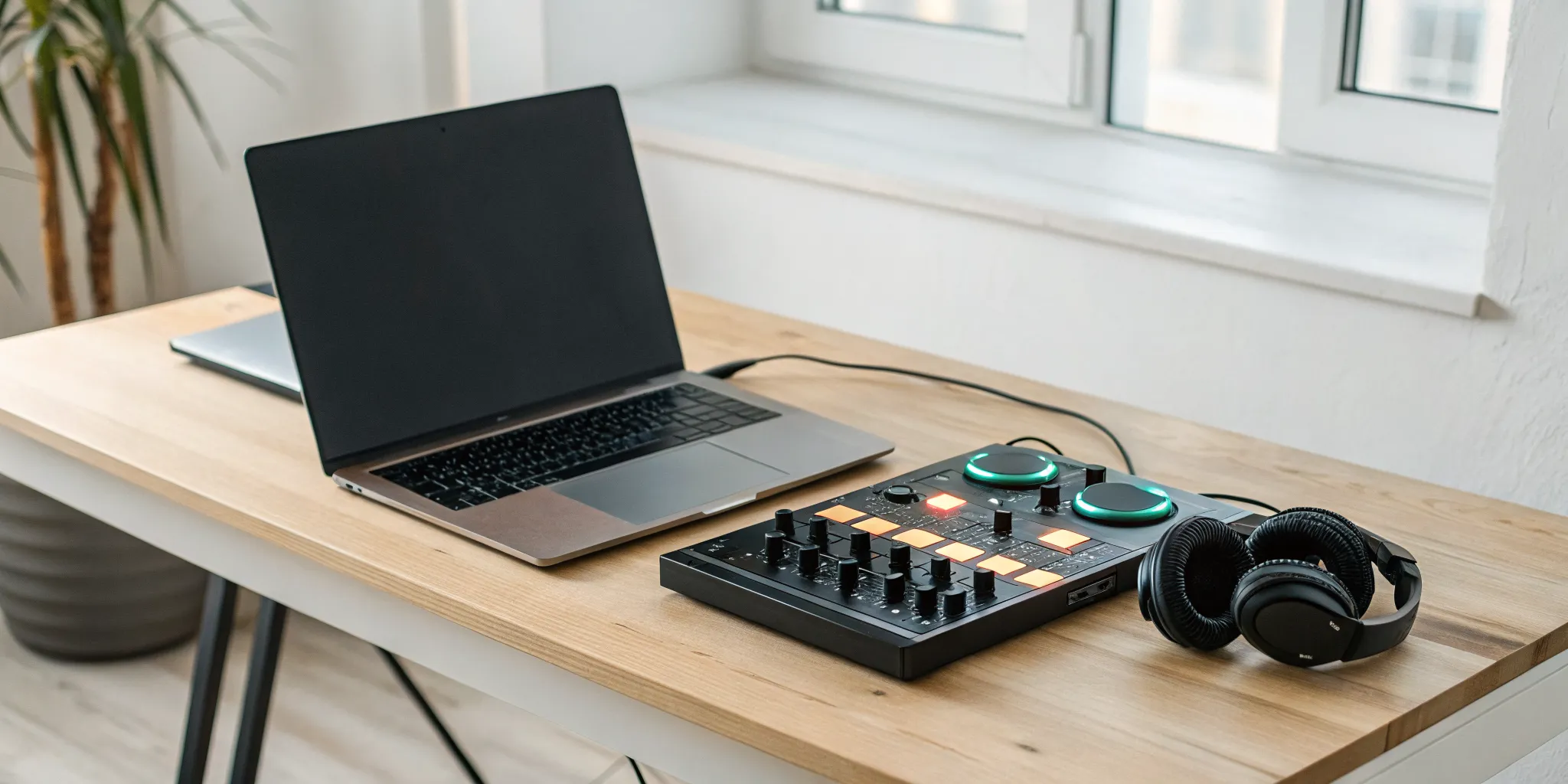
Think of your laptop as a blank canvas and your music library as your palette of colors. The world of DJing can seem complicated from the outside, filled with technical jargon and expensive equipment. But at its core, it’s about one thing: telling a story with music. And the most powerful and accessible tool to start telling that story is your laptop. Forget the pressure to buy a controller or turntables right away. This guide is designed to show you how to DJ with a laptop for beginners, focusing on the fundamental skills that truly matter. We’ll teach you how to organize your music, master your software, and execute clean mixes that will build your confidence and prepare you for any setup.
Key Takeaways
- Start with the essentials, not the price tag: You can begin DJing today with just your laptop. Use free software to learn the workflow, spend time organizing your music library, and invest in a good pair of headphones before anything else.
- Prioritize clean blends over complex effects: The mark of a great DJ is a seamless transition. Focus on mastering your EQs to make space for each track and using your faders for smooth volume control, as this creates a much better experience than a mix cluttered with effects.
- Record your sessions to accelerate your growth: Listening back to your own mixes is your most powerful learning tool. It helps you catch mistakes you missed in the moment and analyze the energy flow of your set, giving you clear goals for your next practice.
Find the Right DJ Software
Think of DJ software as the brain of your entire operation. It’s the program that lives on your laptop, allowing you to organize, cue, and mix all the incredible music you’ve collected. Choosing your first software can feel like a huge commitment, but don’t worry, it’s not a lifelong contract. The best approach is to start with what feels right for your budget and goals. Many professional DJs have used several different programs throughout their careers.
The great news is that you can start for free to learn the fundamentals. As you grow more confident, you can decide if you want to invest in a paid program with more advanced features. The software you choose will become your creative canvas, the place where you take individual tracks and weave them into a seamless musical story. It’s where you’ll load up all the new music you find on platforms like rBeatz Radio and begin to shape your unique sound. We’ll walk through some of the most popular options to help you find the perfect fit.
Free Software to Get You Started
You don’t need to spend any money to start DJing today. Several excellent free software options are available that let you learn the ropes with just your laptop. Programs like VirtualDJ and Serato DJ Lite are fantastic for beginners because they let you mix music without needing any extra hardware. Rekordbox also offers a free plan that gives you two decks to practice with. Think of these programs as your digital training ground. They provide all the essential tools you need to understand the core concepts of mixing, letting you get comfortable with the workflow before you decide to invest in more gear or advanced software.
Paid Software Worth the Investment
Once you’ve mastered the basics and feel ready for more creative control, you might consider upgrading to a paid program. Software like Traktor Pro is a favorite among many DJs because it offers a deeper set of tools to refine your mixes. Paid options typically provide more advanced effects, better music organization features, and more robust performance capabilities. While free software is perfect for starting, investing in a paid version can give you the professional polish and flexibility you need to take your sets to the next level. It’s an investment in your craft that can open up new creative possibilities.
Key Features to Look For
Opening DJ software for the first time can feel a little overwhelming, but most programs are built around a few universal controls. You’ll want to get familiar with the upfaders, which control the volume of each individual track, and the crossfader, which lets you blend smoothly from one song to the next. The CUE buttons are your best friend, allowing you to listen to a track in your headphones before the audience hears it. You’ll also use EQ and Trim knobs to adjust the sound and make sure your tracks blend together cleanly. Finally, you’ll learn about beatmatching, the art of syncing two songs’ tempos (BPM) so they play in time.
Build Your DJ Music Library
Your music library is more than just a collection of files; it’s your voice and your toolkit. Building a thoughtful, well-organized library is the single most important thing you can do to set yourself up for success. It’s the foundation for every set you’ll ever play. As you start collecting tracks, think about the sounds that represent you as an artist. Spend time exploring new genres and finding hidden gems on platforms like rBeatz, where you can connect with a world of emerging artists. A strong library gives you the confidence to walk into any situation and create a vibe that is uniquely yours.
Organize Your Digital Music
Before you even think about importing tracks into your DJ software, get your files in order on your computer. Think of it like setting up your kitchen before you start cooking. Create a main “DJ Music” folder, and inside that, create subfolders by genre, mood, or even the year you acquired the tracks. This step is crucial because most DJ software only references the location of your music. If you move a file after you’ve imported it, the software won’t be able to find it, leaving you with a missing track mid-set. A clean folder structure on your hard drive makes managing your library a breeze and prevents future headaches.
Create Playlists That Flow
Once your files are organized on your computer, it’s time to organize them inside your DJ software. This is where you’ll build the playlists and crates that you’ll actually use during a performance. Don’t just dump everything into one giant list. Create playlists for different parts of the night, like “Warm-Up,” “Peak Time,” and “Cool Down.” You can also make playlists for specific venues or events. As you build them, think about the energy and flow. Listen to how one track transitions into the next. For inspiration on creating a seamless musical journey, check out the curation on stations like Oui Global Radio. This practice helps you get to know your music on a deeper level.
Choose the Right File Formats and Quality
The quality of your audio files matters, especially when you’re playing on a professional sound system. While it’s tempting to grab any version of a song you can find, aim for high-quality files. For MP3s, a bitrate of 320kbps is the standard for DJs. If you can get lossless files like WAV or AIFF, even better, but be mindful they take up much more space. Once you have your tracks, make sure you analyze them in your software. This process sets the beatgrid, which tells the software where the beats are. A correct beatgrid is essential for using sync features and ensuring your mixes sound tight and professional. Artists looking to get their music played should always provide high-quality files, which you can learn more about on our music submission page.
Get the Right Gear Beyond Your Laptop
Okay, you’ve got your laptop and some killer tracks. You’re ready to go, right? Almost. While you can absolutely start learning with just your computer, a few extra pieces of gear will seriously improve your experience and help you build real-world skills. Think of your laptop as the brain of your operation. Now, let’s give it the eyes, ears, and hands it needs to truly shine. This isn’t about buying the most expensive equipment on the market. It’s about making smart, strategic investments that will help you grow as a DJ, starting with the essentials that make the biggest impact on your sound and workflow.
Find Your Perfect DJ Headphones
This is non-negotiable. Your laptop’s earbuds won’t cut it. You need a solid pair of over-ear DJ headphones to properly cue up your next track without the audience hearing it. When you’re shopping, try to test them out in person if you can. Bring your phone with some of your favorite tracks and see how they sound. Pay close attention to noise isolation; you need to be able to hear your cued track clearly, even with music blasting from the main speakers. A good pair of DJ headphones is your most important connection to the mix, allowing you to hear every detail and make sure your transitions are flawless.
Controller vs. Software-Only: What’s the Difference?
Starting with just your laptop and DJ software is a fantastic, budget-friendly way to learn the fundamentals of mixing and beatmatching. You can get a real feel for the craft without spending a dime on hardware. However, as you progress, you’ll likely want the tactile experience of a DJ controller. A controller gives you physical knobs, faders, and jog wheels that mirror the layout of professional club equipment. This hands-on control makes mixing feel more intuitive and dynamic than clicking with a mouse. Think of it as a natural next step in your journey, not a day-one requirement. You can always add a controller once you’ve mastered the basics.
Audio Interfaces and External Speakers
Your laptop’s built-in speakers just aren’t designed for the power and clarity DJing demands. To really hear what you’re doing, you need a pair of external speakers. But to connect everything properly, you’ll also want an audio interface. This little box, also known as an external sound card, dramatically improves your sound quality. More importantly, it gives you the separate outputs you need to send one signal to your headphones (your cue) and another to the main speakers (the master out). This setup is essential for seamless mixing. Hearing your music on proper speakers ensures your EQs are balanced and your mix sounds as good in the room as it does in your headphones, just like the pros you hear on rBeatz Radio.
Master the Core DJing Techniques
Once your software is set up and your library is organized, it’s time to get hands-on with the core techniques that define DJing. This is where you move from simply playing songs to creating a seamless musical experience. Think of these skills as your fundamental building blocks. Mastering them is all about practice and developing muscle memory, so don’t get discouraged if it doesn’t feel natural at first. Every DJ, from your local favorite to the festival headliner, relies on these basics to control the energy of a room and guide the audience on a journey.
The goal is to make the transitions between songs feel so smooth that the crowd barely notices a new track has started; they just feel the continuous flow of energy. These techniques are what allow you to put your unique spin on the music, blending sounds and creating moments that are entirely your own. As you get more comfortable, you’ll see how artists like DJ WORLD BEATZ use these same principles to build incredible sets. So, let’s get into the three main skills you’ll need to practice.
Learn Your Faders
Your faders are the primary tools for controlling volume and blending tracks. You’ll see two types on your controller or in your software: upfaders and a crossfader. Think of the upfaders as individual volume knobs for each track you have loaded. You use them to bring a song’s volume up or down. The crossfader is the horizontal slider at the bottom, and it allows you to smoothly transition between two tracks. Sliding it all the way to the left plays only the left track, while sliding it to the right plays only the right track. The magic happens in the middle, where you can blend both songs together to create a perfect mix.
Use the CUE Function
The CUE function is your secret weapon for preparing a track before it goes live to your audience. When you press the CUE button for a specific channel, the audio for that track is sent directly to your headphones, not the main speakers. This allows you to listen to the incoming song, find the exact point where you want to start it, and make sure its tempo matches the track that’s currently playing. Using the CUE function is essential for lining up your mixes perfectly and avoiding any awkward silences or clashing beats. It gives you the confidence to mix on the fly, knowing your next track is ready to go.
Beatmatch and Match BPMs
Beatmatching is the art of synchronizing the tempos of two tracks so they play at the same speed, or Beats Per Minute (BPM). You can do this manually by adjusting a song’s tempo with the pitch slider until its beat aligns with the other track. However, most modern DJ software includes a ‘Sync’ button that automatically matches the BPMs for you. Don’t be afraid to use it. The Sync button is an amazing tool for beginners because it lets you focus on other important parts of mixing, like song selection and timing. Learning to beatmatch by ear is a valuable skill to develop over time, but using Sync helps you build great-sounding mixes from day one.
Learn Essential Mixing Techniques
Once you’re comfortable with the basic controls, you can start focusing on the techniques that truly define a DJ set. This is where you move from simply playing one song after another to crafting a seamless musical journey for your listeners. Mastering these mixing techniques will help you create clean, energetic, and professional-sounding sets right from your laptop. It’s all about blending tracks in a way that feels intentional and keeps the energy flowing.
Use EQs for Cleaner Sound
Think of the EQ (equalization) knobs as your secret weapon for a clean mix. Every track has different frequencies: low (bass), mid (vocals, melodies), and high (hi-hats, cymbals). When you play two tracks at once, these frequencies can clash, making your mix sound muddy or messy. Using your software’s EQ controls helps you balance the frequencies of your tracks for a bright and punchy sound.
A classic technique is the “bass swap.” As you’re mixing out of the current track, slowly turn down its bass knob while simultaneously turning up the bass on the incoming track. This creates a smooth transition without the powerful low-end frequencies colliding and keeps the dance floor’s rhythm uninterrupted.
Get Creative with Hot Cues and Loops
This is where you can really start to put your own signature spin on your mixes. Hot cues are like digital bookmarks that let you jump instantly to a specific point in a song. You can set a hot cue at the first beat, a vocal phrase, or a big drop. This allows you to skip long intros or creatively remix a track on the fly. For example, you could juggle between vocal snippets from two different songs to create a unique effect.
Loops let you repeat a section of a track, like a four-beat drum pattern or a catchy melody. Using loops and cue points effectively can help you extend parts of a song to make mixing easier or create live remixes that will make your set stand out.
Create Seamless Transitions
The art of the transition is what separates a playlist from a DJ set. The goal is to blend two songs so smoothly that the energy never drops. A great place to start is by practicing a simple volume blend. As the outgoing track plays, start the incoming track with its volume fader all the way down. Over 8 or 16 bars, slowly raise the volume of the new song while gradually lowering the volume of the old one.
To make your blends even smoother, combine this with your EQ skills. As you bring in the new track, you might have its bass and mid-range EQs turned down, slowly bringing them up as you fade the other track out. There are many ways to create a smooth transition, so experiment to find what feels right for you and the music you’re playing.
How to Practice and Improve Your Skills
Knowing the techniques is one thing, but building the muscle memory and creative instinct to use them flawlessly is another. This is where practice comes in. Consistent, focused practice is what will transform you from someone who knows how to DJ into a confident DJ who can rock a party. It’s not about grinding for hours on end; it’s about being intentional with your time behind the virtual decks. By structuring your sessions, mastering your software, and analyzing your own work, you’ll build a solid foundation for your skills to grow.
Structure Your Practice Sessions
Consistency is your best friend. You don’t need to lock yourself away for hours, but you should aim to practice regularly to get comfortable with your setup. Try setting aside 15 to 30 minutes each day, or at least a few times a week. Instead of just aimlessly mixing, give each session a goal. One day, you might focus entirely on beatmatching by ear. The next, you could work on executing clean transitions using only the EQs. This approach of deliberate practice helps you make measurable progress on specific skills, which is far more effective than just hitting play and hoping for the best.
Learn Your Software’s Workflow
Your DJ software is your primary instrument, so get to know it inside and out. Spend dedicated time exploring its features and understanding its unique workflow. Learn the quickest ways to find music, load songs onto the decks, keep them in time, and mix them together. Dig into the settings, customize the layout to your liking, and experiment with effects, loops, and hot cues. The more you understand your software, the less you’ll have to think about the technical side. This frees up your mental energy to focus on what really matters: the music and the mix. Find some new tracks from emerging artists to add to your library and start experimenting.
Record and Analyze Your Mixes
Recording your practice sessions is one of the most powerful things you can do to improve. It’s nearly impossible to accurately judge your mix while you’re in the middle of it. Most DJ software has a built-in audio recorder, so use it every time you practice. Afterward, listen back with a critical but kind ear. Pay attention to the energy levels, the smoothness of your transitions, and the clarity of the overall sound. Did the basslines clash? Was there a sudden volume jump? Taking notes on what worked and what didn’t gives you a clear roadmap for your next session. For inspiration, listen to how seasoned DJs like DJ WORLD BEATZ structure their sets.
Prepare for Your First Gig
The moment you’ve been working for is finally here: your first live gig. It’s completely normal to feel a mix of excitement and jitters. The best way to build confidence and ensure you have a great time is to prepare thoroughly. Knowing your music, your gear, and your plan will free you up to connect with the crowd and enjoy the experience. Let’s walk through the final steps to get you ready for the stage.
Plan Your Set from Start to Finish
A great DJ set tells a story. Instead of just playing a random collection of songs, think about the energy and flow from beginning to end. Map out your first few tracks to start strong and your last few to leave a lasting impression. While you don’t need to plan every single transition, having a solid framework will help you feel secure. A common mistake for new DJs is not having a deep enough understanding of their music to create a cohesive journey. Think about the vibe of the venue and the time of your set. Are you warming up the room or playing at peak time? Curate your playlist to match the expected energy, building it up and bringing it down with intention.
Nail the Technical Setup and Soundcheck
Arrive early. I can’t say this enough. Give yourself plenty of time to set up your laptop and controller without feeling rushed. This is your chance to handle any technical surprises before the first person walks through the door. Check all your cables, make sure your software is running smoothly, and do a proper soundcheck. Test your headphones, your main output, and your monitor levels. It’s a good idea to be prepared for common DJ issues, like a faulty cable or a software glitch. Having a backup plan, even if it’s just a pre-recorded mini-mix on your phone, can be a lifesaver. A calm and collected approach to your tech setup will set a professional tone for your entire performance.
Manage Performance Nerves
Even seasoned pros get nervous. The key is to channel that energy into your performance instead of letting it get the best of you. Remember that you’ve done the work: you’ve practiced your mixes, organized your library, and planned your set. Trust your preparation. Before you start, take a few deep breaths. Have a bottle of water handy. Focus on your first couple of transitions to get into a groove. If you make a small mistake, chances are the audience won’t even notice, so just keep going. The more you stay composed, the more you’ll be able to connect with the music and the crowd, which is what it’s all about.
Avoid These Common Beginner Mistakes
We all make mistakes when we’re learning something new, and DJing is no exception. The key is to learn from them instead of letting them discourage you. Think of these common slip-ups not as failures, but as rites of passage on your way to becoming a great DJ. By knowing what to look out for, you can sidestep some of the most frequent issues and build a solid foundation for your skills. Let’s walk through a few things to keep in mind as you start mixing.
Manage Your Volume and Gain
One of the quickest ways to ruin a great mix is with poor sound quality. It’s easy to get caught up in the energy and push your volume levels into the red, but this causes clipping and distortion, which sounds harsh to the listener. Your goal is a mix that is clear, bright, and punchy, not loud and muddy. Pay close attention to the meters in your DJ software. The gain knob on each channel sets the initial level of the track, while the fader controls its volume in the mix. A good rule of thumb is to set your gain so the channel meter bounces in the green and yellow, staying well out of the red. This gives you plenty of headroom for a clean final output.
Keep Your Mixes Simple
When you first get your hands on DJ software, the temptation to use every effect, loop, and filter at once is real. While these tools are fun, overusing them can make your mix sound chaotic and unprofessional. Instead of trying to do too much, focus on the fundamentals. A deep understanding of basic music theory and song structure will serve you far better than a flashy but poorly timed effect. Concentrate on clean beatmatching, smooth transitions, and thoughtful song selection. A simple mix that flows perfectly is always more impressive than a complicated one that feels messy. You can add complexity later as you get more comfortable.
Don’t Neglect Your Music Library
Your music library is your most important asset as a DJ. A disorganized collection can lead to stressful moments during a set, like being unable to find the right track or discovering that your cue points are missing. Treat your library like your instrument and keep it finely tuned. Before you even think about mixing, take the time to properly analyze your files, set beatgrids, and add cue points for key parts of the song. Create a clear folder structure and use playlists to plan out your sets. As you discover new artists and add tracks, make it a habit to organize them immediately. A well-maintained library allows you to be creative and spontaneous, knowing that the perfect track is always just a few clicks away.
Related Articles
- Music Discovery and Archives – DJ World Beatz | rBeatz
- DJ Drop studio session with Greazy Keyz | rBeatz presents
- Greatest dance party songs of all time for your playlist | rBeatz
- MEGA AI Blog – rBeatz
Frequently Asked Questions
Do I really need to buy a DJ controller right away? Not at all. In fact, I recommend starting with just your laptop and some free software. This approach lets you learn the core principles of mixing, like organizing music and understanding phrasing, without any financial pressure. Once you feel comfortable with the software and know that DJing is something you want to pursue, you can then invest in a controller. Think of the controller as a way to get a more hands-on, tactile feel for mixing, but it’s a next step, not a first step.
Is it okay to use the Sync button, or is that considered “cheating”? You should absolutely use the Sync button when you’re starting out. It’s a fantastic tool that handles the technical task of matching tempos, which frees you up to focus on the more creative parts of DJing, like song selection, timing your transitions, and managing the overall energy of your mix. Many professional DJs use it. Learning to beatmatch by ear is a valuable skill to develop over time, but Sync helps you build confidence and create great-sounding sets from day one.
My mixes sound muddy when I blend two tracks. What am I doing wrong? This is a very common issue, and it usually comes down to clashing bass frequencies. When you have the bass from two different tracks playing at full volume at the same time, they compete and create a messy, low-end rumble. A simple fix is to perform a “bass swap.” As you bring in your new track, make sure its bass EQ is turned down. Then, as you fade out the old track, slowly turn its bass down while you simultaneously bring the bass up on the new one. This creates a clean and powerful transition.
Where can I find good, high-quality music for my library? Building a great library is a continuous process of discovery. For purchasing high-quality files (like 320kbps MP3s or WAVs), online stores like Beatport and Bandcamp are excellent resources. For finding new and unexpected music, spend time exploring platforms dedicated to artist discovery. Listening to curated stations like the ones on rBeatz is a great way to hear what emerging artists are creating around the world and find unique tracks that will make your sets stand out.
I get nervous just practicing. How can I build confidence before a real gig? The best way to build confidence is to turn your practice into feedback. Get into the habit of recording every practice session. It might feel strange at first, but listening back is the single most effective way to improve. You’ll hear your mixes from an objective perspective, just like an audience would. You can pinpoint exactly where a transition felt rushed or where the energy dropped. This process turns vague nerves into a clear, actionable list of things to work on, which is the foundation of real confidence.